
Lieferung heute & morgen

Qualitätsgarantie

Willkommens-Angebote freischalten: KOSTENLOSE Lieferung | Bis zu 80 % RABATT | Kostenlose 30-Tage-JoyPlus-Testphase
App herunterladen
Modern laptops and tablets like the MacBook, Surface, or iPad Pro are known for their sleek designs. However, this compactness often comes at the expense of port variety. Anyone looking to connect more than just one or two peripherals will quickly run into limitations. A USB-C hub expands a single USB-C port into a multitude of connections, restoring connectivity for monitors, storage devices, network cables, and more.
This article serves as a practical guide. It explains which technical features to consider when making your choice and presents a selection of models for various use cases to help you make an informed decision.
Choosing the right model depends on your individual needs. The following criteria will help you identify the features that are most relevant to your workflow.
Consider which devices you connect regularly. The hub's port selection should match your daily requirements.
A crucial feature is the ability to charge through the hub. A USB-C hub with Power Delivery (PD) allows you to charge your laptop using the same hub that your peripherals are connected to. You connect your laptop's original power adapter to the hub's PD input, and it passes the power through to your device. Models with 100W of power delivery are suitable even for high-performance laptops like the MacBook Pro.
Different form factors are suitable for different environments.
Here is a selection of models that stand out for their specific features, catering to different user groups.
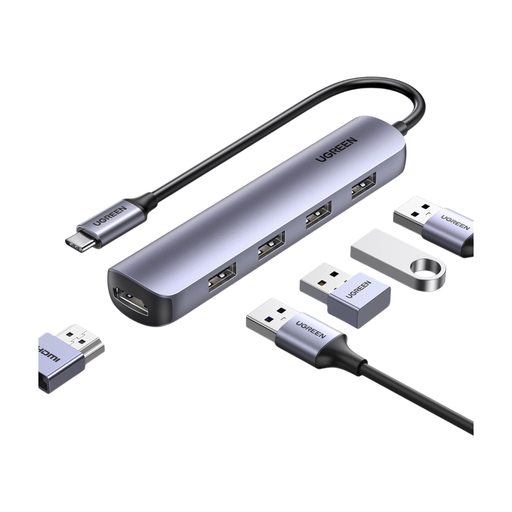
What Makes This Model Stand Out The UGREEN hub is a compact and straightforward solution for everyday connectivity needs. It focuses on the essential ports, and its light weight and durable construction make it a practical companion for mobile users.
Pros
Who Is It For? This model is an excellent choice for students, commuters, and anyone who needs a simple and reliable way to connect a monitor and basic USB devices on the go.
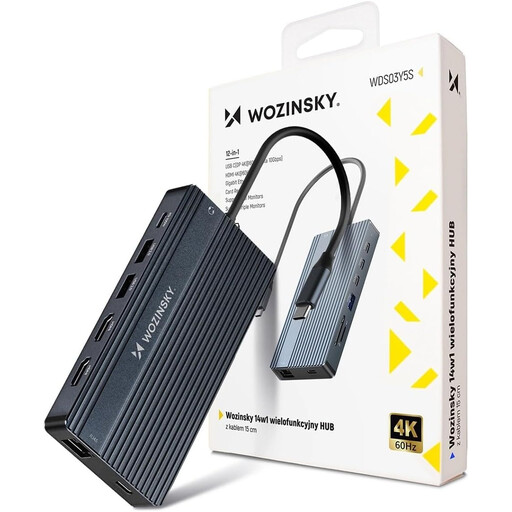
What Makes This Model Stand Out With 14 ports, the WOZINSKY hub transforms a laptop into a full-fledged USB-C docking station. It is designed for maximum productivity and supports setups with up to three external monitors, making it ideal for demanding work environments.
Pros
Who Is It For? This hub is aimed at power users, creative professionals (e.g., in video editing or graphic design), and anyone looking to set up a permanent workstation with multiple screens and numerous peripherals.
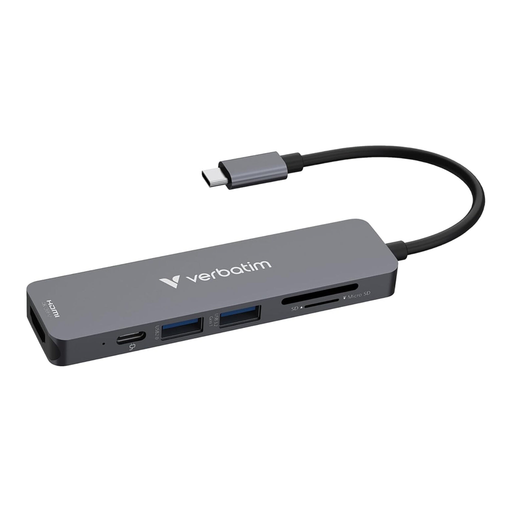
What Makes This Model Stand Out The Verbatim Essentials Hub offers a balanced mix of portability and functionality. It covers the most common needs for the office and on the go, combining fast data transfer with powerful charging in a lightweight package.
Pros
Who Is It For? This USB-C multiport adapter is ideal for professionals in the office or at home, as well as users looking for a USB-C hub for their MacBook who need a reliable all-round solution for presentations, data management, and charging their device.
The market for USB-C accessories is vast, offering solutions for nearly every imaginable use case. Whether you need a simple USB-C splitter for more USB-A ports or a specialized docking station for a professional setup, countless configurations are available.
Explore our full range of adapters and hubs in the USB with USB-C category to find the perfect solution for your needs.
1. What is the difference between a USB-C hub and a docking station? A USB-C hub is typically smaller, more portable, and powered directly by the laptop's USB-C port (bus-powered). A USB-C docking station is usually larger, designed for stationary use at a desk, offers more ports, and often has its own power supply to ensure higher performance for all connected devices.
2. Does my laptop need a specific type of port for a hub with video output? Yes. To output a video signal via USB-C, the host device's USB-C port must support DisplayPort Alternate Mode (DP Alt Mode). Most modern laptops and tablets designed for professional use (e.g., MacBook Pro/Air, Dell XPS, Microsoft Surface) include this feature.
3. Can I charge my laptop through the USB-C hub? This is possible if the hub has a dedicated USB-C port with Power Delivery (PD). You connect your laptop's charger to this PD port on the hub. The hub then passes the power through to the laptop (pass-through charging) while all other ports on the hub remain functional.