
Lieferung heute & morgen

Qualitätsgarantie

Willkommens-Angebote freischalten: KOSTENLOSE Lieferung | Bis zu 80 % RABATT | Kostenlose 30-Tage-JoyPlus-Testphase
App herunterladen
A USB-C hub can expand a laptop or tablet connection with several additional interfaces. In practice, however, the number of advertised ports alone does not determine whether a device is suitable for your workspace. Particularly with MacBooks, Windows laptops, iPads and other USB-C-compatible devices, unclear technical specifications can quickly lead to the wrong purchase.
The Joybuy Product Recommendation Officer therefore focuses on clear, verifiable data: available ports, transfer speed, display output, power supply and device compatibility.
A USB-C port initially describes only the connector shape. Depending on the device, it may support data only, display output via DisplayPort Alt Mode, or USB-C Power Delivery as well. Before buying, check the laptop or tablet’s manual to see which functions the port actually supports.
A hub with HDMI cannot force display output if the host device’s USB-C port does not transmit a video signal. Thunderbolt products also have their own requirements. The Choetech HUB-D03, for example, is specifically designed for Thunderbolt 3 and is not suitable for every standard USB-C port.
The designation USB-C hub 4K is not enough to make an informed choice. Resolution and refresh rate are both important:
A USB-C hub with HDMI should therefore always be checked against the technical specifications of the monitor, cable and host device.
A USB-C hub with Power Delivery does not automatically charge a laptop at the advertised maximum power. The stated wattage usually refers to the possible input power of the PD port. The hub itself uses some of that power, and the charger must also provide sufficient output.
A hub with “100 W PD” therefore requires a compatible power supply, a suitable USB-C cable and a host device that supports Power Delivery. A simple USB-C adapter without PD pass-through cannot charge the laptop while it is in use.
Before buying, make a quick list:
Unused ports often only add to the size and price. A compact USB-C multiport adapter may be more practical when travelling than a comprehensive laptop docking station.
The specification 5 Gbit/s typically corresponds to USB 3.0 or USB 3.2 Gen 1. 10 Gbit/s is commonly used for USB 3.2 Gen 2 or Gen 2x1. Actual speed also depends on the connected storage device, cable and host port.
USB 2.0 is usually sufficient for a keyboard and mouse. For external SSDs, large video files or regular backups, USB ports with speeds of 5 or 10 Gbit/s are more suitable. With card readers, read and write speeds should be considered separately, as writing is often slower.
An aluminium casing can help dissipate heat, but it does not replace adequate ventilation. Several active USB devices, Ethernet and display output can increase the temperature. A hub should therefore not be placed under paper, clothing or other heat-insulating items.
If you use several hard drives or power-hungry devices, a USB-C hub with its own power supply or a PD input is a sensible choice. Bus-powered models are more suitable for low-consumption peripherals.
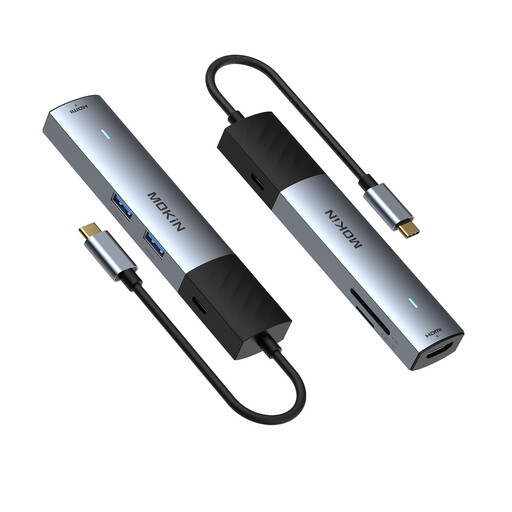
Why this product suits this profile: The 7-in-1 design combines HDMI, USB-C, two USB-A ports, SD, TF and PD in one device. It is therefore suitable for students and users who need several everyday connections.
The specifications state HDMI support of up to 4K/60 Hz, USB data rates of up to 5 Gbit/s and PD support of up to 100 W. According to the product description, SD and TF cards can be used simultaneously.
A combination of card readers, HDMI, two USB-A ports and a USB-C PD input; the stated card speeds are 20–40 MB/s when reading.
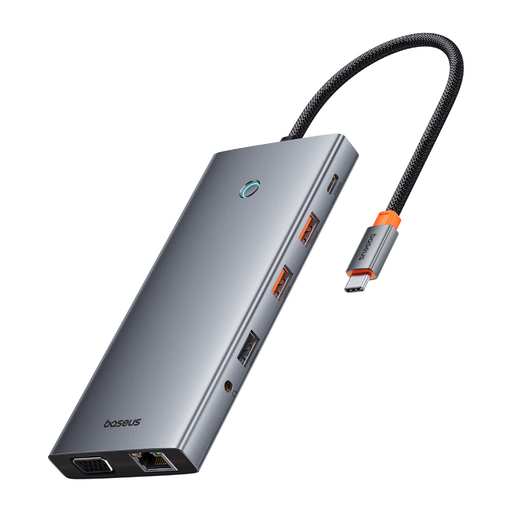
Why this product suits this profile: For complex desk setups with several display types, networking, audio, card readers and fast data ports, this model offers a wide range of connections.
The product specifications list the respective limits separately: HDMI up to 4K/60 Hz, DisplayPort up to 8K/30 Hz, VGA up to 1080p/60 Hz and RJ45 up to 1,000 Mbit/s.
Two HDMI ports, DisplayPort, VGA, Gigabit Ethernet, SD/TF, audio and USB 3.1 at up to 10 Gbit/s; USB-C PD is specified at up to 100 W.
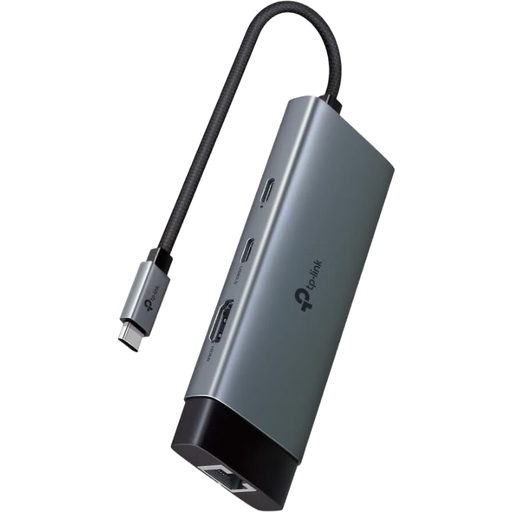
Why this product suits this profile: This model is aimed at home-office and office users who want to combine HDMI, wired networking and several USB devices in one compact hub.
The specifications separate display output, networking, data ports and power supply. This makes it easy to check before buying whether a single HDMI monitor and Gigabit Ethernet will be sufficient.
HDMI up to 4K/60 Hz, RJ45 at 10/100/1,000 Mbit/s, one USB-C and two USB-A data ports at up to 5 Gbit/s, plus PD up to 100 W.
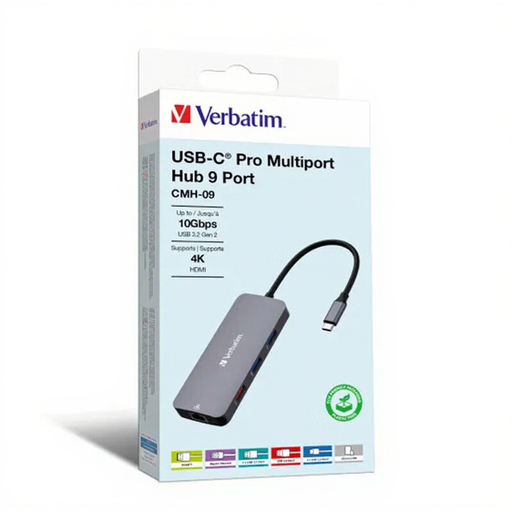
Why this product suits this profile: SD and microSD card readers, HDMI, Ethernet and USB-C and USB-A connections cover typical requirements for transferring and editing large files.
The ports and speeds are listed individually: USB 3.0 up to 5 Gbit/s, USB 2.0 up to 480 Mbit/s, HDMI up to 4K/30 Hz and Gigabit Ethernet.
Nine ports, including SD, microSD, RJ45 and a USB-C PD input; PD pass-through of up to 100 W is specified.
We have put together a complete, regularly updated list of products that fully meet these strict selection criteria and the safety regulations applicable in the EU.
Not automatically. The key factors are the operating system, the USB-C functions and, where applicable, the chip used. For display output, the device’s USB-C port must support the appropriate display mode. Some iPad models have limitations when it comes to external displays or certain USB devices. The hub’s compatibility information should be checked against the specific model.
This depends on the hub, host device, operating system and type of connection. A single HDMI port generally supports one external display. Multiple outputs may provide different signals, but they may not work independently with every laptop. Specifications such as “two monitors” should therefore always be read together with the resolution and refresh rate.
Yes. A bus-powered hub draws its energy from the laptop or tablet. Connected hard drives, card readers and network adapters increase power consumption. A model with USB-C Power Delivery can be powered via a separate charger while simultaneously passing power through to the host device. This design is usually more practical for peripherals that remain connected permanently.