
Lieferung heute & morgen

Qualitätsgarantie

Willkommens-Angebote freischalten: KOSTENLOSE Lieferung | Bis zu 80 % RABATT | Kostenlose 30-Tage-JoyPlus-Testphase
App herunterladen
A USB-C hub can expand a single port on a laptop, MacBook, tablet or smartphone with HDMI, USB-A, memory cards, Ethernet and charging functions. However, product specifications vary considerably. A high number of ports alone says little about whether the adapter will work reliably in a home office, during image editing or with a multi-monitor setup.
A USB-C port may only transfer data and power, or it may also support DisplayPort Alt Mode. For a USB-C hub with HDMI, the device’s host port must explicitly support video output. Thunderbolt devices are subject to additional standards.
Before buying, check the following:
If DisplayPort Alt Mode is not supported, the hub’s HDMI port may not work.
The specification 4K only describes the resolution. The refresh rate is also important for smooth motion. A USB-C hub 4K 60Hz is generally better suited to smooth presentations, videos and compatible games than a model offering 4K at 30 Hz. However, the laptop, cable and monitor must also support 4K at 60 Hz.
When several displays are connected, the maximum resolution or refresh rate may change. A hub with two HDMI ports therefore does not automatically provide two independent 4K 60 Hz signals.
A USB-C hub with Power Delivery passes power from the charger to the host device. “Up to 100 W” generally refers to the maximum input power of the PD port. As the hub also uses some power itself, the amount reaching the laptop may be lower.
Use a suitable USB-C PD charger and an appropriate cable. The charging power should match the notebook’s requirements. The housing may also become warm when several hard drives, monitors and card readers are connected. Good airflow is therefore advisable.
For a simple office setup, a USB-C multiport adapter with the following is often sufficient:
Photographers and videographers should look for a USB-C hub with an SD card reader and, ideally, a separate TF or microSD slot. Check whether SD and TF can be used simultaneously and what read and write speeds are specified.
USB 3.0 or USB 3.2 Gen 1 is often advertised at up to 5 Gbit/s. USB 3.2 Gen 2 can reach up to 10 Gbit/s, depending on the port. These are theoretical maximum values. Actual speed depends on factors including the storage device, cable, file type and simultaneous use of other ports.
A card reader specified at 20 to 40 MB/s for reading is suitable for many photography workflows, but it cannot be compared with a fast USB 3.2 Gen 2 storage device.
One screen will usually only require an HDMI or DisplayPort output. If you are looking for a dual-monitor docking station, you need to distinguish carefully between mirroring and extending:
A Thunderbolt 3 adapter is not automatically compatible with every USB-C port. Conversely, a Thunderbolt 3 port can accommodate many USB-C accessories, but the relevant limitations of the adapter still apply.
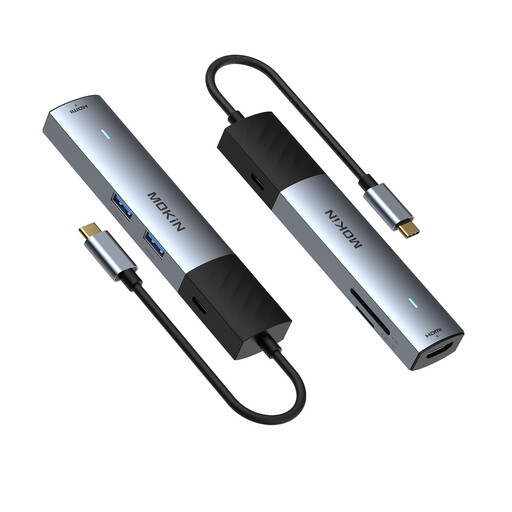
Why this product suits this profile: This 7-in-1 hub combines HDMI, two USB-A ports, USB-C data, SD, TF and PD in one compact adapter for everyday laptop and tablet use.
The technical specifications state HDMI support of up to 4K at 60 Hz, as well as simultaneous use of the SD and TF readers.
Three USB data ports, card readers and USB-C PD up to 100 W in one device.
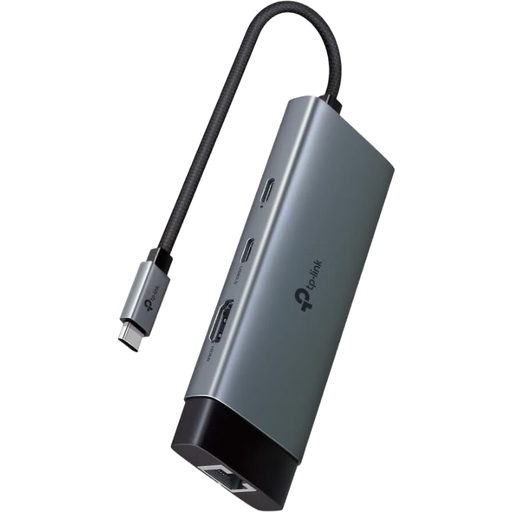
Why this product suits this profile: For home offices, video conferences and permanent workstations, this model combines HDMI, Gigabit Ethernet, USB data ports and PD.
The specifications clearly distinguish video, networking, data and charging: HDMI up to 4K/60 Hz, RJ45 at 10/100/1000 Mbit/s and USB at up to 5 Gbit/s.
Gigabit Ethernet and USB-C PD up to 100 W; compatibility with several operating systems is specified.
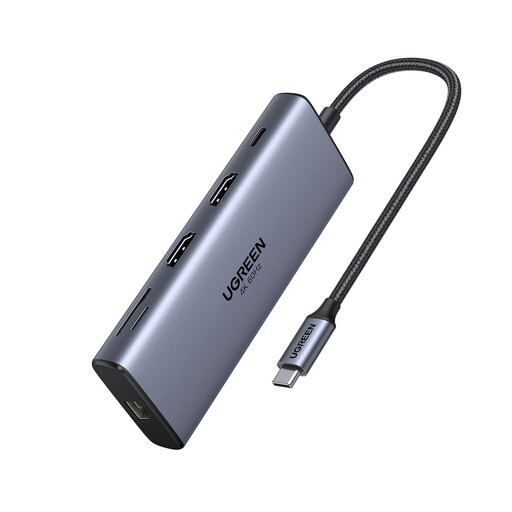
Why this product suits this profile: For users with multiple monitors, fast storage devices and memory cards, this USB-C docking station offers a wide range of connections.
The specifications indicate two HDMI outputs supporting up to 4K/60 Hz. Whether two independent images are displayed also depends on the host system.
USB-C and USB-A data ports at up to 10 Gbit/s, SD/TF readers, Gigabit Ethernet and PD up to 100 W.
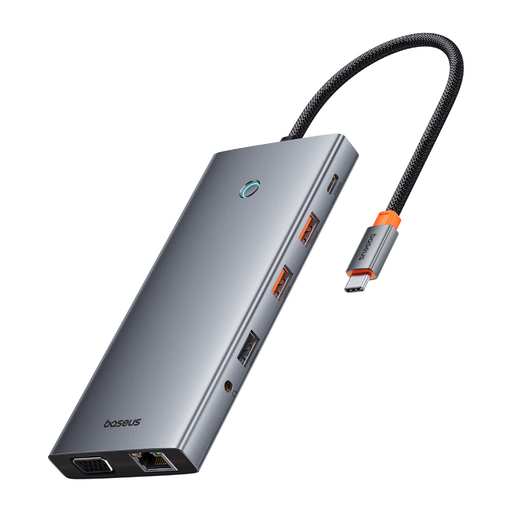
Why this product suits this profile: Suitable for comprehensive desk setups with monitors, networking, audio, card readers and several USB devices.
The port list specifies the individual standards separately, including HDMI at 4K/60 Hz, DisplayPort at 8K/30 Hz and USB 3.2 Gen 2 at up to 10 Gbit/s.
13 ports including HDMI, DisplayPort, VGA, RJ45, SD, TF, audio and USB-C PD up to 100 W.
We have put together a complete, regularly updated list of products that fully meet these strict selection criteria and the safety regulations applicable in the EU.
No. The smartphone must support USB OTG and, for video output, DisplayPort Alt Mode. Some models are explicitly incompatible with certain MHL devices. You should therefore check the manufacturer’s compatibility list.
Yes, provided the hub has a USB-C PD input and the charger supplies sufficient power. The hub’s maximum PD value does not necessarily correspond to the charging power that reaches the laptop.
Its lifespan depends on the number of connection cycles, heat generation, cable quality and mechanical stress. Using it in a dry, well-ventilated environment, avoiding excessive strain on the connector and using suitable cables can reduce the load. If you frequently use memory cards and monitors, you should also look for clearly specified standards and a suitably designed housing.