
Lieferung heute & morgen

Qualitätsgarantie

Willkommens-Angebote freischalten: KOSTENLOSE Lieferung | Bis zu 80 % RABATT | Kostenlose 30-Tage-JoyPlus-Testphase
App herunterladen
A USB-C hub can expand a laptop or MacBook with HDMI, USB-A, a memory card reader, Ethernet and power delivery. In practice, however, problems are often caused not by the number of ports, but by unclear compatibility information and unrealistic expectations regarding speed or display output.
Not every USB-C port supports video output, fast data rates or Power Delivery. For a USB-C hub with HDMI, the host port may need to support DisplayPort Alt Mode or a comparable function, depending on the device. A simple USB-C charging port is not sufficient.
The chip fitted in MacBook models is also important. Some dual-HDMI docking stations only work with certain Intel or Pro/Max configurations, rather than with every variant in the same model range.
The specification USB-C hub 4K can refer to different refresh rates. 4K at 30 Hz is suitable for presentations, office work and films. For smoother movement, 4K at 60 Hz or above is more relevant. Connecting a second monitor may reduce the maximum resolution or refresh rate.
You should also check the operating mode: some adapters only mirror two screens, while others support an extended desktop.
A hub with several USB 3.0 ports will not necessarily reach its stated transfer rate on every port simultaneously. External hard drives, card readers and other devices share the connection to the laptop. SD and TF card readers, HDMI and USB ports may also be limited by the internal bandwidth.
A USB-C hub with Power Delivery can charge the notebook while it is in use. However, this requires a suitable power supply and a host port that supports charging. The advertised input power does not always correspond to the power that actually reaches the laptop.
Create a short list before buying:
For older peripherals, a USB-C to USB-A adapter may be sufficient. If you regularly connect several devices, a multiport adapter or USB-C docking station is a better choice.
Pay attention to three specifications: maximum resolution, refresh rate and supported number of monitors. A single HDMI output with 4K at 60 Hz is not the same as two independent 4K monitors.
With a dual-HDMI docking station, you should also check whether the laptop supports an extended desktop. The manufacturer’s information on operating system, processor and Thunderbolt compatibility is decisive here.
USB 3.0 is often specified as offering up to 5 Gbit/s. This is a theoretical interface value and may be reduced by the storage medium, cable, file type and simultaneous use of other ports. For photographers, the SD/TF card reader’s read and write speeds are also relevant.
Similar principles apply to charging cables: a USB-C charging cable is not automatically designed for high charging power or data transfer. A 3-in-1 charging cable with USB-C, Lightning and Micro-USB connectors is convenient for travelling, but it does not replace a video cable. A Micro-USB cable may be suitable for older devices; Apple devices require a Lightning cable.
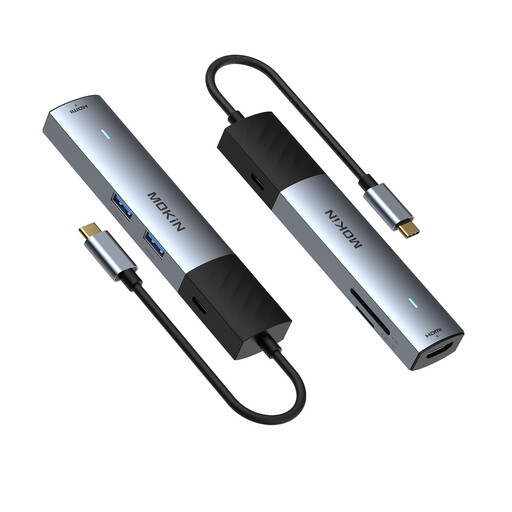
Why this product suits this profile: This 7-in-1 hub combines an HDMI output, two USB-A 3.0 ports, USB-C 3.0, SD, TF and USB-C PD in a compact design. It is suitable for working from home, studying and occasional photo transfers.
The key specifications are clearly stated: HDMI up to 4K at 60 Hz, USB data transfer of up to 5 Gbit/s and PD 3.0 with up to 100 W input power. The SD and TF readers can be used simultaneously.
4K HDMI output and two card slots; stated USB 3.0 transfer speeds of up to 5 Gbit/s.

Why this product suits this profile: This model is designed for users who need a wide range of connections in the office, studio or on the go. In addition to two HDMI ports, it features USB-C, USB-A, RJ45 and SD/TF.
The features are broken down by interface and data rate. They include USB-A and USB-C at up to 10 Gbit/s, HDMI with 4K at 120 Hz or 4K at 60 Hz, and Gigabit Ethernet.
Two HDMI outputs, RJ45 at up to 1,000 Mbit/s and USB-C PD input of up to 100 W according to the product specifications.
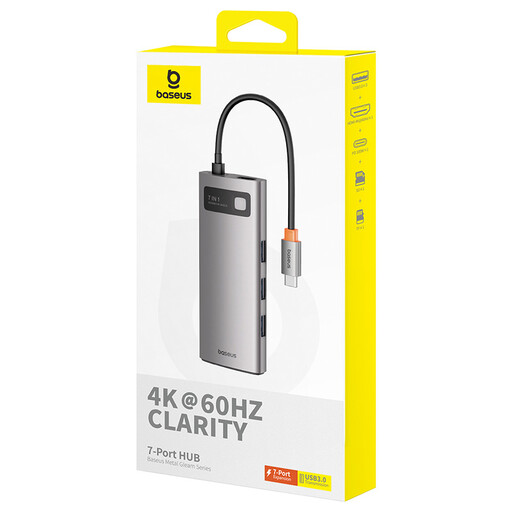
Why this product suits this profile: This compact multiport adapter offers HDMI, three USB 3.0 ports, SD/TF and USB-C PD. It is ideal for mobile workspaces, presentations and occasional media transfers.
The specifications distinguish between video, charging and data functions. A compatible USB-C host is required for 4K at 60 Hz; a separate power supply must be connected to charge a laptop.
Three USB 3.0 ports with speeds of up to 5 Gbit/s and HDMI up to 4K at 60 Hz according to the product description.
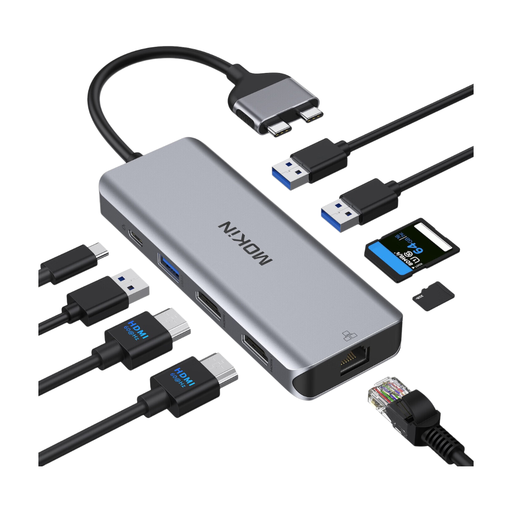
Why this product suits this profile: For compatible MacBook Pro and MacBook Air configurations, this docking station combines two HDMI outputs, USB 3.0, USB 2.0, Gigabit Ethernet, SD/TF and 100 W PD.
The compatibility limitations are stated explicitly: not all M1, M2 or M3 base models are supported. One HDMI output can reach up to 4K at 60 Hz, while two outputs can reach up to 4K at 30 Hz.
Gigabit Ethernet and two HDMI ports; SD/TF reader with stated read speeds of up to 104 MB/s.
We have put together a complete, regularly updated list of products that fully meet these strict selection criteria and the safety regulations applicable in the EU.
No. The decisive factors are the MacBook model, processor, number of USB-C or Thunderbolt ports and supported display functions. Before buying, you should compare the product’s compatibility list with your device.
A model with USB-C Power Delivery can pass power through to the device. You will need a suitable USB-C power supply for this. The maximum charging power depends on the hub, power supply, cable and laptop. The hub’s PD rating often describes the input power; some of this may be used to operate the hub itself.
It is not possible to give a reliable fixed lifespan. Careful transport, dry storage, adequate ventilation and avoiding strain on the connection can help extend its service life. If you notice visible damage, loose connectors or unusual heat, stop using the device.