
Lieferung heute & morgen

Qualitätsgarantie

Willkommens-Angebote freischalten: KOSTENLOSE Lieferung | Bis zu 80 % RABATT | Kostenlose 30-Tage-JoyPlus-Testphase
App herunterladen
A USB-C hub adds extra ports to a laptop, tablet or smartphone. Depending on the model, these may include HDMI, USB-A, Ethernet, an SD card reader or a USB-C charging port. The choice may seem straightforward at first, but technical specifications are not always directly comparable. For example, a high number of ports does not automatically mean that all of them can operate at full speed simultaneously.
Three points in particular often lead to disappointing purchases:
A USB-C port on a laptop does not always support every function. For a USB-C hub with HDMI, a USB-C docking station or a multi-monitor setup, the computer’s port must support video output via DisplayPort Alternate Mode or Thunderbolt. Power Delivery is also required for charging functions.
Before buying, check the laptop or tablet’s device description for the following:
Some hubs work for USB data but do not output an image if the host device’s USB-C port does not provide video signals.
A USB-C hub with 4K may output 4K at 30 Hz, 60 Hz or higher refresh rates, depending on the model. 30 Hz may be sufficient for office work, presentations and films. For smooth mouse movement, video editing or gaming, 60 Hz is often the more suitable specification.
With a USB-C hub with multiple monitor ports, you should also check the following:
On macOS, multi-monitor functions may be limited depending on the chip and model. Product specifications should therefore always be checked against your own laptop’s technical data.
USB 3.0, also known as USB 3.2 Gen 1, enables speeds of up to 5 Gbit/s in the product specifications mentioned here. USB 3.2 Gen 2 can reach up to 10 Gbit/s. In practice, transfer performance also depends on the SSD, memory card, cable and host device.
For photographers and content creators, a USB-C hub with an SD card reader or microSD/TF slot can be useful. Check whether SD and TF cards can be used simultaneously and whether read and write speeds are listed separately.
A USB-C hub with Power Delivery normally requires a separate USB-C charger. The specification USB-C hub 100W usually refers to the maximum input power. The power actually available to the laptop may be lower. The charger, cable and laptop must also be suitable for the desired power output.
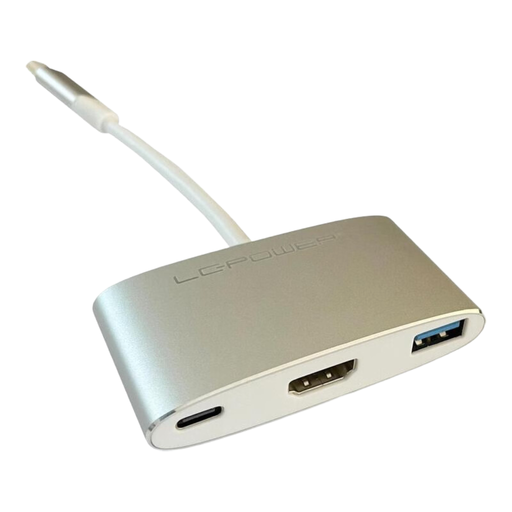
Why this product suits this profile: This compact model focuses on USB-A 3.0, HDMI and a USB-C PD port. Weighing 61 g and featuring an integrated 0.85-m cable, it is ideal for laptop workstations and travel when you only need a modest selection of ports.
The specifications clearly state HDMI output for one external monitor and speeds of up to 5 Gbit/s via USB 3.0, rather than simply highlighting an unspecified high number of ports.
HDMI, USB-A 3.0, up to 100 W PD input and low weight.
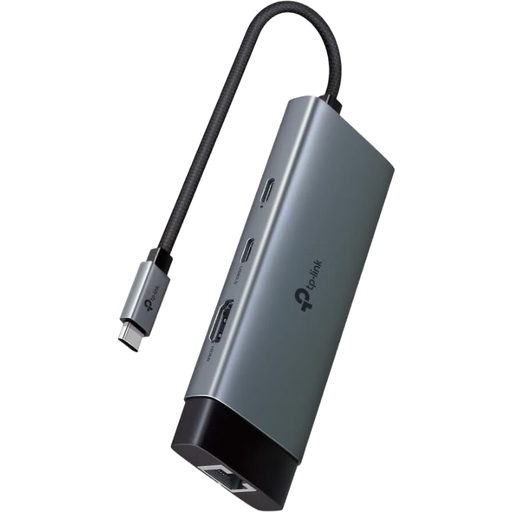
Why this product suits this profile: For home offices and workplaces, this 6-in-1 hub combines HDMI, Gigabit Ethernet, USB data ports and Power Delivery in a clearly defined selection of connections.
The technical data distinguishes between HDMI at 4K and 60 Hz, USB data at 5 Gbit/s and Gigabit Ethernet. This makes it easier to check whether it meets the needs of your own workstation.
HDMI 4K/60 Hz, RJ45 at 10/100/1000 Mbit/s, USB-C PD up to 100 W and support for multiple operating systems.
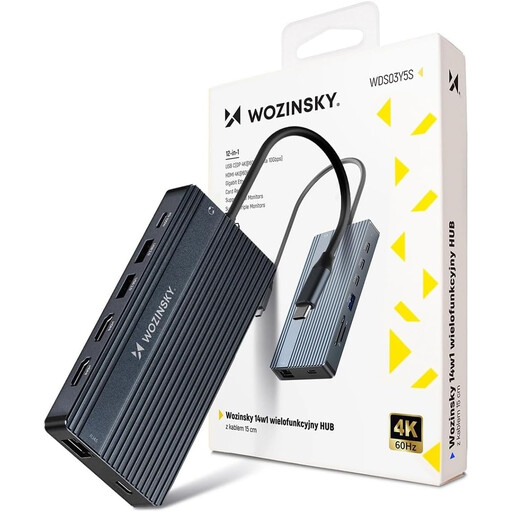
Why this product suits this profile: Its range of connections is designed for users who need multiple monitors, networking, audio, memory cards and numerous USB devices at a permanent workstation.
The specifications list resolutions and operating modes separately: up to three 4K/60 Hz displays, MST under Windows and SST under macOS. Actual support still depends on the host device.
Two HDMI ports, DisplayPort, VGA, Gigabit Ethernet, SD/TF, audio and USB-C PD up to 100 W.

Why this product suits this profile: The SD/TF readers, RJ45, two HDMI ports and fast USB interfaces cover typical requirements when working with photo, video and project files.
Different data rates are specified for the various ports: USB up to 10 Gbit/s, RJ45 up to 1,000 Mbit/s and the card reader up to 104 MB/s. This makes it easier to set realistic expectations.
HDMI with up to 4K/120 Hz or 4K/60 Hz, USB ports with speeds of up to 10 Gbit/s, SD/TF and PD up to 100 W.
We have put together a complete, regularly updated list of products that fully meet these strict selection criteria and the safety regulations applicable in the EU.
No. A USB-C port may be sufficient for USB data alone. However, HDMI, DisplayPort and Power Delivery require the corresponding functions from the host port. You should also check the operating system, chipset and the stated maximum number of monitors.
A USB-C hub with Power Delivery can pass through charging power when a compatible charger is connected. A specification of 100 W generally refers to the maximum input power. The usable output power may be lower because the hub requires some power itself.
Its lifespan depends on the housing, cable, connection cycles, heat generation and usage. An aluminium housing can help with heat dissipation, but it does not replace adequate ventilation. Do not unplug the hub by pulling on the cable, avoid moisture and use suitable USB-C, HDMI and PD cables.