
Lieferung heute & morgen

Qualitätsgarantie

Willkommens-Angebote freischalten: KOSTENLOSE Lieferung | Bis zu 80 % RABATT | Kostenlose 30-Tage-JoyPlus-Testphase
App herunterladen
A cluttered desk tangled in charging cables, network adapters, and dongles can disrupt focus and hinder efficiency. For professionals in the office or at home aiming for a clean and functional work environment, a USB-C monitor with a docking station offers a streamlined single-cable solution. A single cable connects your laptop to the monitor, simultaneously providing power, a stable network connection, and access to all connected peripherals.
As a Joybuy Product Recommendation Officer, my role is to provide you with objective information and a curated selection of products. This article serves as a guide to help you understand the technical features and find a model that meets your productivity and ergonomic needs.
Choosing the right monitor depends on more than just screen size. For a future-proof investment, the following criteria are crucial.
The core feature is the USB-C port. Pay close attention to the Power Delivery (PD) specification. This value, measured in watts (W), determines how much power is supplied to charge your laptop. For most business notebooks, 65W is sufficient, while more powerful models may require 90W or 100W. A monitor with inadequate PD wattage can cause the laptop's battery to slowly drain under load. Additionally, the monitor acts as a USB hub, providing extra ports for your keyboard, mouse, or external hard drives.
A monitor with a LAN port (RJ-45) is a key advantage for a stable and fast internet connection, especially in a home office where Wi-Fi signals can be inconsistent. The laptop accesses the monitor's wired network connection directly through the USB-C cable. For users working with multiple screens, the Daisy Chain feature is essential. A Daisy Chain monitor allows you to connect a second monitor directly to the first, rather than using another port on your laptop. This significantly simplifies cable management in a multi-monitor setup.
A QHD business monitor (2560 x 1440 pixels) on common sizes like 24 or 27 inches offers significantly higher sharpness than Full HD, improving text readability and detail in graphics. For financial analysts or creative professionals, an ultrawide monitor for productivity with a 21:9 aspect ratio can be an alternative for displaying multiple windows side-by-side. An ergonomic monitor with adjustments for height, tilt, and rotation (pivot function) is essential for promoting a healthy posture. Technologies like Natural Low Blue Light make it an eye-care monitor, reducing strain during long workdays.
Based on the criteria above, we have compiled a selection of models that stand out for their functionality and value.
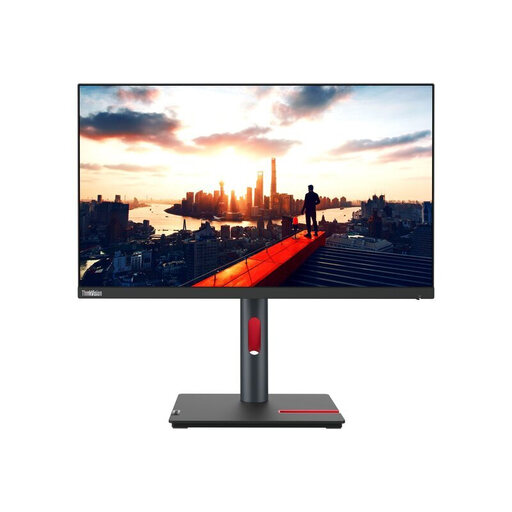
Why it stands out The ThinkVision P24h-30 is an all-rounder for the professional workspace. With its 23.8-inch QHD display, it delivers high pixel density for sharp text and images. The single-cable solution is perfectly executed here: the USB-C port provides 100W of Power Delivery, which is enough for even demanding laptops. The integrated Gigabit Ethernet port and 4-port USB hub make a separate docking station redundant.
Benefits at a glance
Who is this model for? Ideal for users in a home or corporate office who need a compact yet fully-featured docking solution and value high image sharpness and ergonomics.
View details for the Lenovo ThinkVision P24h-30
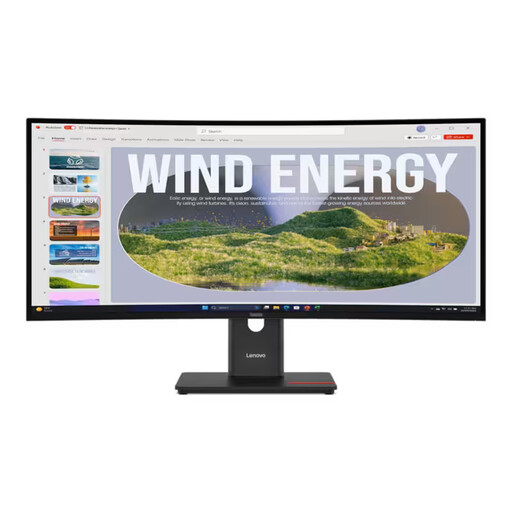
Why it stands out This ultrawide monitor for productivity maximizes your screen real estate with its 34-inch curved display in a 21:9 aspect ratio. The UWQHD resolution (3440 x 1440) effectively replaces two separate monitors and is perfect for multitasking, video editing, or analyzing large spreadsheets. The high 120 Hz refresh rate ensures smooth visuals. It also integrates a single-cable solution with 100W Power Delivery and a LAN port.
Benefits at a glance
Who is this model for? Perfect for power users, creative professionals, and financial analysts who need an immersive, wide workspace for complex multitasking while appreciating a clean setup.
View details for the Lenovo ThinkVision T34WD-40
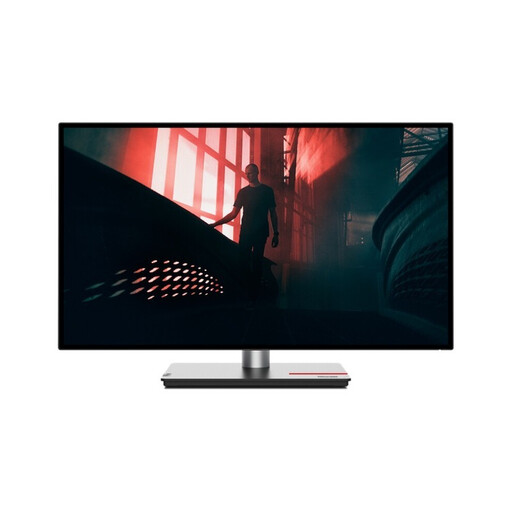
Why it stands out The ThinkVision P27h-30 is the perfect middle ground for those who want more screen space than a 24-inch model without switching to an ultrawide format. The 27-inch QHD display offers an excellent balance of size and sharpness. With 95% DCI-P3 colour gamut coverage and factory calibration (Delta E < 2), it also caters to users with high demands for colour accuracy. The docking features include 100W Power Delivery, a USB hub, and Daisy Chain support.
Benefits at a glance
Who is this model for? An excellent choice for generalists, graphic designers, and content creators who need a larger screen with precise colour reproduction and comprehensive docking features for a flexible workspace.
View details for the Lenovo ThinkVision P27h-30
If our selection doesn't include the perfect model for your specific needs, you can find a wide variety of other options in our broader category. Discover more monitors and matching accessories for your setup.
Explore our range of LED Computer Accessories
Not necessarily. Your laptop's USB-C port must support DisplayPort Alternate Mode (DP Alt Mode) for video transmission. For the charging function, it must also be compatible with Power Delivery. Most modern business laptops meet these requirements, but you should check the technical specifications of older or more budget-friendly models.
Power Delivery is a charging standard that allows the monitor to supply power to a connected device, like a laptop, through the same USB-C cable used for data and video transmission. The output is measured in watts (W). It's important that the monitor's PD output matches or exceeds the laptop's power requirements to ensure reliable charging.
An integrated LAN port is especially beneficial if you need a more stable and faster network connection than Wi-Fi can provide. This is often the case in office environments or if you regularly download or upload large files. The laptop receives the wired connection directly through the USB-C cable, making a separate USB-to-Ethernet adapter unnecessary.