
Lieferung heute & morgen

Qualitätsgarantie

Willkommens-Angebote freischalten: KOSTENLOSE Lieferung | Bis zu 80 % RABATT | Kostenlose 30-Tage-JoyPlus-Testphase
App herunterladen
By a Joybuy Product Recommendation Officer, July 11, 2026
Exchanging data between different devices can be a challenge. Modern laptops and tablets increasingly rely on the compact USB-C port, while many PCs, TVs, and older devices still use the classic USB-A port. A USB-C stick with a dual connector bridges this gap, enabling seamless data transfer between your smartphone, tablet, and computer.
This article serves as your guide. It explains the essential features to consider when making your choice and presents a selection of models that meet different needs—from extremely fast transfers to budget-friendly solutions for everyday use.
Choosing the right flash drive depends on your individual needs. Three criteria are particularly important: the connectors, the speed, and the build quality.
A Dual USB Stick is equipped with two different connectors: one USB-C and one USB-A plug. This offers maximum compatibility. You can copy files from a new MacBook or Android smartphone (with USB-C) and transfer them directly to a desktop PC or an older notebook (with USB-A) without needing adapters or cloud services. This flexibility makes it a practical USB stick for mobile and PC.
The USB specification determines the maximum theoretical transfer speed. A high-speed USB stick can significantly reduce waiting times when copying large files.
The actual read and write speeds also depend on the built-in flash memory and the host device.
The required storage capacity depends on your use case. For text documents and presentations, 32 GB or 64 GB is enough. If you regularly back up photos, videos, or games, you should opt for models with 128 GB, 256 GB, or more. A robust casing made of materials like zinc alloy or aluminum protects the flash drive from impacts and daily wear.
Here is a selection of models that are well-suited for different user profiles due to their specific features.

Why it stands out: This model is designed for maximum performance. With its USB 3.2 Gen 2x1 interface and built-in 3D NAND flash memory, it achieves extremely high transfer rates according to the manufacturer. The robust zinc alloy casing and convenient sliding mechanism protect both connectors.
Pros:
Who it's for: Professional users, content creators, and tech enthusiasts who regularly transfer very large files like 4K videos, high-resolution photo series, or extensive projects and require maximum speed.
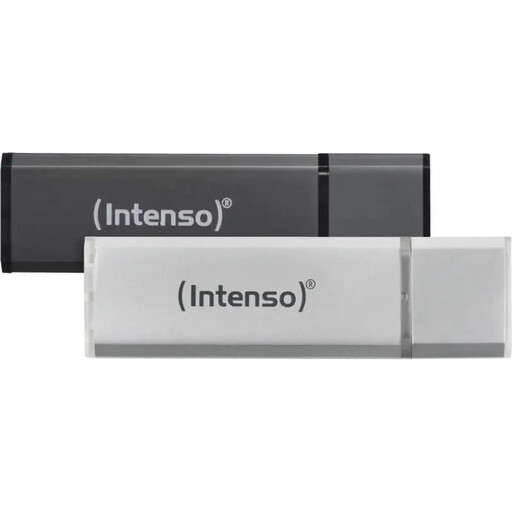
Why it stands out: This set offers a practical and cost-effective solution for basic storage tasks. It includes two separate sticks with aluminum casings, ideal for separating work and personal data. Please note that this model only has a USB-A connector and is based on the USB 2.0 standard.
Pros:
Who it's for: Users looking for a reliable and affordable solution for their USB-A-only needs. Ideal for storing documents, music files, and presentations where transfer speed is a secondary concern.
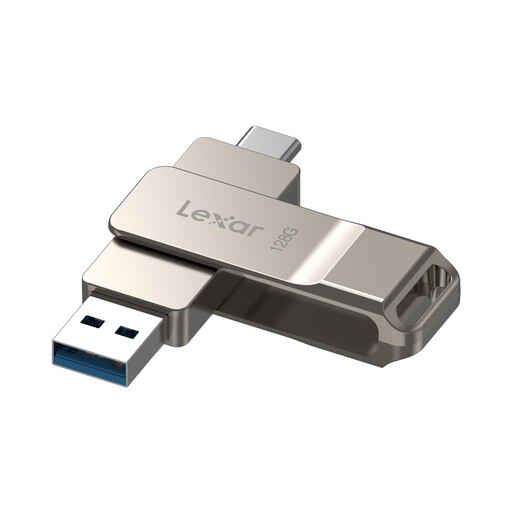
Why it stands out: The Lexar D40E is a well-balanced all-rounder. It combines the flexibility of a Dual USB Stick with the solid speed of USB 3.2 Gen 1. The clever swivel design protects the unused connector without a cap that can be lost. An additional feature is the included 256-bit AES encryption software to protect sensitive data.
Pros:
Who it's for: Students, professionals, and everyday users who need a reliable and flexible flash drive for data exchange between different devices. The combination of good speed, a dual connector, and security features makes it a versatile choice.
The market for storage media is diverse, offering solutions for every need and budget. If the models presented here don't exactly match your requirements, or if you want to compare other capacities and speed classes, you can find a broader overview in our main category.
Explore our full range of high-speed USB sticks on Joybuy to find the perfect model for your needs.
The main difference is physical. USB-A is the familiar, rectangular plug. USB-C is a smaller, oval, and symmetrical plug that can't be plugged in upside down. Technically, the USB-C standard often supports higher data transfer rates and can deliver more power for charging devices.
No. Modern operating systems like Windows, macOS, and Android recognize dual USB sticks automatically (plug-and-play). You can simply plug the stick in and start transferring data immediately, with no driver installation required.
That depends on the use case: