
Lieferung heute & morgen

Qualitätsgarantie
App herunterladen
Kategorien
Connecting a USB-C enabled device to an HDMI display is a common requirement in modern work and home environments. Choosing the right USB C video adapter depends on specific technical parameters and the intended use case. This guide breaks down the crucial criteria for selecting a USB C to HDMI adapter and presents various solutions to ensure stable, high-resolution signal transmission.
The decision between an adapter, a cable, or a hub should be based on an objective assessment of form factor, technical specifications, and material quality.
An adapter's performance is defined by its technical specs.
An adapter's longevity depends on the materials used. An aluminum housing dissipates heat more efficiently than plastic. Nylon-braided cables offer superior protection against kinks and breakage. Gold-plated connectors can improve corrosion resistance, thereby preserving signal quality over time.
Based on the criteria above, we have curated a selection of products that cover different use cases.
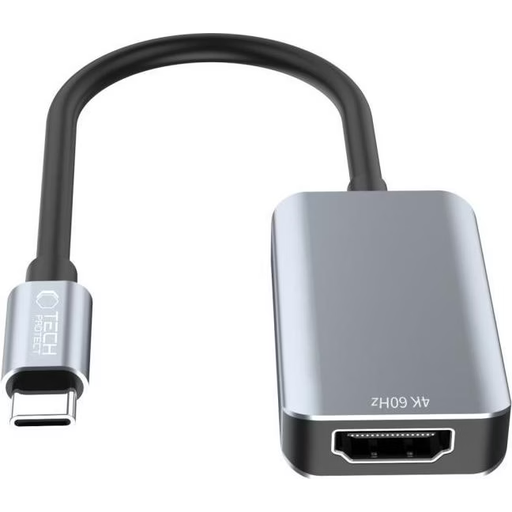
Why We Recommend It The Tech-Protect UltraBoost is a minimalist and functional Type-C to HDMI adapter that focuses on one core function: reliably transmitting a 4K signal at 60Hz. Its aluminum construction ensures durability and good heat dissipation during operation.
Pros:
Who It's For: Users looking for a simple, reliable, and portable solution to connect their USB-C device to an external monitor or projector, who already own an HDMI cable. Ideal for on-the-go presentations or a quick connection in the home office.
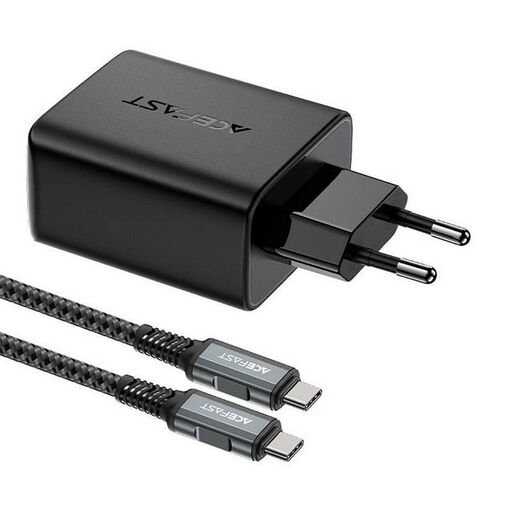
Why We Recommend It The Acefast A17 combines two essential functions in a single device: a powerful 65W GaN charger and a USB C to HDMI adapter. This multi-functional solution reduces the number of gadgets you need to carry, making it a highly efficient option for travelers and users with limited desk space.
Pros:
Who It's For: Mobile professionals, travelers, and home office users who want an all-in-one solution for charging their laptop and connecting to an external display. Especially useful for powering a Samsung DeX setup or connecting an iPad to a TV with just one device.
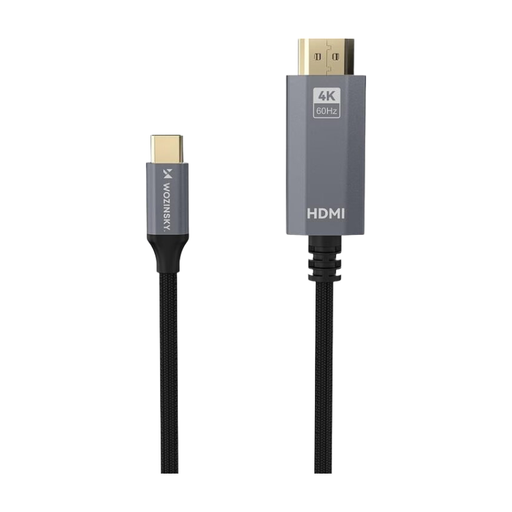
Why We Recommend It The Wozinsky USB C to HDMI cable is a direct and straightforward connection solution. At 1.8 meters long, it offers enough flexibility for most desk setups without requiring an extra adapter or a separate HDMI cable. Its robust construction promises a long service life.
Pros:
Who It's For: Users who want to establish a permanent or semi-permanent connection between their USB-C device and a monitor or TV. It's the ideal choice for a tidy workspace at home or in the office.
If the products featured here don't precisely meet your requirements for length, port variety, or specific protocols, the market offers a wide range of alternatives. For a larger selection of cable lengths and specifications, you can browse our main category for 4K HDMI cables.
1. Does every USB-C port support video output via HDMI? No. A USB-C port must support DisplayPort Alternate Mode (DP Alt Mode) or Thunderbolt 3 / 4 to transmit video signals. A USB-C port designed only for data transfer or charging is not sufficient. Check your device's technical specifications or look for the DisplayPort (a "D" inside a "P") or Thunderbolt (a lightning bolt) symbol next to the port.
2. What is the practical difference between 4K at 30Hz and 4K at 60Hz? The refresh rate (in Hertz, Hz) indicates how many frames are displayed on the screen per second. At 30Hz, the image is updated 30 times per second; at 60Hz, it's 60 times. In practice, a 60Hz rate results in a much smoother display of mouse movements, animations, and videos. For static content like text documents, the difference is less relevant, but for general work and media consumption, 60Hz offers a noticeably better user experience.
3. Do I need an adapter or a direct cable? The choice depends on your use case. An adapter offers more flexibility, as you can use it with HDMI cables of varying lengths and it is highly portable. A direct cable is a more elegant solution for a permanent setup, as it eliminates a point of failure (the connection between the adapter and the cable) and creates a tidier workspace.