Anyone comparing recordings at a desk
If you're listening to several existing recordings through the same wired headphones, make sure you can keep the volume and playback settings under control when switching between them.


For comparing existing recordings through wired headphones, a USB DAC with a suitable headphone output is generally all you need; you don't automatically need an audio interface. If you also want to record and monitor a microphone or instrument directly, look for an interface with the right inputs. Keep your headphones, volume and playback settings as consistent as possible between recordings. Depending on the model, desktop DACs may offer extra connections, but could need a separate power supply.
If you're listening to several existing recordings through the same wired headphones, make sure you can keep the volume and playback settings under control when switching between them.
If you use the DAC with different headphones, first check that their plugs and specifications match the output on the specific model you're considering.
If you want to connect a microphone or instrument as well as listen, and monitor the input signal, consider an audio interface with the right inputs and monitoring features. Focusrite and MOTU document these features for the Scarlett Solo 4th Gen and M2 respectively.
Choose what matters most to you: consistent listening comparisons, connecting your headphones, or extra recording features.
| What you need | What to look for | Who is it important to? |
|---|---|---|
| Controlled recording comparisons | Check that the volume and gain controls are easy to reach. If there are optional tone controls or EQ settings, keep them unchanged between listens. | If I want to compare recordings directly, I don't want to change the playback settings as I switch between them. Around 36% of consumers say controlled comparisons are their top priority. |
| Connecting to a computer and headphones | Check that the USB connection and headphone plug match the exact model version on offer and the output you plan to use. | If I want to use different headphones with my computer, I need a connection that suits both the plug and the device. Around 29% of consumers put compatibility first. |
| Making your own recordings | If you want to connect a microphone or instrument, check the input types, monitoring features and system requirements for the specific interface. | If I want to record my own microphone or instrument tracks, a playback-only DAC won't handle this additional task. Around 21% of consumers prioritise these inputs. |
| Space and features | Check the dimensions and the required power supply, and consider whether you really need extra inputs or outputs. | If my desk has limited space and I only listen to existing files, I don't want to make room for extra features I won't use. A compact size and simple setup are top priorities for around 14% of consumers. |
Output power ratings can refer to different connections and headphone loads. A figure for one output doesn't automatically describe how the device will perform with a different output or pair of headphones.
Only compare specifications for the output you'll actually use and the load stated for it. First, check your headphone plug and specifications.
A USB DAC for playback doesn't automatically have a microphone or instrument input. The manufacturer lists these as interface features for the Scarlett Solo 4th Gen and MOTU M2.
Before buying, decide whether you only want to listen to existing recordings or record signals yourself. Choose an interface for its inputs and monitoring features only if you need them for the task.
FiiO specifies Micro-USB for the original E10K. According to the manufacturer, the E10K-Type-C differs in its USB connection and USB audio data, among other things.
Check the full model name, connections and specifications for the version on offer before comparing it with another variant.
For the desktop FiiO K11, the manufacturer specifies a 12 V/2 A power supply. A more compact device such as the original E10K has different dimensions and a different power supply.
Allow for the space and power connection you'll need, and check what's included with the specific product on offer.
The documented models range from the compact E10K to the desktop K11.
The Q4 is a compact USB DAC option with a headphone output and additional digital inputs.
The uno is a compact desktop USB DAC for computer playback.
The Scarlett Solo 4th Gen is an interface option if you want to record your own audio as well as listen through headphones.
The M2 is an interface option for playback and recording additional microphone or instrument audio.
The products below are for listening through wired headphones on a computer using USB DACs and audio adapters, or, if your computer has a suitable analogue output, an AUX headphone amplifier.
 No image available
Worth considering if you're looking for a USB DAC with a headphone amplifier and optical input. For comparing recordings, keep the tone controls unchanged.
Features listed in the product name: optical input, Bluetooth, 24-bit/192 kHz and Treble Depth Control.
 No image available
A compact connection option if your computer has a suitable USB-A port and you want to connect headphones with a 3.5 mm plug.
The stated connection runs from USB-A to a 3.5 mm headphone output.
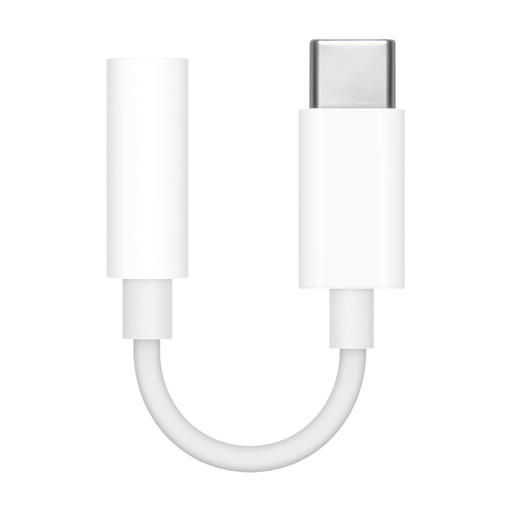 No image available
Could be a good fit if you want to connect 3.5 mm headphones to a compatible USB-C device.
Check that your specific computer supports USB-C audio; the connection described is USB-C to 3.5 mm.
 No image available
This device is suitable for computer playback only if your computer has a compatible analogue audio output.
It connects to a PC via an analogue 3.5 mm AUX input, not USB; the headphone output is 3.5 mm.
No, not just to play them through suitable headphones. If you want to record a microphone or instrument yourself, check that an interface has the inputs and monitoring features you need.
Use the same headphones and keep the volume and playback settings as unchanged as possible between files. If your model has bass, treble or EQ controls, keep those in the same positions too.
Start at a low volume and increase it carefully. The iFi uno manual recommends turning the volume down before switching PowerMatch. The World Health Organization notes that both volume and listening time affect the risk to your hearing.
For ordinary online purchases of goods, you generally have a 14-day right to cancel from the date of delivery, subject to statutory exceptions. Under the applicable conditions, the buyer may have to pay return costs. This is separate from your statutory rights if goods are faulty; an additional manufacturer's guarantee does not replace them.
In Germany, electrical waste must not go in household rubbish. The Federal Environment Agency lists recycling centres and suitable retail take-back points as possible free disposal options.