Joybuy products for wired listening
This selection includes USB DACs and audio adapters for wired headphones, to use with compatible computer or USB-C connections. First check your laptop’s connection and whether you need microphone or extra features.
 No image available
Nobsound Q4 USB Audio Gaming DAC
Worth considering for USB audio playback from a PC and wired headphones if you also want to use the listed extra features.
The product name lists Bluetooth, an optical input, 24-bit/192 kHz, tone controls and a remote control. The product information says it uses an external DC power supply; use only a compatible power supply.
View at Joybuy
 No image available
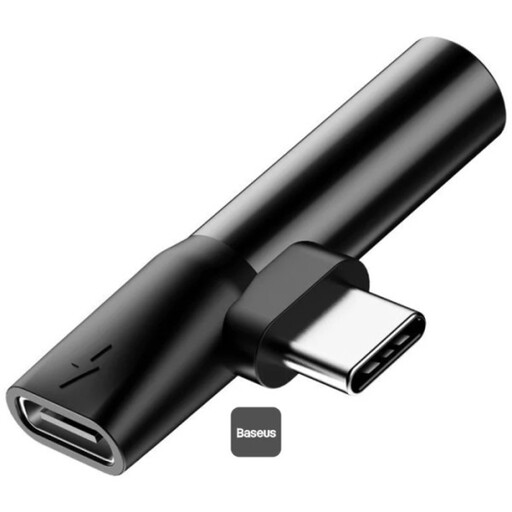
Baseus L41 Audio Converter, 3.5 mm
May suit you if your device supports USB-C audio and you want to connect wired 3.5 mm headphones; check compatibility with your specific laptop.
The product name lists a 3.5 mm connection, as well as charging and music playback. The product description refers to USB-C phones and lists restrictions for certain phone brands.
View at Joybuy
 No image available
HOCO UPA32D audio adapter, USB to 3.5 mm
For wired headphones with a free USB-A port; if you’re using a headset microphone, check the exact plug and socket configuration.
The product name describes a USB-to-3.5 mm audio adapter. The product information lists a 15 cm cable and headphone use with or without a microphone.
View at Joybuy
 No image available
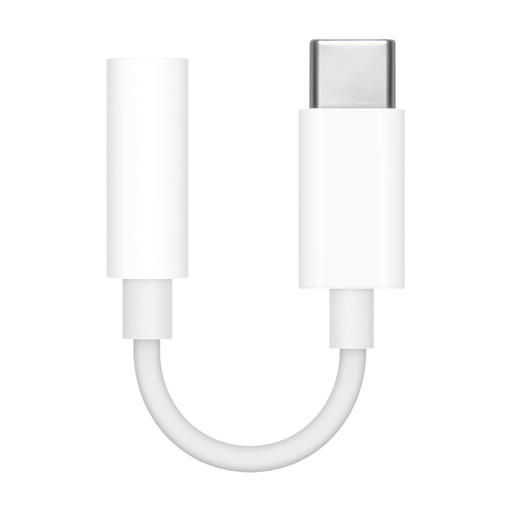
Apple USB-C to 3.5 mm headphone adapter
Worth considering for 3.5 mm headphones if your USB-C device supports audio through this connection.
The product name lists a USB-C to 3.5 mm adapter. The product description says it’s designed for compatible USB-C devices with audio support.
View at Joybuy
Frequently asked questions about USB DACs and headphones
Do I need a DAC to stop my laptop speakers playing at a shared desk?
Not necessarily. If a compatible headphone output works, select your headphones as the audio output. Microsoft Support notes that when several output devices are available, you need to select the right one.
What can I do if the speakers keep playing after I connect my headphones?
In Windows, check the selected output device and mute settings in the sound settings. Whether other device features need the manufacturer’s software depends on the specific model.
Is there anything else to consider when using a headset with a microphone?
Yes. A headphone output on its own doesn’t confirm that there’s a microphone input too. Compare the socket configuration with your headset plug. UGREEN describes separate audio connections, while Creative says the Sound Blaster PLAY! 4 can be used with compatible headsets with a microphone.
How can I use a powerful DAC without harming my hearing?
Start with the volume low and only turn it up if needed. The Federal Institute for Occupational Safety and Health notes that headphones can also play music at levels that may damage your hearing; the DAC’s power rating alone doesn’t tell you what volume is safe.
What are my rights if a device is faulty?
For a consumer purchase from a business seller in the EU, you generally have a legal guarantee of at least two years from receiving the goods. This is a right against the seller and is separate from any voluntary manufacturer’s warranty.


