What to look for when buying
First, work out the total size of your original files and the size of the largest individual file. Treat the drive as part of a local backup with separate copies, not as the only place to store your archive.
| What matters |
What to check before buying |
Who it matters most to |
| Keeping several readable copies |
Plan for separate local copies and test that you can access them. |
If I need to keep the recordings even if a USB drive fails, I plan to make additional readable copies. Around 31% of consumers prioritise keeping several local copies. |
| Enough space for all the original files |
Work out the total size of your files and the largest individual file; check the available storage and file system. |
If I want the entire video archive to fit on the planned copy, I work out how much space I need before buying. Around 25% of consumers say storage capacity is their top priority. |
| Write time when copying |
Check the write speed of the specific version and the USB port on the computer you’ll use; treat manufacturer figures as maximum speeds. |
If I regularly transfer large amounts of data, I want to know how long it will take to write the files. Around 19% of consumers prioritise fast transfers above all else. |
| Ports and readability |
Check whether the devices you’ll use have USB-A or USB-C ports and support the file system. |
If I share recordings between devices with different ports, I check the connections in advance. Around 13% of consumers say device compatibility is their top priority. |
| Access protection |
Decide who is authorised to receive the files and, if needed, plan for encryption and secure management of codes or keys. |
If I’m carrying or sharing recordings that need protection, I want to restrict access. Around 12% of consumers prioritise access protection above all else. |
USB drives at Joybuy
The USB drives below are designed for local storage and file sharing. Choose a capacity that suits the size of the copy you need, and check that the ports are compatible with your devices.
 No image available
Kexin 2-in-1 32GB USB 2.0 flash drive, 2-pack
If 32 GB per drive is enough for your planned local copy, the product name specifies a 2-pack with USB-A and USB-C connectors.
Check that the devices involved have the ports you need and that the capacity is sufficient for your files.
View at Joybuy
 No image available
SanDisk SDCZ50-032G-B35 Cruzer Blade USB 2.0, 32 GB
If 32 GB is enough for your planned local copy, this is a straightforward option for storing and carrying files.
The product name specifies USB 2.0. Before buying, check that the capacity and connection suit the way you manage your archive.
View at Joybuy
 No image available
SanDisk CZ50 Cruzer Blade, 64 GB
If 64 GB is enough for your planned local copy, the product name specifies this capacity for file storage.
Check device compatibility and your actual storage needs before gathering your recordings together.
View at Joybuy
 No image available
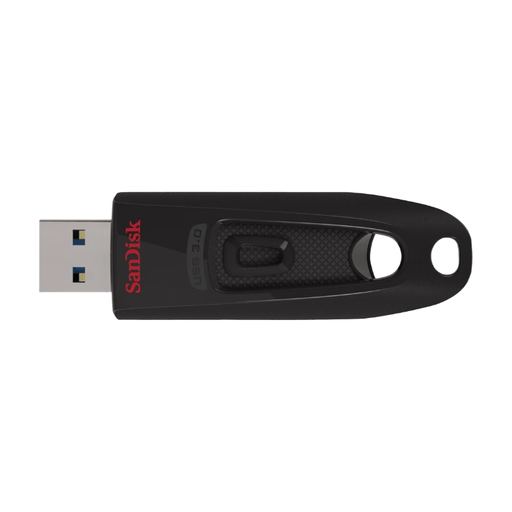
SanDisk Ultra USB 3.0 flash drive, 64 GB
If 64 GB is enough for your planned copy and the devices involved use USB 3.0, the product name specifies this interface and capacity.
Check that your destination devices support it and that there’s enough space for your entire collection.
View at Joybuy
 No image available
SanDisk Ultra Flair USB 3.0 flash drive, 128 GB
If 128 GB is enough for your planned local copy, the product name specifies this capacity and USB 3.0.
The quoted speed of up to 150 MB/s refers to read speed, not to writing archive files. So check that the capacity is right for you and find out which write-speed figure is relevant to your transfers.
View at Joybuy
Frequently asked questions
Is one USB drive enough for a permanent club archive?
No, not as your only surviving copy. Storage media can fail, and you need to make sure you’ll still be able to access the files in future. Keep separate local copies and check that you can still read your archived files.
Why can’t I copy a large video file even though there’s enough free space?
Check the file system: Microsoft Learn states that FAT32 has a maximum individual file size of 4 GiB, while exFAT allows much larger files. Back up your data before reformatting, and check that all the destination devices support your chosen file system.
Do you always need consent to archive or publish a club video in Germany?
There’s no simple yes-or-no answer. Guidance from Germany’s state data protection authorities says that processing footage of identifiable people requires a valid legal basis; consent isn’t the only possible basis. Assess the recording, internal storage, sharing and publication separately in relation to their specific purposes.
Is an encrypted drive secure without any other precautions?
No. Check how the protection works and keep the unlock code or recovery key safe. For the Verbatim Keypad Secure USB-C Drive, version #49432, Verbatim advises that a security update and reformatting are required after 20 incorrect code entries.
What ongoing costs or extra work should your club consider?
Allow for additional local storage devices for separate copies, as well as time to copy the files and check that they’re still readable. The work involved depends on how many files you’re backing up and how often you check the copies.


