Collectors with large photo folders
You want to store lots of photos alongside several construction or layout versions. The key factors are the size of your own folders and the usable capacity of the model you choose.


Choose a capacity that suits the total size of your photo folders and the project versions you need to keep on hand at the same time. If you copy files frequently, the write performance of the specific model matters; also check your devices’ ports and file system compatibility. Irreplaceable model railway photos need a separate, verifiable backup – a fast or high-capacity USB drive is no substitute.
You want to store lots of photos alongside several construction or layout versions. The key factors are the size of your own folders and the usable capacity of the model you choose.
After working on your model railway, you regularly copy large photo folders and want to keep waiting to a minimum. Write and read speeds need to be considered separately.
You want to preserve your project progress over the long term. Germany’s Federal Office for Information Security notes that the lifespan of storage media cannot be predicted precisely. So plan a separate backup and check that you can open files from it.
A good fit if: You regularly copy large photo folders to the drive from a computer with a USB-A port.
The trade-off: Write speed specifications and test results apply to the specific model. The number of individual files, folder structure and host device also affect transfer speeds.
A good fit if: You transfer photos between devices with different types of port.
The trade-off: Having two connectors doesn’t guarantee a high write speed. Also check file system compatibility and support on the target device.
A good fit if: You take private project photos with you and want to protect them from unauthorised access if the drive is lost.
The trade-off: Access protection doesn’t give you an extra copy of your photos. Check in advance that unlocking and recovery work on your devices.
| What you need | What to check before buying | Who is it important to? |
|---|---|---|
| Capacity for photos and project versions | Add up folder sizes, compare them with the model’s usable capacity and take the largest individual file into account. | If I want to keep several photo folders and construction stages with me at once, available storage matters. Around 33% of consumers put capacity first. |
| Write speed when copying | Check the write speed for the exact capacity you’re considering; also bear in mind the USB port, number of files and folder structure. | If I regularly recopy my large folders after working on the layout, I want to keep waiting to a minimum. Around 27% of consumers prioritise write speed. |
| Preserving and protecting photos | Plan a separate backup and test that you can read files from it; for private photos, check encryption and how to unlock the drive. | If my model railway photos would be difficult to replace, I don’t want their survival to depend on a single USB drive. Around 27% of consumers put preserving photos first. |
| Connector and file system | Check the ports on all your target devices and which file systems they support; back up any existing files before formatting. | If I want to open photos on devices with different ports, the drive must actually connect to them and be readable. Around 13% of consumers prioritise compatibility across devices. |
When filling a USB drive with large photo folders, write speed matters. According to Western Digital Support, actual transfer speeds also depend on the connection, operating system, number of files, file types and folder structure.
Compare write speeds and independent test results for the exact model you’re considering. Don’t treat manufacturers’ maximum figures as a guaranteed copy time.
If you copy files regularly, the extra waiting time can add up.
The FAT32 limit of 4 GiB documented by Microsoft applies to individual files, not the combined size of a folder.
Check the total storage required and the largest individual file separately. Choose a file system that all your intended devices can read, and back up existing data before formatting.
A USB drive can be lost or fail. Germany’s Federal Office for Information Security notes that the lifespan of storage media cannot be predicted precisely.
Keep a separate copy and try opening files from it to make sure your backup is readable.
Capacity, connector and write performance can vary within a product range. Test results for one version don’t automatically apply to another.
Before you decide, compare the full model name, capacity and connector of the specific version you’re considering.
The 128 GB Extreme Pro USB 3.1 Gen1 is worth considering if you’re looking for a model with a high stated write speed.
The 128 GB Keypad Secure USB-A, item 49429, is an option if you want to protect private photos you carry with you using a PIN.
The High Speed Line comes in USB-A versions with 64, 128 and 256 GB, so you can match the model’s capacity to the size of your folders.
The JetFlash 890, with USB-A and USB-C, can make it easier to switch between devices with the corresponding ports.
The DataTraveler range includes different connector and capacity options, so the exact model name is important when comparing drives.
This selection includes USB drives for large photo folders, including models with stated access protection or USB-A and USB-C connectors.
 No image available
The stated capacity gives you room for large photo folders; the write speed is relevant if you copy files regularly.
USB 3.2 Gen 1; read speeds of up to 200 MB/s and write speeds of up to 60 MB/s.
A single USB drive is no substitute for a separate, verifiable backup of your photos.
 No image available
The 256 GB version, with stated password-protection software, could suit you if you carry private project photos with you.
The product description quotes write speeds of up to 100 MB/s and SanDisk SecureAccess with 128-bit AES encryption.
Check that the software and unlocking process work with your intended devices. This USB drive isn’t a separate backup.
 No image available
The stated USB-A and USB-C connectors can be useful when switching between devices with the corresponding ports.
USB 3.2 Gen 1; read speeds of up to 550 MB/s and write speeds of up to 500 MB/s; fingerprint access and AES-256 encryption, according to the product details.
According to the product description, encrypted data may become inaccessible if both the administrator password and fingerprint recognition fail. A separate backup is still important.
 No image available
The 64 GB version has less room than the selected 256 GB models, so take extra care to check it against the size of your folders.
USB 2.0; SanDisk SecureAccess with 128-bit AES encryption, according to the product description.
Check that there’s enough space for all the photo folders and project versions you want to keep. You’ll still need a separate backup.
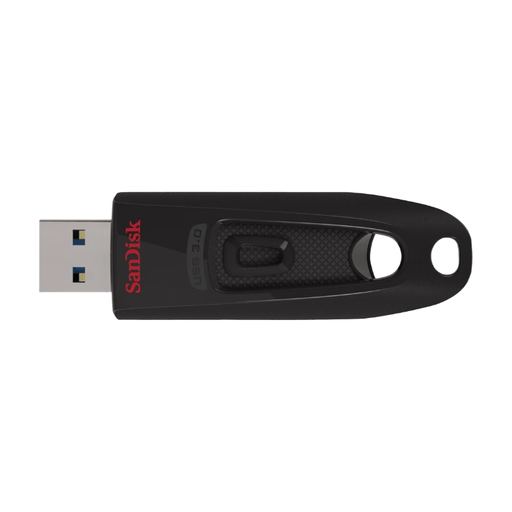 No image available
At 64 GB, this version has less room for large photo folders than the selected 256 GB models.
USB 3.2 Gen 1; read speeds of up to 100 MB/s and write speeds of up to 27 MB/s; SanDisk SecureAccess, according to the product description.
Check how much space your folders and project versions need before choosing. Keep irreplaceable photos on a separate storage device as well.
No. The FAT32 limit of 4 GiB documented by Microsoft Learn applies to an individual file, not the combined size of a folder. Check the largest individual file and whether all your target devices can read the file system you choose; back up existing files before formatting.
Keep a separate backup and try opening photos from it. Germany’s Federal Office for Information Security recommends backing up data; Microsoft Support advises safely removing USB flash drives in Windows before unplugging them to avoid data loss.
Your Europe, the European Union’s information portal, states that consumer goods have a minimum legal guarantee of two years from receipt. Any additional manufacturer’s warranty is voluntary and separate; check its terms independently.
No. Germany’s Federal Environment Agency explains that waste electrical and electronic equipment must be collected separately, and lists recycling centres and suitable retail take-back points. Back up any photos you need first; the Federal Office for Information Security recommends securely erasing personal data before passing on or disposing of a storage device, unless the data is already protected.