What should you look for when buying?
First check which port is available on your laptop and whether your operating system is supported. Then check the speed of the entire network route, and only after that consider extra charging or management features.
| What you need |
What to look for |
Who needs it? |
| Connection and compatibility |
Check that you have a free USB-A or USB-C data port, and confirm the operating system and whether the specific model needs a driver. |
If you want to connect a laptop without an Ethernet port directly to a server on a small desk, you’ll need an adapter that fits the available port. Around 40% of consumers put connection and compatibility first. |
| Transferring large files |
Check the server port, any switch, the cable and the USB data port. The rated speed is not a guaranteed file transfer rate. |
If you regularly transfer large files over your local network, check whether the entire connection supports more than Gigabit. Around 30% of consumers focus primarily on potential local throughput. |
| Charging and extra ports |
Look for an explicitly stated Power Delivery passthrough function, the charging power you need and whether a separate charger is required. |
If only one USB-C port is free on your laptop but you also need power or peripherals, the functions of the individual ports matter. Around 20% of consumers prioritise charging or extra ports. |
| Server management |
Only factor in PXE boot, Wake-on-LAN or MAC passthrough if the adapter and laptop support the required function. |
If you need to start or manage the server over the network, check that the host device explicitly supports the feature. Around 10% of consumers consider these management functions a priority. |
For the UE302C, TP-Link Deutschland specifies an Ethernet cable of Cat5e or higher for maximum performance. Even with a suitable adapter, the connection speed you can achieve depends on the other devices and the cable.
Key brands at a glance
The manufacturer information below relates to the product ranges mentioned and doesn’t replace the need to check the connection, operating system and network route.
TP-Link
The models mentioned include USB-C and USB-A Gigabit adapters, as well as USB-C options with 2.5 Gigabit.
- TP-Link Deutschland rates the UE300C and UE306 at up to 1000 Mbit/s.
- For the UE302C, TP-Link specifies up to 2.5 Gbit/s and a Cat5e or higher cable for maximum performance.
- These are manufacturer specifications; transfer speeds depend on the entire connection.
Belkin
The USB-C models mentioned cater for different LAN speed and charging requirements.
- Belkin describes the INC019btBK as having Gigabit Ethernet and PD passthrough up to 100 W.
- Belkin specifies 2.5 Gigabit Ethernet for the INC012btBK.
- The specifications for the INC012btBK don’t confirm a charging function, so check the features of the specific model.
Lenovo
The USB-C adapter mentioned is relevant to users who need specific management features as well as a network connection.
- Lenovo specifies PXE boot, Wake-on-LAN and MAC passthrough for supported host devices.
- These features depend on laptop support and aren’t available with all USB Ethernet adapters.
StarTech.com
The US2GC30 is a USB-C option for a local connection of up to 2.5 Gigabit, according to the manufacturer’s specifications.
- StarTech.com Deutschland specifies 2.5/1 Gbit/s and 100 Mbit/s with automatic negotiation.
- Check the operating system specifications for your laptop before choosing this model.
Anker
The Anker 565 is a multi-port hub for workspaces where you need Ethernet alongside other connections.
- Anker specifies Ethernet, extra data and display ports, and passthrough charging up to 85 W.
- According to Anker, passthrough charging requires a separate charger, which isn’t included. A multi-port hub also takes up more space than a simple LAN adapter.
Joybuy products
These products are Gigabit Ethernet adapters for a wired laptop connection. Before choosing, check which USB port is available on your laptop.
 No image available
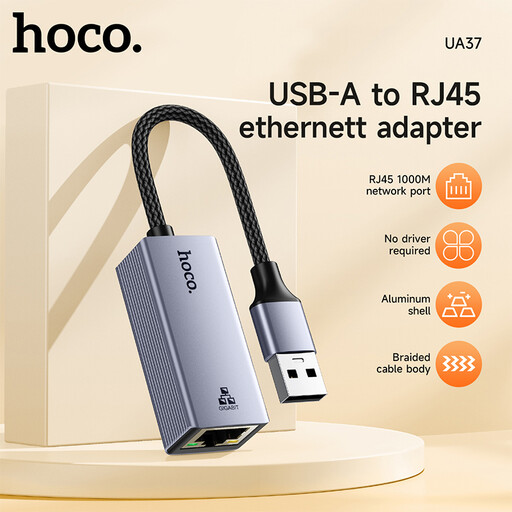
HOCO UA37 USB Gigabit Ethernet adapter
An option for a wired Gigabit connection between your laptop and local network.
Ethernet: 10/100/1000 Mbit/s. Compatibility according to the product name: Windows 98/ME/2000/XP/Vista/Win7/8/9/10, Linux and Mac OS.
According to the product description, a driver may be required for very old operating systems such as Windows 98 or XP.
View at Joybuy
 No image available
HOCO UA37 USB-C Ethernet adapter (1000 Mbps)
Suitable if your laptop has a compatible USB-C port available and you need a Gigabit network connection.
Connection: USB-C to RJ45. Ethernet: 10/100/1000 Mbit/s. Casing: aluminium. Dimensions: 53 × 23 × 17 mm; weight: 23 g.
View at Joybuy
 No image available
D-Link DUB-E130 USB-C network adapter
A wired Gigabit option for laptops with a compatible USB-C port.
Connection: USB-C and RJ45. USB 3.0. Ethernet: 10/100/1000 Mbit/s. The product description lists Windows and MacOS as compatible systems.
View at Joybuy
Frequently asked questions
What can I check if my laptop can’t reach the server even with an Ethernet cable connected?
First check whether your operating system recognises the Ethernet adapter and which IP settings are in use. Microsoft describes both automatic DHCP and manual IP settings for Windows 10 and 11. The right option depends on how your local network and server are configured.
Do I need to install a driver for every USB Ethernet adapter?
No, it depends on the model and operating system. TP-Link specifies plug-and-play for the UE300C on certain systems, but notes that a driver must be downloaded for Windows 7/8/8.1 and older listed versions of macOS. Check the specifications for your specific model and operating system.
Will a USB-C hub charge my laptop automatically?
No, it depends on the stated charging function and the port in question. For the Anker 565, Anker specifies a separate Power Delivery input and passthrough charging up to 85 W; according to the manufacturer, the required charger isn’t included. Check that the power output meets your laptop’s charging requirements.
What warranty and cancellation rights apply when buying from a business seller?
For a consumer purchase from a business seller in the EU, Your Europe explains that there is a legal guarantee of at least two years from receipt of the goods. This is different from a voluntary manufacturer’s warranty. For eligible online distance contracts, you generally have a 14-day right to cancel from the date of delivery. Conditions and exceptions apply, and the relevant rules on return costs should be checked.


