A garden office with weak Wi-Fi
If the Wi-Fi signal in your garden office isn’t strong enough, a USB Ethernet adapter lets you connect a computer without its own LAN port to a wired connection that’s already available there.


If there’s already a usable network connection in your garden office, one USB Ethernet adapter that suits your computer’s port and operating system will usually be all you need. For a Gigabit connection, choose a Gigabit model; 2.5 Gbit/s is only relevant if the rest of your network supports that speed too. If the adapter takes up the only USB-C port you use to charge your computer, consider a model with pass-through charging. The adapter won’t provide a connection to your home network if one isn’t already available.
If the Wi-Fi signal in your garden office isn’t strong enough, a USB Ethernet adapter lets you connect a computer without its own LAN port to a wired connection that’s already available there.
If you transfer large files over your local network, check the supported speed of the entire connection—not just the figure quoted for the adapter.
If you need to use the same USB-C port for Ethernet and charging, an adapter with pass-through charging could be a solution. The power output, your device and your existing charger all need to be compatible.
First, check that there’s already a working wired connection in your garden office. Next, make sure the USB connector and operating system are compatible. Then you can weigh up LAN speed and charging at the same time.
The table below groups consumers considering a USB Ethernet adapter for a garden office by their main buying priority.
| Priority | What to check before buying | Who it matters most to |
|---|---|---|
| Use an existing wired connection | Check that there’s a working network socket or connected Ethernet cable in your garden office. | If you’d rather rely on an existing wired connection than Wi-Fi in your garden office, make sure it’s in place before you buy an adapter. This is the main priority for around 36% of consumers. |
| USB port and operating system | Match the connector to an available port on your computer, and check the operating system and driver details for the specific model. | If you want to connect directly without a dock, the connector and system must be compatible with your computer. This is the main buying priority for around 29% of consumers. |
| Choose the right LAN speed | Check the adapter speed, as well as your router or switch, cabling and the device at the other end. A 2.5 Gbit/s adapter won’t establish a 2.5 Gbit/s link with a Gigabit port at the other end. | If you transfer large files over your local network, the speed of the whole connection is what matters. A suitable local data rate is the priority for around 21% of consumers. |
| Ethernet and charging | Check for pass-through support, the power required, device compatibility and whether you have a suitable charger. | If you also want to use the occupied USB-C port for charging, you’ll need to consider the adapter’s charging function and power supply. This comes first for around 14% of consumers. |
A USB adapter gives your computer an RJ45 port, but it doesn’t provide a connection from your house to your garden office. Without a usable network link, it can’t give you a wired network there.
First, test the existing network socket or cable. If a new cable needs to run between buildings or through an external wall, have a professional assess the proposed installation.
Planning and installing a new network connection may involve additional design and installation work.
The adapter’s rated speed alone doesn’t determine the connection speed. A 2.5 Gbit/s model won’t establish a 2.5 Gbit/s link with a Gigabit port at the other end.
Check your router or switch port and the rest of your network. Then decide whether the higher speed is relevant to how you use your local network.
Belkin states that the INC001 supports up to 60 W pass-through charging, but its FAQ says that a power supply isn’t included.
Check your computer’s power requirements, charger compatibility and what’s included with the specific model.
You may need to buy a suitable power supply separately for charging, as Belkin doesn’t include one with the INC001.
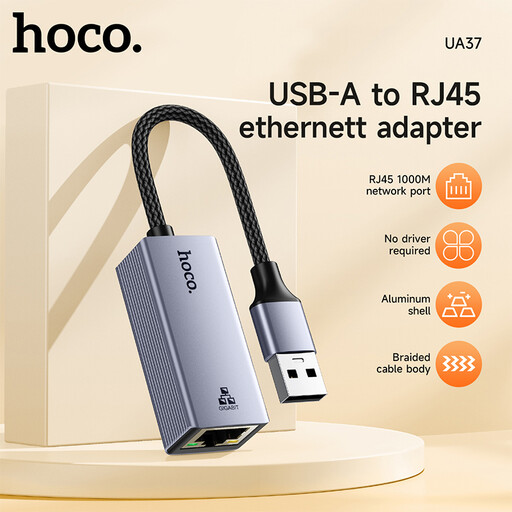
The UE300C is a USB-C to Gigabit RJ45 adapter for computers with a compatible port.
The US2GC30 USB-C adapter is designed for computers and network connections that support 2.5 Gbit/s.
Belkin says the INC001 combines Gigabit Ethernet with pass-through charging via USB-C.
UGREEN offers a USB-C to Gigabit Ethernet adapter for compatible computers.
This selection includes USB and USB-C adapters for an existing wired connection in your garden office. Make sure the connector and stated LAN speed are compatible with your computer and network.
 No image available
A good fit if you want to connect a computer to an existing wired connection via a compatible USB port.
The product title describes it as a Gigabit Ethernet adapter. According to the product details, a driver may be required for very old operating systems such as Windows 98 or XP.
 No image available
A good fit if your computer has a compatible USB-C port and access to an existing wired connection.
The product name states 1000 Mbps. According to the product details, a driver may be required for Windows 98 or XP.
 No image available
For a computer with a compatible USB-C port and an existing Ethernet connection.
The product name specifies Gigabit Ethernet, RJ45 and 10/100/1000 Mbps, as well as compatibility with Windows and macOS.
 No image available
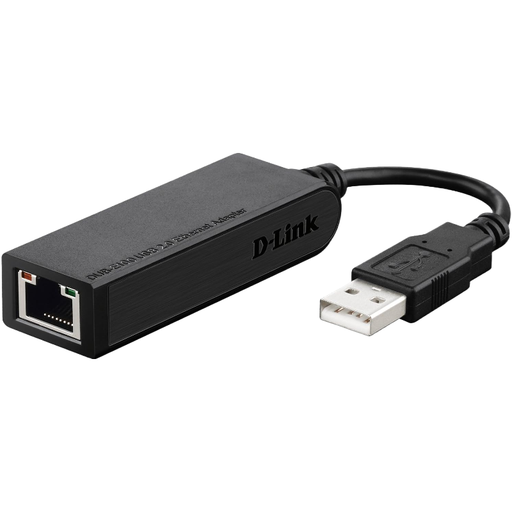
For connecting a computer to an existing wired network connection.
The product name specifies a data rate of 100 Mbps.
No. The adapter gives your computer an RJ45 port; you’ll also need a usable network connection to link it to your home network. If a cable needs to run between buildings or through an external wall, have a professional assess the proposed installation, including any protective measures that may be needed. The European Union’s VDE technical guidance on lightning protection and buildings isn’t a blanket installation rule for every garden office.
No. TP-Link says a downloadable driver is required for Windows 7/8/8.1 and macOS 10.6–10.8. Check the details for the version of the operating system you’re actually using.
Not the Belkin INC001: it uses USB-C Power Delivery for charging and needs an existing power supply. Belkin says a power supply isn’t included. Check your laptop’s requirements to see whether the supported output of up to 60 W is enough.
For products covered by relevant harmonised EU legislation, the manufacturer uses the CE mark to declare that the product meets the applicable requirements. The European Union’s Your Europe website points out that CE marking isn’t an independent quality mark and isn’t automatically required for product types that aren’t subject to the relevant marking rules.