If there’s a usable Ethernet socket in your room, choose an adapter based first on your laptop’s USB port and operating system. For a wired connection alone, a basic adapter with the right connector will do. If it takes up the only suitable USB-C port you need for charging, look for a model with Power Delivery pass-through and check that it’s compatible with your laptop, charger and cable. The connection speeds quoted by manufacturers don’t guarantee the actual internet speed in your halls of residence.
Who is a USB Ethernet adapter for?
Students with a USB-C laptop and no Ethernet port
If you want to use the network socket in your room, you’ll need an adapter with the right USB-C connector. Studentenwerk Dresden says that Ethernet sockets are available in most of its halls of residence. Whether you need to register depends on the operator.
Students with a spare USB-A port
A USB-A adapter is an option if you’d rather not use a USB-C port. Check the connector on your laptop and the operating system and driver information for the specific model, such as TP-Link Germany’s details for the UE306.
Students short on USB-C ports
If you want to use Ethernet and charge your laptop through the same suitable USB-C port, look for an adapter with charging pass-through. Belkin lists Gigabit Ethernet and up to 100 W Power Delivery for the Connect INC019btBK. Check that the charging output suits your laptop and charger.
What should you look for when buying?
First, check whether the network socket in your room can be used. Studentenwerk Dresden says that registration is required at certain locations, while Studierendenwerk Trier’s instructions say that authentication is needed in the listed halls of residence. Then consider your laptop’s port, whether you need to charge at the same time and the network speed actually available.
| What you need |
What to look for |
Who should pay particular attention? |
| Laptop port and operating system |
Check whether your laptop has USB-C or USB-A, then confirm support for your exact operating system and check for any driver requirements. |
If I use a USB-C or USB-A laptop, the connector and operating system need to be compatible before I order; around 40% of consumers prioritise connector and system compatibility. |
| Usable room socket |
Check whether there’s a LAN socket, whether you’ll need a network cable and what activation or configuration your halls of residence operator requires. |
I want to know before buying whether I can use the socket in my room and need to register; around 30% of consumers prioritise access to their room network. |
| Charging and available ports |
If you need to charge at the same time, check whether your laptop can charge through the USB-C port you plan to use and whether the pass-through, charger and cable are compatible. |
If my laptop has only a few ports, I may need to use Ethernet and charge through the same suitable USB-C port; around 20% of consumers prioritise simultaneous charging and keeping ports free. |
| Suitable network speed |
Compare the adapter’s stated speed with your room network and other devices. A Gigabit rating alone doesn’t tell you the actual internet speed you’ll get. |
I want an adapter speed that suits my room network, rather than choosing based only on a high number on the packaging; around 10% of consumers prioritise a suitable network speed. |
Common buying mistakes
-
Buying an adapter without checking the room socket
An adapter can’t replace a usable network socket or any registration or configuration required by your halls of residence operator.
Before ordering, check the socket and the instructions for your particular halls of residence. Registration is required at some locations in Dresden, while authentication is needed in the listed halls of residence in Trier.
You may also need a suitable network cable. If there’s no usable socket in your room, you won’t be able to use the adapter for this purpose.
-
Assuming USB-C, USB-A and operating system support are interchangeable
An adapter with the wrong connector won’t plug straight into your laptop. Driver requirements can also vary by model and operating system.
Check the connector type and exact operating system version against the details for the model you’re considering. For example, TP-Link says the UE306 needs a driver for Windows 7 and 8.
-
Taking 1000 Mbit/s to mean guaranteed internet speed
The Gigabit rating describes the Ethernet connection speed the adapter supports, not the actual internet speed available in your room.
Choose an adapter to suit the network and devices you have, rather than going by the highest number on the packaging alone.
Brands to consider
TP-Link
The UE300C and UE306 are designed for laptops with USB-C and USB-A ports respectively, and offer Gigabit RJ45, according to TP-Link Germany.
- The two models cover different USB port types.
- TP-Link lists driver requirements for certain older systems. The adapter’s stated speed alone won’t determine the actual speed in your halls of residence.
Belkin
The Connect INC019btBK is designed for situations where a laptop needs Ethernet and charging through USB-C at the same time.
- Belkin lists Gigabit Ethernet and up to 100 W Power Delivery for this model.
- Check charging compatibility with your laptop, charger and cable. Pass-through charging isn’t needed for a wired connection alone.
UGREEN
UGREEN’s USB-C to Gigabit Ethernet adapter is an option for laptops with a compatible USB-C port that need a straightforward wired connection.
- UGREEN provides operating system and driver information for specific models.
- UGREEN says the model reviewed isn’t supported on certain ARM-based Windows devices. Check the model and operating system carefully.
Anker
The Anker 565 is a USB-C multiport hub with Ethernet, designed for laptops that need ports in addition to a LAN connection.
- Anker lists Ethernet alongside other ports, as well as a USB-C Power Delivery input of up to 100 W.
- If you only need to add an RJ45 port, check whether the hub’s extra features are right for you.
USB Ethernet adapters at Joybuy
These products are designed for wired Ethernet connections to laptops. Before choosing, check that the USB connector is right for your laptop and that the stated network speed meets your needs.
 No image available
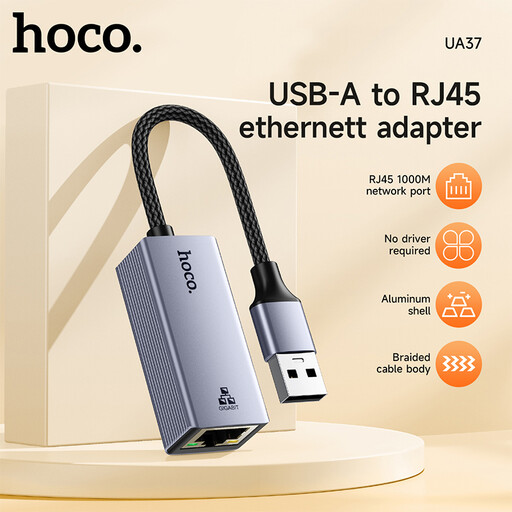
HOCO UA37 USB-C Gigabit Ethernet adapter
For a laptop with a compatible USB-C port if you want to add a wired Ethernet connection.
The product name describes it as a Gigabit Ethernet adapter.
View at Joybuy
 No image available
HOCO UA37 Type-C Ethernet adapter (1000 Mbps)
For a laptop with a compatible USB-C port that needs a wired Ethernet connection.
The product name specifies 1000 Mbps.
View at Joybuy
 No image available
D-Link DUB-E130 USB Type-C network adapter, white
For a laptop with a compatible USB-C port that needs a wired Gigabit Ethernet RJ45 connection.
The product name lists USB 3.0 and 10/100/1000 Mbps, with support for Windows and macOS.
View at Joybuy
 No image available
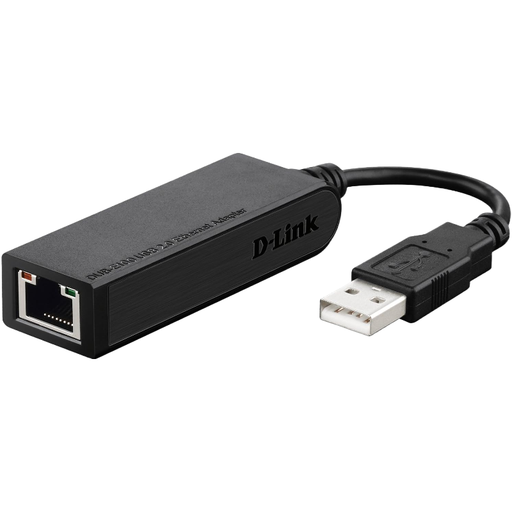
D-Link DUB-E100 Ethernet network adapter (100 Mbps)
For a wired connection to a computer with a compatible USB port.
The product name specifies an Ethernet speed of 100 Mbps. Check that it’s suitable for your room network and needs.
View at Joybuy
Frequently asked questions
Is plugging in enough to get online in halls of residence?
Not necessarily. Whether you can use the connection depends on the rules at your particular halls of residence. Studentenwerk Dresden says that registration is required at certain locations, while Studierendenwerk Trier’s instructions require authentication in the listed halls of residence.
What should I check if the adapter is connected but I still have no internet?
First, check the network cable and socket, and whether activation or configuration is required. Then check the operating system and driver information for your exact adapter model. For the UE306, TP-Link says an additional driver is needed for Windows 7 and 8.
What if an adapter I bought online doesn’t fit or is faulty?
The Verbraucherzentrale says that online purchases generally come with a 14-day right to cancel; when the period starts and whether any exceptions apply depends on the specific case. If a product is faulty, you have separate statutory rights against the seller: under the conditions set out in § 437 BGB, you may be entitled to a remedy under § 439 BGB. A voluntary manufacturer’s guarantee is separate from these rights.


