What should you look for when buying?
Choose your adapter based on what matters most for the connection between your laptop and the studio’s local server.
| What you need |
What to check before buying |
Who is it most relevant to? |
| Connection and system |
Check whether your laptop has USB-A or USB-C, and confirm the operating system and any drivers required for the specific model. |
If I move between studio workstations, the adapter needs to match my laptop’s port and operating system version. Around 36% of consumers prioritise connection or system compatibility. |
| File transfer speeds |
Compare the adapter’s LAN specification with the switch, server port and cabling. A link rate is not a guaranteed file-copy speed. |
When working with large project files, I want to know whether the entire connection supports Gigabit or 2.5 Gbit/s. Around 29% of consumers prioritise transfer speed. |
| Server access |
Check with the studio manager which network port to use, as well as the required IP settings and access permissions. |
If I need to reach the right server at a shared workstation, network access and permissions matter just as much as the cable. Around 21% of consumers prioritise access. |
| Extra ports and charging |
Check that the hub’s listed features include the USB ports and charging function you need. |
If I need my laptop connection to handle LAN, peripherals or power, I may need more than a single-port adapter. Around 14% of consumers prioritise extra ports or charging. |
Joybuy products for wired server access
This selection includes USB Ethernet adapters and USB-C hubs with Gigabit Ethernet for a wired laptop connection. Before choosing, check that the connector, extra ports and system support are right for your workstation.
 No image available
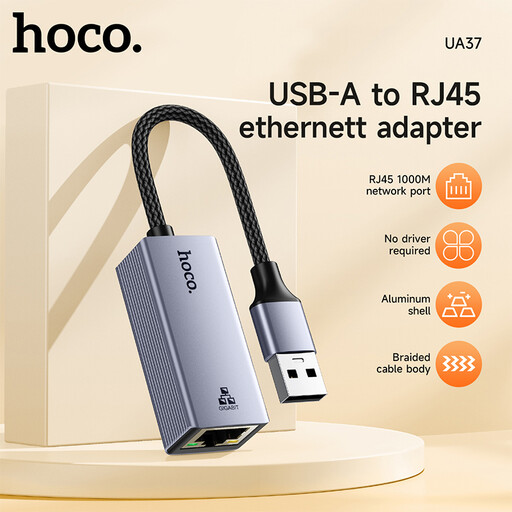
HOCO UA37 USB Gigabit Ethernet adapter
An option for a laptop that needs a wired Gigabit Ethernet connection. Before buying, check that the USB connector is compatible with your device.
The description lists 10/100/1000 Mbit/s. A driver may be required for Windows 98 or XP, according to the description. The stated link rate doesn’t guarantee the same file-copy speed across the entire network connection.
View at Joybuy
 No image available
HOCO UA37 Type-C Ethernet adapter (1000 Mbps)
For a laptop with a USB-C port, if you want a single Ethernet connection rather than extra hub ports.
The description lists 10/100/1000 Mbit/s and an integrated cable measuring 120 ± 5 mm. Actual transfer speeds to the server also depend on the rest of the network connection.
View at Joybuy
 No image available
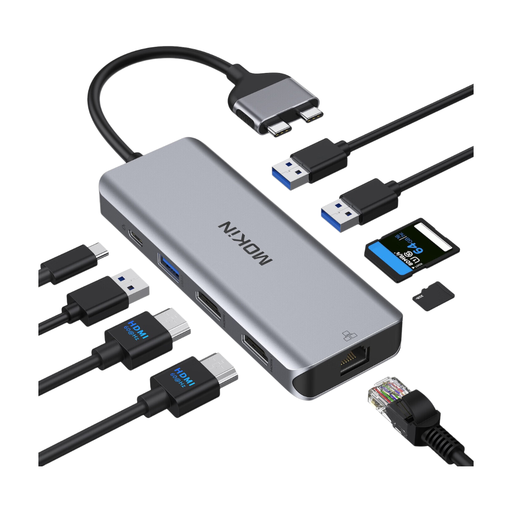
Mokin USB-C docking hub with Ethernet
For a USB-C laptop, if you want extra ports or a card reader as well as a wired network connection.
The description lists Gigabit Ethernet up to 1000 Mbit/s, along with USB, HDMI, card reader and USB-C PD ports. According to the description, the hub isn’t compatible with MacBook models with base M1, M2 or M3 chips; M Pro and M Max models are excluded from this restriction. Check compatibility with your specific device.
View at Joybuy
 No image available
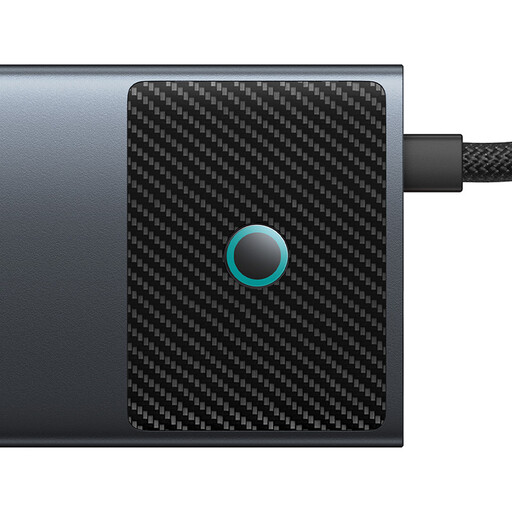
BASEUS Metal Gleam Series II 10-in-1 USB hub
An option for a USB-C laptop if you need several ports for peripherals as well as Gigabit Ethernet.
The product name lists HDMI, USB-A and USB-C ports, SD/TF and USB-C PD; RJ45 is specified at 1000 Mbit/s. Check which ports and charging features you actually need. The network link rate alone doesn’t tell you the file-copy speed to the server.
View at Joybuy
 No image available
WOZINSKY USB-C hub, 14 ports
For a USB-C laptop, if you want Ethernet alongside several ports for devices at your workstation.
The description lists Gigabit Ethernet up to 1000 Mbit/s, as well as USB, HDMI, audio and card reader ports. USB-C Power Delivery is specified at up to 100 W. Check that it suits your laptop, power source and intended use.
View at Joybuy
Frequently asked questions
How do you set up the adapter for a local studio server?
Connect your laptop to the designated network port using the adapter, then check the Ethernet service and the IP settings provided by the studio. If you can’t access a shared folder, also check with the studio manager that the server is available and that you have the right permissions.
What should you check if there’s no connection after plugging in?
First, check that the cable is firmly connected. If necessary, try another Ethernet cable and check whether the network adapter is recognised. TP-Link specifies a separate driver for the UE300C on certain older operating systems. Follow the guidance for your specific model and system.
Does the adapter itself require a paid server service?
A USB Ethernet adapter provides the hardware for a wired network connection. The studio manager can confirm whether you need an account, access to a shared folder or a paid service to use the specific studio server.
What should you know about buying and disposing of these products in Germany?
Relevant electrical equipment is subject to EU product requirements, such as RoHS restrictions, unless an exemption applies. The EU also sets out separate collection requirements for waste electrical and electronic equipment. To check whether a specific product version meets the requirements that apply to it, consult the relevant product and conformity documents. These product requirements don’t mean that studio users have to register.


