Relevant brands and model features
The details below refer to the specific models listed and can help you compare connectors, network speeds and extra features.
TP-Link
The range includes the UE300C USB-C Gigabit adapter and UE306 USB-A Gigabit adapter, as well as the UE302C USB-C 2.5 Gigabit model and the UE330C with USB hub.
- TP-Link lists different connectors and rated speeds across these models, making it easier to find a version that suits your laptop and network path.
- Driver and operating system requirements vary by model. The rated speed doesn’t guarantee the speed you’ll get at your studio workstation.
Hama
The 00200360 USB-C adapter offers 2.5 Gigabit speeds for a suitably equipped network path.
- Hama lists USB-C, USB 3.0 and Ethernet speeds of 10/100/1000/2500 Mbit/s.
- Hama lists Windows 11/10 and macOS 11 or later as system requirements. These specifications don’t confirm the performance you’ll get on a particular studio network.
Belkin
According to Belkin, the Connect INC019btBK combines Gigabit Ethernet with USB-C charging passthrough.
- Belkin states that this model supports up to 100 W Power Delivery and comes with a two-year manufacturer’s warranty.
- The charging and warranty details apply to this model. The charging function must be compatible with your laptop and the power supply you use.
UGREEN
According to the manufacturer, the 60554 adapter combines Gigabit Ethernet with three extra USB-A 3.0 ports.
- The extra USB-A ports may be useful if you want to connect several peripherals at your workstation.
- According to UGREEN, the extra USB-C power port is intended for peripherals and doesn’t support laptop charging or data transfer.
StarTech.com
According to the manufacturer, the US2GC30 USB-C adapter is designed for 2.5 Gigabit networks and features such as VLAN and Wake-on-LAN.
- StarTech.com lists auto-negotiation at 2.5/1 Gbit/s and 100 Mbit/s, along with specific operating system requirements.
- The manufacturer notes that Jumbo Frames aren’t supported on macOS. This limitation applies to the US2GC30.
Joybuy products for a wired studio workstation
This selection includes USB-C Ethernet adapters and USB-C hubs with RJ45 for a wired laptop workstation. Before choosing, check which ports and features you actually need.
 No image available
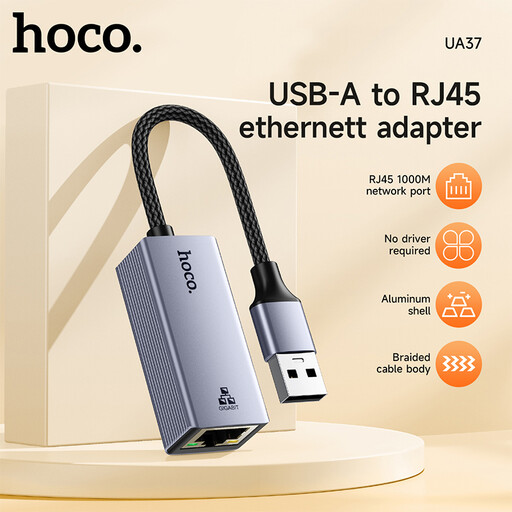
HOCO UA37 USB-to-Gigabit Ethernet adapter
For a laptop with a compatible USB-C data port and access to a wired Ethernet network.
The product details list USB-C and 10/100/1000 Mbps.
View at Joybuy
 No image available
HOCO UA37 Type-C Ethernet Adapter (1000 Mbps)
For a wired connection when your laptop has a compatible USB-C port.
The product description lists Gigabit Ethernet at 10/100/1000 Mbps.
View at Joybuy
 No image available
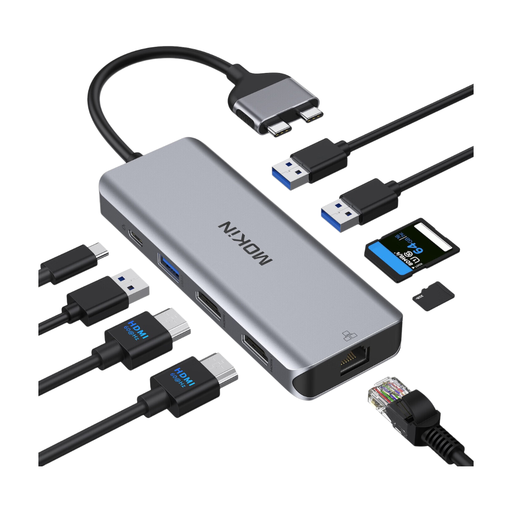
MOKiN USB-C docking hub with RJ45 Ethernet
For a workstation where you need ports for more than just Ethernet.
The product description lists HDMI, USB ports, an SD/TF card reader and a PD input. It excludes MacBooks with standard M1, M2 or M3 chips and lists Intel and M Pro/M Max models.
View at Joybuy
 No image available
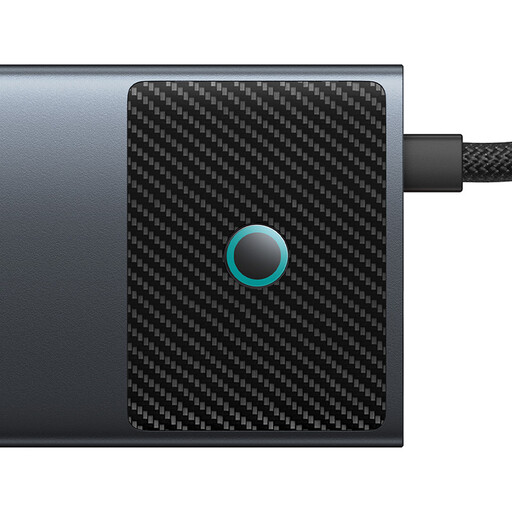
BASEUS Metal Gleam Series II 10-in-1 USB Hub, Cosmic Black
For a USB-C workstation where you want to connect other devices as well as a wired network.
The product name lists RJ45, USB data ports, an SD/TF card reader and a USB-C PD port. The product description lists Gigabit Ethernet.
View at Joybuy
 No image available
WOZINSKY 14-in-1 USB-C hub adapter
For a laptop workstation where you need LAN and extra peripheral ports together.
The product title lists RJ45 and Gigabit Ethernet; the description includes extra USB-A and USB-C data ports.
View at Joybuy
Frequently asked questions
What should I check if my laptop won’t connect, even with the adapter?
First, check that the Ethernet cable is firmly connected to the adapter and plugged into the right network port. If possible, try another cable. On Windows, Microsoft Support recommends running the network troubleshooter next. On a Mac, the adapter may appear in Network settings under the manufacturer’s or model’s name. If you’re using a managed studio network, check its settings with the relevant administrator.
Is a manufacturer’s warranty the same as your statutory rights?
No. The Verbraucherzentrale distinguishes between statutory rights and an additional, voluntary manufacturer’s warranty, which is subject to its own terms and conditions. For example, Belkin lists a two-year manufacturer’s warranty for the INC019btBK.
What should I look for when it comes to CE marking?
According to the Bundesnetzagentur, products covered by relevant EU harmonisation legislation must carry a CE mark. The CE mark is a declaration of conformity made by the manufacturer under its own responsibility; it isn’t an independent quality mark or proof of origin. You can’t tell whether a particular product is covered by these requirements just from its category.
Where should I take an old, faulty adapter?
Electrical and electronic equipment must not go in your household rubbish. The Umweltbundesamt lists recycling centres and suitable retailer take-back points as options. Check what your local facility accepts before you go.


