What should you look for when buying?
First check that the USB data port is the right type and that your system is supported. Then check the speed of the studio’s network equipment, and finally decide whether you need to charge your laptop while using LAN.
| What you need |
What to check before buying |
Who is this important to? |
| Simple LAN connection |
Check the USB-C data port and operating system against the model specifications; confirm access to an RJ45 port in the studio. |
If I mainly need a straightforward wired connection in the studio, I don’t want to have to check port and system compatibility after buying. Around 33% of consumers who prioritise this basic connection are likely to feel the same. |
| USB-A compatibility |
Check that you have a suitable USB-A port and that the specific operating system is supported. |
If my laptop has a suitable USB-A port, or I want to keep USB-C free for other devices, I’ll look specifically for this plug type. Around 27% of consumers put USB-A compatibility first. |
| 2.5-Gbit/s LAN |
Check the speed of the other device, as well as support from the USB port, operating system and the rest of the connection. |
If I transfer large files over a local network, a higher rated LAN speed matters to me, provided the studio infrastructure can support it. Around 20% of consumers with this priority are likely to agree. |
| LAN and charging |
Compare the USB-C Power Delivery specifications with your laptop’s charging requirements; distinguish between Gigabit and 2.5-Gbit/s models. |
If my laptop has only a few USB-C ports, I want to be able to charge it while using LAN. Around 20% of consumers put simultaneous charging and LAN first. |
Adapters at Joybuy
This selection features USB-C adapters for a wired Gigabit connection to your laptop. Before buying, check the plug type and the information about your operating system.
 No image available
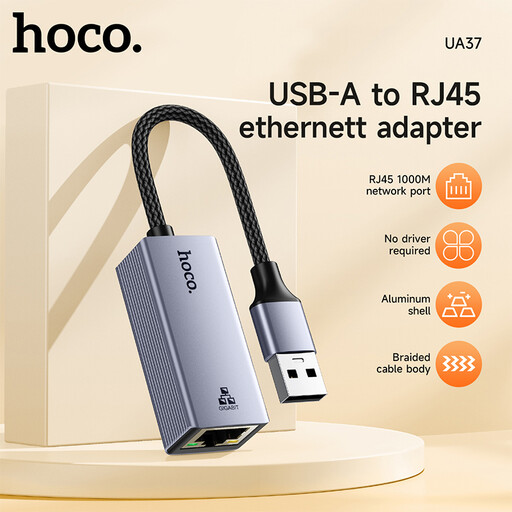
HOCO UA37 USB-to-Gigabit Ethernet adapter
For a laptop with a compatible USB-C data port when you need a wired Gigabit connection.
RJ45 Ethernet: 10/100/1000 Mbit/s.
View at Joybuy
 No image available
HOCO UA37 Type-C Ethernet adapter (1000 Mbps)
For a laptop with a USB-C port when you need a wired Gigabit connection.
The product title lists a speed of 1000 Mbps.
View at Joybuy
 No image available
D-Link DUB-E130 USB Type-C network adapter
For a laptop with a USB-C port when you need an RJ45 Gigabit connection.
RJ45 Ethernet: 10/100/1000 Mbit/s.
View at Joybuy
Frequently asked questions
How do I set up Ethernet on a Windows laptop without a LAN port?
A USB-to-Ethernet adapter is one way to connect a laptop without an Ethernet port using a cable. Microsoft Support recommends checking the cable and connections if you have connection problems. Use the designated network port in the studio and check with the studio management that you’re allowed to use it.
Will a USB Ethernet adapter always work without a driver?
No, it depends on the model and operating system version. TP-Link lists plug-and-play support for the UE300C on certain systems, but specifies that a driver is required for some older versions of Windows and macOS. Check the details for your specific device.
What should I bear in mind when using a shared network with Windows?
Check your network profile and sharing settings before making files or devices accessible. Microsoft Support describes the public network profile as the recommended default setting when connecting for the first time in Windows 11. The Ethernet adapter itself doesn’t determine what you share.
What return and rights relating to faulty goods apply to a private online purchase?
For an online distance-selling contract where the rules apply, you generally have a 14-day right to cancel from the date of delivery. Your Europe, the European Union’s information portal, explains this right separately from the statutory guarantee: for covered goods purchases, it states a minimum two-year period for claims against the seller relating to faulty goods. Check the terms and any applicable exceptions for your specific purchase; a voluntary manufacturer’s warranty does not replace your statutory rights.
Does a CE mark prove that the adapter will work with my laptop?
No, it doesn’t confirm compatibility with a specific laptop or studio network. The Bundesnetzagentur describes the CE marking as the manufacturer’s declaration that the product meets the harmonisation requirements that apply to it. Check the USB port, operating system support and network equipment separately.


