What should you look for when buying?
First, check that there’s a working Ethernet socket within reach of your desk. Then choose an adapter based on your laptop’s available port and whether you actually need extra USB ports, charging functionality or a higher link speed.
| Buying priority |
What to look for |
Who is it most relevant to? |
| Wired instead of Wi-Fi |
Check that there’s a working Ethernet socket on your router or switch within reach, and that you have a suitable Ethernet cable. |
If the Wi-Fi drops out at my regular desk, I want to be able to use an existing wired connection. Around 36% of consumers put a wired alternative first. |
| Compatible laptop port |
Match USB-A or USB-C to your available port, and check the operating system and driver details for the exact model. |
If only one particular USB port is free on my laptop, I want an adapter that fits it directly. Around 29% of consumers prioritise port compatibility. |
| Peripherals or charging |
Decide whether you need extra USB ports or charging pass-through. Also check that your laptop and power supply are compatible with the charging function. |
If I need the port for peripherals or power as well as Ethernet, I want to combine these functions in a way that suits my setup. Around 21% of consumers prioritise extra ports or charging. |
| Speed on your local network |
Check the supported speed of the adapter, router or switch and connected devices, as well as operating system support. |
When transferring large files across my local network, I want to know whether all the devices involved support a higher link speed. Around 14% of consumers prioritise faster local Ethernet. |
USB Ethernet products at Joybuy
This selection includes USB Ethernet adapters for different laptop ports, as well as a USB-C hub with RJ45. Before choosing, check whether you have a free USB-A or USB-C port and whether you need extra connections.
 No image available
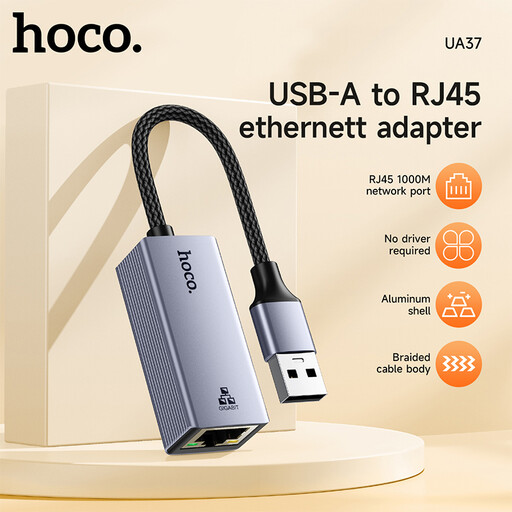
HOCO UA37 USB Gigabit Ethernet adapter
A good choice if you want to add a USB Gigabit Ethernet connection to your laptop.
Compatibility listed in the title: Windows 98/ME/2000/XP/Vista/Win7/8/9/10, Linux and Mac OS. For very old operating systems, check whether a driver is required.
View at Joybuy
 No image available
HOCO UA37 Type-C Ethernet adapter (1000 Mbps)
A good choice if you have a free USB-C port on your laptop and are looking for an Ethernet adapter with a stated speed of 1000 Mbps.
Connection: USB-C.
View at Joybuy
 No image available
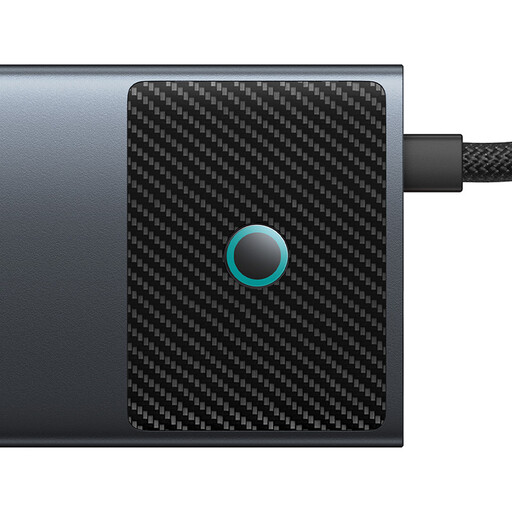
BASEUS Metal Gleam Series II 10-in-1 USB-C hub
A good choice if you need extra ports as well as an RJ45 connection.
The product title lists two HDMI outputs at 4K@120Hz and 4K@60Hz, USB-A at 10Gbps and 480Mbps, USB-C at 10Gbps, RJ45, SD/TF and USB-C (PD).
View at Joybuy
 No image available
D-Link DUB-E130 USB-C Gigabit Ethernet adapter
A good choice if you have a free USB-C port on your laptop and need a wired RJ45 connection.
Details listed in the title: USB 3.0, 10/100/1000 Mbps and compatibility with Windows and MacOS.
View at Joybuy
Frequently asked questions
How can I check whether the wired connection works instead of Wi-Fi?
Connect the adapter to the right port on your laptop, then connect an Ethernet cable to a LAN port on your router or switch. If you can’t get a connection, Microsoft Support recommends checking the cable, connections and that you’re using the correct router port. In Windows 11, you can also run the network troubleshooter.
Do I always need a hub instead of a standalone Ethernet adapter?
No, not if you just need to add a missing Ethernet socket and have a suitable USB port free. If you also need extra USB ports or laptop charging, check the specific hub or charging pass-through feature. According to UGREEN, the USB-C power port on the UGREEN 60554 isn’t for charging the laptop.
If a product develops a fault, what’s the difference between a guarantee and your statutory rights?
In its article dated 28 September 2026, the German Consumer Advice Centre explains that statutory consumer rights are set by law, while a guarantee is offered voluntarily. For your specific purchase, check the seller’s information and the relevant guarantee terms.
How should you dispose of an old or faulty USB Ethernet adapter?
Don’t put it in your household rubbish. In its guidance dated 13 December 2023, the German Federal Environment Agency recommends disposing of electrical and electronic waste separately.


