What should you look for when buying?
First, check that the adapter matches your laptop’s port and operating system. Then consider your network equipment and charging needs to decide whether Gigabit, 2.5 Gbit/s or charging passthrough is right for you.
| What you need |
What to check before buying |
Who it matters to |
| Use USB-C for LAN |
Check that you have a spare USB-C data port, and confirm your operating system version, the RJ45 connection and whether the specific model needs a driver. |
If I just want to add LAN to my USB-C laptop without buying a dock, a compatible single-port adapter is what matters. Around 36% of consumers prioritise this simple USB-C LAN connection. |
| Keep USB-C free |
Check that you have a spare USB-A port, which version it is, and the adapter’s operating system and hardware version information. |
If I need to keep USB-C free for charging or other devices, I want to use a spare USB-A port for Ethernet. Around 29% of consumers prioritise keeping USB-C free. |
| Choose the right network speed |
Check the speed of your router or switch, the USB interface and operating system support. Also distinguish between local network speed and internet speed. |
For fast transfers on my local network, I need a compatible device at the other end. I don’t want to assume that a higher number on the box means faster speeds on its own. Around 21% of consumers prioritise a network connection that supports 2.5 Gbit/s. |
| Charge and connect at the same time |
Check your laptop’s USB-C charging capability, power supply and the stated passthrough power of the exact adapter model. |
If I also need to use my only USB-C port for charging, Ethernet shouldn’t block the charging connection. Around 14% of consumers prioritise charging and connecting to a network through the same port at the same time. |
Joybuy products for Ethernet without a dock
The following Joybuy products are USB-to-RJ45 Gigabit adapters for a wired Ethernet connection to your laptop. When choosing one, make sure its connector is compatible with your laptop.
 No image available
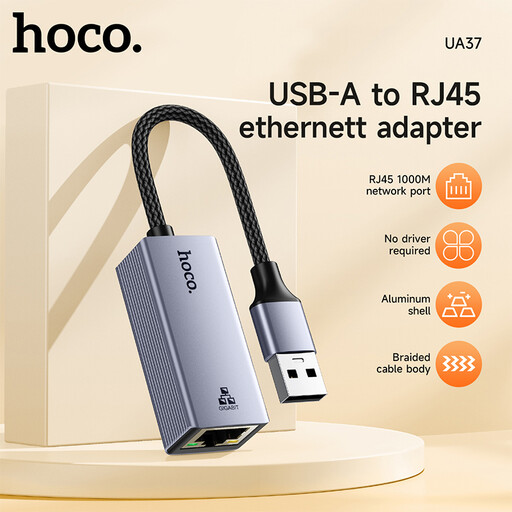
HOCO UA37 USB to Gigabit Ethernet adapter
An option if you want to add a wired network connection via USB.
The product description lists RJ45 and 10/100/1000 Mbit/s. According to the description, a driver may be needed for Windows 98 or XP.
View at Joybuy
 No image available
HOCO UA37 Type-C Ethernet adapter, 1000 Mbps
A USB-C option if your laptop has a suitable spare port and you want to add RJ45 connectivity.
The product description lists RJ45 and 10/100/1000 Mbit/s. OTG support is required for the Android use described.
View at Joybuy
 No image available
D-Link DUB-E130 USB Type-C network adapter
A USB-C option for adding an RJ45 Gigabit network connection to your laptop.
The product description lists USB 3.0, RJ45 and speeds of up to 1000 Mbit/s, as well as Windows and macOS as supported systems.
View at Joybuy
Frequently asked questions
Do I always need a docking station for a USB Ethernet adapter?
No. A single USB-to-RJ45 adapter is all you need if you just want to add a network connection, as long as the model is compatible with your laptop and operating system.
What should I check if the adapter doesn’t work when I plug it in?
Check whether the model supports your operating system and needs a driver. TP-Link specifically says that the UE300C requires a driver installation for Windows 7/8/8.1 and macOS 10.6–10.8.
Is the stated Gigabit or 2.5 Gbit/s rate my guaranteed internet speed?
No. The figure refers to the supported speed of the network connection. The 2.5 Gbit/s adapters reviewed can also negotiate at 1 Gbit/s on Gigabit networks. Your internet connection speed also affects the speed of online transfers.
What rights do I have if an adapter is faulty and I bought it online as a private consumer?
For a purchase by a consumer from a business seller in the EU, the legal guarantee is generally at least two years from the date you receive the goods. This is different from a voluntary manufacturer’s warranty. The European Union’s Your Europe website also explains that online purchases generally come with a 14-day right to withdraw, subject to legal exceptions.
What should I look for on the product label?
As part of market surveillance, the German Federal Network Agency lists checks including the CE marking, product identification and correct manufacturer details. These general checks don’t confirm that a particular product listing is compliant.


