What should you look for when buying?
First check the connection and operating system, then consider the design and network speed. Details about connections, speeds and drivers are based on the manufacturers’ specifications for the models mentioned.
| What matters |
What to look for |
Who will find this most important? |
| USB connection and operating system |
Check that the adapter’s USB-A or USB-C connector matches your computer, and confirm that it supports your operating system version. TP-Link specifies driver requirements for some older system versions. |
If your laptop doesn’t have an Ethernet port, the adapter needs to match its available USB connection and operating system. Around 36% of consumers put connectivity and compatibility first. |
| Space and cable routing |
Consider where the USB port is positioned and how much cable length you need. Belkin specifies an integrated 90 mm cable, while StarTech.com lists a 15 cm cable. |
If space is tight on your desk, you’ll want to avoid a plug or cable sticking out awkwardly. Around 29% of consumers prioritise the design and cable routing. |
| Choosing the right network speed |
Compare the adapter’s rated speed with the other network connections. Belkin and StarTech.com specify speeds of up to 2.5 Gbit/s for their respective models; an adapter alone doesn’t determine the speed of your entire network path. |
If you transfer large files across your local network, the speed your existing connections can achieve together is what matters. Around 21% of consumers put choosing the right network speed first. |
| Setup and drivers |
Check the details for your exact model and operating system version. TP-Link specifies that the UE300C requires a driver for certain older versions of Windows and macOS. |
If you want to use the adapter without a complicated setup, you’ll want to know in advance whether your system needs a driver. Around 14% of consumers prioritise ease of setup. |
Joybuy products for wired networking without a dock
This selection includes USB Ethernet adapters for a wired connection without a dock, including Gigabit models with USB-A or USB-C.
 No image available
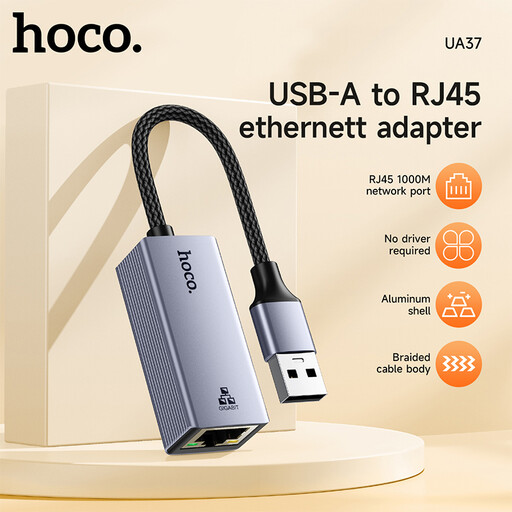
HOCO UA37 USB Gigabit Ethernet adapter
The description lists support for a wired connection at 10/100/1000 Mbit/s; check that the USB connector is right for your computer.
Compatible systems listed include Windows 98/ME/2000/XP/Vista/7/8/9/10, Linux and Mac OS. According to the description, Windows 98 or XP may require a driver.
Joybuy
 No image available
HOCO UA37 Type-C Ethernet adapter (1000 Mbps)
The USB-C version is designed for a compatible USB-C port; the description lists speeds of 10/100/1000 Mbit/s and a compact casing.
The cable is listed as 120 ± 5 mm long and the weight as 23 g. For Android devices, the description specifies that OTG support is required.
Joybuy
 No image available
D-Link DUB-E130 USB-C Gigabit Ethernet adapter, white
According to the description, this adapter adds a wired Gigabit Ethernet connection to a USB-C port.
USB 3.0 and 10/100/1000 Mbit/s are listed. A compatible USB-C port is required; Windows and macOS are listed as compatible systems.
Joybuy
Frequently asked questions
Do I need extra hardware to use Ethernet without a dock?
For the single-port adapters mentioned here, you’ll need a compatible USB port on your device and an RJ45 connection to your network. A dock isn’t among the features described for these adapters; check that the connection and operating system are right for you before buying.
Do I need to install a driver for a USB Ethernet adapter?
It depends on the model and operating system version. TP-Link specifies that the UE300C needs a driver for Windows 7/8/8.1 and certain older versions of macOS; the TP-Link user guide for the UE306 also includes notes on version-specific requirements. Check the details for your exact system.
When is a 2.5 Gbit/s adapter worth considering?
This type of adapter may be suitable if the other connections in your network path also support 2.5 Gbit/s and you want to make use of that speed. The manufacturer’s stated adapter speed alone doesn’t tell you how fast your connection will actually be.
What should I look for in the CE marking?
According to the German Federal Network Agency, products covered by relevant EU harmonisation legislation and placed on the EU market must carry a CE marking. It indicates the manufacturer’s declaration of conformity, not an independent test of LAN speed; check the marking on the specific product listing.


