What should you look for when buying?
First, check whether you’re allowed to use the storage device and whether you need an additional, separate backup. Then consider your file sizes, device ports and the size of individual files when choosing a drive.
| Consideration |
What to check when buying |
Who should consider this? |
| Data backup |
Match the capacity to the size of your projects and how much they’re expected to grow; plan for a separate local backup. |
If I want to keep project files without cloud storage, I need a separate, verifiable backup as well as the flash drive. Around 33% of consumers say data backup is their main concern. |
| Confidentiality |
Check approval from your training provider and whether encryption or key management is required. |
If my files contain business or personal information, I check that they’re approved and protected before copying them. Confidentiality is the top priority for around 27% of consumers. |
| Device ports |
Check the ports on your training and personal devices; for mobile devices, check whether they support external USB storage. |
If I switch between USB-A and USB-C devices, I want to transfer files directly without an adapter or cloud storage. Device compatibility is the main concern for around 27% of consumers. |
| Large files |
Check write speeds separately from read speeds, and check your computer’s file system and port. |
If I regularly back up large files, I check the write speed and file system rather than looking only at the read speed. Large file transfers are the main concern for around 13% of consumers. |
Joybuy products for local project files
This selection includes USB-A flash drives, models with USB-A and USB-C, and drives with encryption features. A single flash drive isn’t a substitute for a separate backup; if you’re handling business files, check that you’re allowed to use it first.
 No image available
Kingston DataTraveler Exodia M 128 GB, USB 3.2 Gen 1 (Black/Red)
For project files on devices with USB-A, if you’re looking for a simple drive for local storage and portability.
128 GB, USB 3.2 Gen 1, moveable protective cap and loop. The USB-A connector won’t plug directly into devices with USB-C ports only.
View at Joybuy
 No image available
MOVESPEED USB Flash Drive 128 GB, USB-A and USB-C (YSUSP05-128GSR)
For switching between devices with USB-A and USB-C, if both connectors suit your setup.
128 GB; the product description lists read speeds of up to 570 MB/s and write speeds of up to 520 MB/s. These are stated maximum speeds, not independent test results.
View at Joybuy
 No image available
MOVESPEED USB Flash Drive 256 GB with Fingerprint Access, USB-A and USB-C (YSUYC-256GSN)
For files stored locally, if you’re looking for a flash drive with USB-A and USB-C connectors and fingerprint access.
The product description lists 256 GB capacity and AES-256 encryption. According to the product warning, data in the secure partition can’t be recovered if both the password and fingerprint recognition fail.
View at Joybuy
 No image available
Lexar D40E 128 GB Dual USB 3.2 Gen 1 Type-C Jump Drive (LJDD40E128G-BNSNG)
For transferring files between devices with USB-A and USB-C, if you need a flash drive with both connectors.
128 GB; the product description lists AES-256 software encryption and speeds of up to 100 MB/s. Check that the encryption software is compatible with the devices you plan to use before buying.
View at Joybuy
 No image available
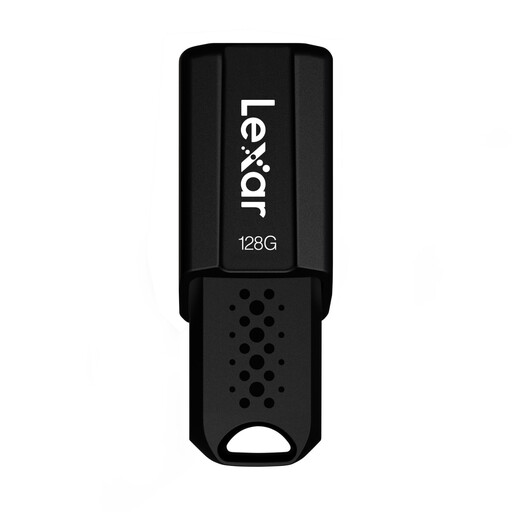
Lexar JumpDrive S80 USB Flash Drive
For local file storage, if you’re looking for a flash drive with a retractable connector and software-based encryption.
The product description lists AES-256 software encryption and a retractable connector. Before using it, check that the encryption software is compatible with your devices and your training provider’s requirements.
View at Joybuy
Frequently asked questions
Is a USB flash drive enough as the only backup for my apprenticeship projects?
No, not if it would be the only copy you have. The Federal Office for Information Security recommends regular data backups and checking that files can be restored. Keep another approved local copy separately.
Can I store business project files on my personal USB flash drive?
There isn’t a blanket yes or no. The Federal Office for Information Security advises against using personal hardware on company networks and storing company data on personal storage devices. Check your training provider’s rules before copying any files.
Do I need an encrypted flash drive for files that need protecting?
The Federal Commissioner for Data Protection and Freedom of Information generally recommends encrypting USB storage to protect data from unauthorised access if the device is lost. For business or personal data, you should also check your training provider’s requirements and what key management is needed.
Why can’t I copy a large project file when there’s enough free space?
Check the file system: Microsoft states that FAT32 has a maximum individual file size of 4 GiB. Another file system is only an option if it’s compatible with all the devices you need to use the flash drive with. Back up existing files before reformatting.
What should I look for when it comes to USB flash drive speeds?
Write speed matters when copying files to a flash drive; a high read speed alone won’t tell you how quickly files can be saved. Compare read and write speeds separately, and check whether your device supports the stated connector before using manufacturers’ maximum speeds to choose a drive.


