For design archives in a shared workspace, choose a USB flash drive with enough capacity for the versions you want to keep, and make sure you can restore files on the devices you need to use. Keep important files in a separate backup too, and test that you can copy them back and open them. For confidential designs, check exactly what the model protects. If you regularly export large files, write speed and the workspace’s USB connection are key.
Who is this relevant to?
Teams with important design versions
If you want to reopen older versions after an error or device failure, check not only the storage capacity but also that you can restore the data. The German Federal Office for Information Security (BSI) stresses that backups must also be restorable.
Teams working with confidential designs
If several people share the same workspace, or a flash drive could fall into the wrong hands, it’s important to know which files are actually protected and how access is granted. The BSI covers organisational and technical safeguards for removable storage media.
Teams working with large export files
If you regularly save large project files, make sure the write speed, file system and connections are compatible. Manufacturers’ transfer-speed figures are specific to each model and don’t replace testing it in your intended workspace.
What should you look for when buying?
A design archive needs both enough space and a backup you’ve tested in practice. More storage on its own won’t protect you if it’s the only copy of your files.
| What matters |
What to check before buying |
Who it matters most to |
| Restorable designs |
Check folder sizes and which versions you need to keep; restore a separate copy and open it. |
If I need to reopen older versions after a device failure, I plan to keep a separate copy and test the restore process. Around 33% of consumers put the ability to restore files first. |
| Confidentiality |
Check whether the specific model protects all data on the drive or only selected files; find out how PINs or passwords are managed. |
If several people share the workspace, I want to be able to control who can open confidential designs on the flash drive. Around 27% of consumers prioritise protection against unauthorised access. |
| Copying time for large projects |
Compare the stated write speed, not just the read speed, and check the workspace computer’s USB connection. |
If I regularly back up large project files, how quickly data can be written matters to me. Around 20% of consumers put copying time first. |
| Access from multiple devices |
Check USB-A and USB-C connections, as well as file-system support on the computers you plan to use. |
If I switch between computers with different connections, I want to be able to open the archive on every device I plan to use. Around 20% of consumers prioritise device compatibility. |
Common buying mistakes
-
Treating the flash drive as the entire archive
A single storage device can fail. Having files on it only helps if another copy is available and you can restore the designs from it.
Keep important designs on a separate, suitable storage device as well, and regularly test that you can copy them back and open them. The BSI recommends making sure backed-up data can be restored.
-
Assuming password protection means the whole drive is encrypted
A protected area doesn’t automatically include all the other files. So a manufacturer’s description of software for a private vault doesn’t mean the entire flash drive is encrypted.
Check exactly which data the specific model protects, and decide who manages the PIN or password and how access can be restored if needed.
-
Comparing only read speed or the USB standard
Write speed matters if you regularly back up large design folders. Manufacturers’ figures are maximum speeds and don’t tell you how long a transfer will take in a particular workspace.
Compare the write speed of the specific model and take into account the connection on the computer you’ll actually use to back up your files.
Relevant brands at a glance
SanDisk
The Extreme PRO range is designed for frequent, large transfers over USB-A.
- SanDisk states that this product range offers read speeds of up to 420 MB/s and write speeds of up to 380 MB/s.
- These are maximum speeds stated by the manufacturer. SecureAccess is not the same as encrypting every file on the flash drive.
Verbatim
The Keypad Secure USB-A is an option if you want to unlock the drive using its built-in keypad.
- Verbatim states that model 49429 has AES-256 hardware encryption for all data on the drive and an integrated PIN keypad.
- According to the manufacturer, the device requires reformatting after 20 incorrect entries. PIN management should therefore be part of your backup plan.
Samsung
The BAR Plus is a USB-A option with a metal casing for project files.
- For the German model MUF-256BE4/APC, Samsung states sequential read speeds of up to 400 MB/s and a metal casing.
- The stated read speed doesn’t indicate a matching write speed, and it doesn’t automatically apply to other BAR Plus variants.
Transcend
The JetFlash 930C is worth considering if the devices you plan to use have USB-A and USB-C connections.
- For this product range, Transcend lists both connector types, with read speeds of up to 420 MB/s and write speeds of up to 400 MB/s.
- You can’t use both connectors at the same time. Check actual transfer speeds and device compatibility in your intended workspace.
Kingston
The DataTraveler Kyson is a USB-A model; IronKey KP200 is a separate range for encrypted data.
- Kingston states that the Kyson offers read speeds of up to 200 MB/s and write speeds of up to 60 MB/s, along with a limited five-year warranty.
- Hardware encryption in the IronKey KP200 range is not a feature of the DataTraveler Kyson.
USB flash drives at Joybuy
This selection includes USB-A flash drives and models with both USB-A and USB-C, including options with stated write speeds or access protection. Before buying, check that the connections, capacity and level of protection are right for the devices and designs you plan to use.
 No image available
Kingston DataTraveler Kyson 256 GB
For design files if you’re looking for a USB-A model with stated read and write speeds.
Capacity: 256 GB. Read: up to 200 MB/s; write: up to 60 MB/s. Kingston states that the Kyson comes with a limited five-year warranty.
Joybuy
 No image available
MOVESPEED USB flash drive 128 GB, USB-A and USB-C, YSUSP05-128GSR
For devices with different USB-A and USB-C connections; check compatibility with every computer you use.
Capacity: 128 GB. USB 3.2 Gen 1. Stated speeds are up to 570 MB/s read and 520 MB/s write.
Joybuy
 No image available
MOVESPEED USB flash drive 256 GB, YSUYC-256GSN, Silver
For design files if you need stated access protection as well as storage capacity. The description lists AES-256 encryption and fingerprint access.
Capacity: 256 GB. USB 3.2 Gen 1, with USB-A and USB-C. Stated speeds are up to 550 MB/s read and 500 MB/s write. According to the product description, the contents of the encrypted partition can’t be recovered if both the administrator password and fingerprint access fail.
Joybuy
 No image available
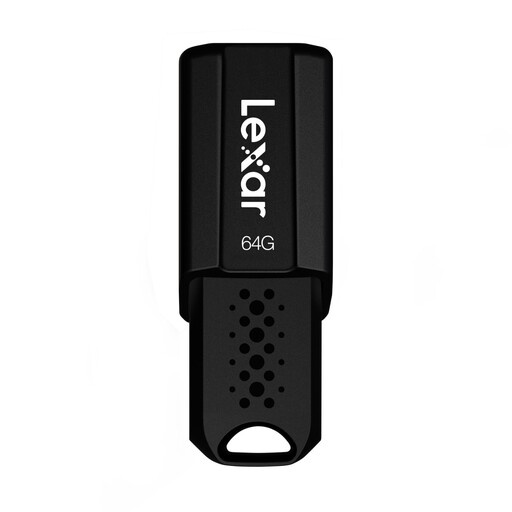
Lexar JumpDrive S80 64 GB
For a USB-A workspace and files that will fit within 64 GB; check which design versions you want to archive first.
USB 3.1 Gen 1. Stated read speeds are up to 150 MB/s. The security software described uses 256-bit AES to protect files; this doesn’t mean the whole drive is encrypted.
Joybuy
 No image available
SanDisk Ultra 256 GB, USB 3.0
For large design folders in a USB-A workspace, if the described vault feature provides the level of protection you need.
Capacity: 256 GB. Stated read and write speeds are up to 100 MB/s. According to the product description, SecureAccess creates a password-protected private vault. If you need to protect all data on the drive, look for a model specifically described as offering full-drive encryption.
Joybuy
Frequently asked questions
Can a USB flash drive be the only archive for design versions?
Keep a separate backup of important designs and test that you can restore them. The BSI points out that the lifespan of storage media can’t be predicted precisely, and that you need to make sure recovery is possible.
What should I check before using a flash drive on a shared computer for the first time?
Check which removable storage media are permitted in the workspace and who is responsible for the flash drive. Also test a folder by copying it back and opening it. The BSI’s recommendations for removable storage media depend on the organisational context, so your team’s rules take precedence.
Why might a large export file fail to copy?
A flash drive formatted as FAT32 has a maximum file size of 4 GiB, according to Microsoft. Before changing the file system, check that all the devices you plan to use support it.
What matters when you regularly copy large project files?
Compare the stated write speed of the specific model and take the workspace’s connection into account. Read speed alone doesn’t tell you how quickly large design files will be written to the flash drive.
Does data protection law require a hardware-encrypted USB flash drive for every design?
No, it doesn’t impose a blanket requirement to use a particular flash drive model. For personal data, the European Data Protection Board describes appropriate technical and organisational measures to ensure a level of security suited to the risk. The right measure depends on the specific processing context.


