What to look for when buying
First, decide which files need protecting and who should be able to open them. Then check your storage needs, backup process and connections against the devices you already have.
| Consideration |
What to check before buying |
Who it matters most to |
| Confidentiality |
Check whether the whole drive or only selected files are protected, and how unlocking works on a shared computer. |
If personal conversations are stored on a computer used by several people, I want to control access to both the flash drive and working copies. Around 29% of consumers prioritise protecting confidential files. |
| Recoverability |
Plan to use the flash drive as an extra copy and test whether you can restore selected files. |
If the recordings cannot be made again, I don't want to rely on a single copy and want to check that recovery works. Around 29% of consumers put reliable backup and restoration first. |
| Storage capacity and copying time |
Check the size of the current folder, including accompanying files, allow room to grow and compare the write speeds of the specific model. |
If the interview archive is growing or I regularly copy it in full, I want enough space and a clear idea of how long backups will take. Around 24% of consumers prioritise storage needs and copying time. |
| Connector and file system |
Check for USB-A or USB-C ports on the computers you plan to use, and test the file system on each device. |
If I need to use the flash drive on different family computers, I want to transfer and restore files without connection or format issues. Around 18% of consumers prioritise using their drive across different devices. |
USB flash drives at Joybuy
The products below cover different storage needs, protection for sensitive files and use with USB-A or USB-C devices. Depending on the model, file protection is provided by software or a dedicated secure partition. Before buying, check which option works with your computer and backup process.
 No image available
SanDisk Ultra 256 GB USB 3.0 Flash Drive
The password-protected file storage described could be useful for sensitive interviews, but according to the product details it does not automatically protect the entire drive.
256 GB; USB 3.0; the product description specifies password-protected AES file storage with 128-bit encryption.
View at Joybuy
 No image available
MOVESPEED YSUSP05-128GSR, 128 GB
The USB-A and USB-C connectors may suit you if you want to use the flash drive with devices that have different ports.
128 GB; USB-A and Type-C; according to the product details, speeds of up to 570 MB/s read and 520 MB/s write. The speed you get also depends on the computer you're using.
View at Joybuy
 No image available
MOVESPEED YSUYC-256GSN, 256 GB
Fingerprint access and encryption matter when you're storing sensitive files, but make sure you understand the recovery scenario described.
256 GB; USB-A and Type-C; the product details specify AES-256 encryption and speeds of up to 550 MB/s read and 500 MB/s write. According to the product information, data in the secure partition cannot be recovered if both the administrator password and fingerprint recognition fail.
View at Joybuy
 No image available
Lexar D40E, 128 GB
The two connectors can be useful when switching between computers with USB-A and USB-C ports. For sensitive files, the product information describes security software.
128 GB; USB-A and Type-C; the product details specify AES-256 security software and speeds of up to 100 MB/s.
View at Joybuy
 No image available
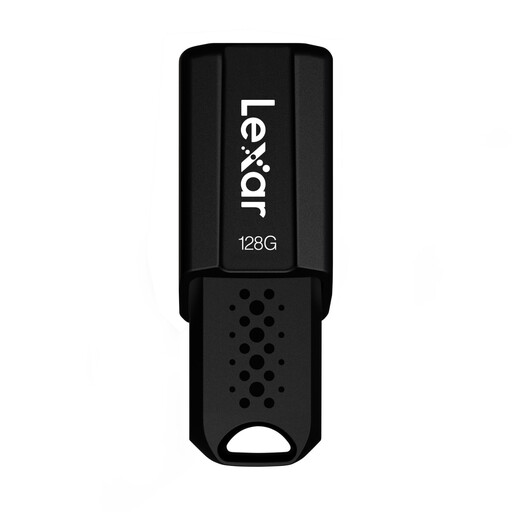
Lexar JumpDrive S80, 128 GB
For confidential files, the product information describes protection through security software that needs to be installed.
128 GB; USB 3.1, backwards compatible with USB 3.0 and 2.0; according to the product details, AES-256 security software and read speeds of up to 150 MB/s.
View at Joybuy
Frequently asked questions
Is a USB flash drive enough as the only archive for interviews?
No. You shouldn't rely on a single copy of irreplaceable recordings. Use the flash drive as an extra backup, keep another copy separately and check that you can restore the files. The Federal Office for Information Security points out that the lifespan of storage media cannot be predicted precisely.
Which format should I use for a flash drive on Windows and Mac computers?
If you want to use the drive with both systems, Apple lists exFAT as a formatting option for drives over 32 GB. Back up any existing files before formatting, as this will delete them. Afterwards, check on the second computer that the files and, if applicable, the unlocking process work.
Does a “USB 3.2” label prove that backups will write quickly?
No. A USB 3.2 label alone doesn't tell you how quickly the specific variant will write on your computer. Compare write speeds for the exact capacity and check your computer's port. F.A.Z. Kaufkompass reports performance differences between capacities in the same product range; Kingston says USB 3.2 Gen 2 on the host device is required for the DataTraveler Max to deliver optimal performance.
What should I check on an encrypted flash drive?
Check whether the whole drive or only a file store is protected, and whether you can unlock it on the shared computer. For a model with an integrated keypad, also consider how you will manage the code and what the manufacturer says happens after repeated incorrect entries. Encryption is no substitute for a separate backup.
Can I record or share a private family interview without permission?
Section 201(1) of the German Criminal Code makes it a criminal offence to record another person's privately spoken words without authorisation, or to use or make available a recording made in this way. Check that you have permission to record and share the interview; buying a USB flash drive does not answer this question. The provision is published in the German Criminal Code on the Laws on the Internet website.


