Families with growing photo collections
If you want to keep the originals and several edited versions, add up the storage needed for all the folders you plan to keep before choosing a capacity.


Choose a capacity based on the total size of the photos and all the edited versions you want to keep. Then check that the connector is compatible with the device you use. A USB flash drive can be a practical extra copy, but it shouldn’t be the only backup of irreplaceable family photos: USB flash drives can fail too, as the consumer advice centre explains.
If you want to keep the originals and several edited versions, add up the storage needed for all the folders you plan to keep before choosing a capacity.
A USB flash drive can serve as an extra copy stored separately. The consumer advice centre points out that physical storage devices can fail too.
If you regularly copy large project folders, check the write specifications and the connector on your device. Kingston Technology points out that the host device’s port can limit transfer speeds.
| What matters | What to look for when buying | Who should pay particular attention? |
|---|---|---|
| Space for originals and edited versions | Add up the folder sizes for all the versions you plan to keep and compare the total with the available storage. | If I want to keep the originals and older edited versions, there needs to be enough storage for all the folders. Around 26% of consumers say space for multiple versions matters most to them. |
| Protection against losing your only copy | Plan to keep another copy in a separate location, and occasionally check that you can retrieve the files. | I don’t want a fault or accidental deletion to leave me without my family photos. Around 26% of consumers say having a reliable extra backup is their main concern. |
| Write speed when backing up | Compare write speeds separately from read speeds, and check the conditions attached to manufacturers’ claims. | If I regularly copy large project folders, write time matters to me. Around 21% of consumers say write speed matters most to them. |
| Connectors and device compatibility | Check that USB-A or USB-C matches the ports on your devices. For smartphones, also check that they support USB storage. | I want to transfer photos using the same flash drive between devices with different ports. Around 16% of consumers say compatibility across their devices matters most to them. |
| Protecting private photos | For the specific model, check its encryption, unlocking method and what happens after repeated incorrect code entries. | If I take private photos with me or store them away from home, I want to make it harder for anyone else to access them if the drive is lost. Around 11% of consumers say this kind of access protection matters most to them. |
The storage available for files may be less than the stated capacity. If you also want to keep older project versions, you may run out of space sooner than expected.
Work out how much space you need for all your existing photos and the versions you plan to keep, and leave some room to spare.
If you run out of storage earlier than planned, you may need another storage device.
Backing up means writing files to the flash drive. A high read speed alone doesn’t tell you how quickly this happens; the host device’s port can also limit the speed.
Compare the stated write speeds specifically, and check which interface your device supports.
Encryption can make it harder to access private photos if the flash drive is lost, but it can’t restore damaged or deleted files. For the Verbatim Keypad Secure reviewed here, 20 incorrect code entries require the drive to be reformatted.
Keep several copies in separate locations and check that you can retrieve the backed-up files. Store any passwords you need securely.
The Extreme-PRO-USB-3.1 range reviewed here may suit frequent transfers of larger files, provided you check the exact model generation and capacity before choosing.
DataTraveler Exodia offers a USB-A option, while DataTraveler Max may suit buyers whose host device supports the appropriate interface.
The FIT Plus is a compact option for buyers with a USB-A port who prefer a low-profile connector.
The 128-GB Keypad Secure USB-A is an option if access protection matters when you’re carrying the drive and there’s enough space for the versions you plan to keep.
The 256-GB Flash Voyager GTX USB 3.0 is one option reviewed here for larger collections that are copied frequently.
This selection includes USB flash drives for extra copies of photos and project versions. A USB flash drive shouldn’t be the only backup of irreplaceable pictures, as these devices can fail too, as the consumer advice centre points out.
 No image available
This could work as an extra copy if 256 GB is enough for your chosen photos and all the project versions you want to keep.
Designed for a computer with a USB-A port. First, check how much space you need for your entire collection.
 No image available
Suitable as an extra copy if your calculated storage needs for photos and the versions you want to keep fit within 64 GB.
This product is specified for a host with a Type-A port. Compare the capacity with the total size of all the folders you plan to keep.
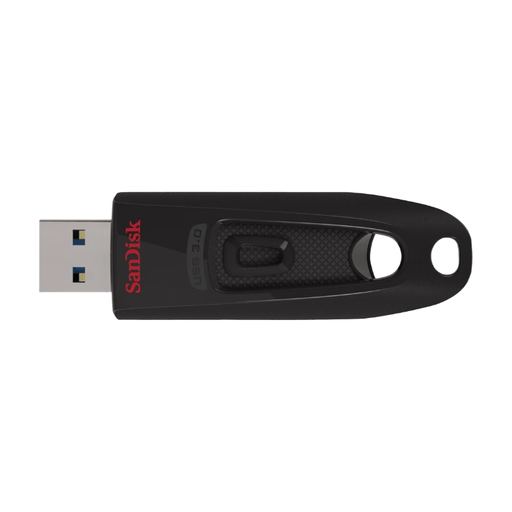 No image available
This version can serve as an extra copy if your photos and selected project versions fit together within 64 GB.
Before buying, check that the connector and the level of protection you want for private files suit your devices and needs.
 No image available
The two connector types are useful when switching between devices, provided those devices support USB storage.
The stated capacity is 128 GB. Compare it with the combined size of all your photos and project versions.
 No image available
An option if 256 GB is enough for your collection and access protection for private photos is important.
The product name specifies AES-256 encryption and fingerprint access. According to the product description, encrypted data in the secure partition can’t be recovered if both the administrator password and fingerprint access are unavailable.
No, not if you can’t afford to lose the photos if the drive fails. The consumer advice centre points out that USB flash drives can fail too, so use one as part of a backup with several copies.
Try opening files from the backup or copying them back, rather than simply assuming the copy completed successfully. The BSI recommends restoration tests in its baseline security guidance for organisations. For a personal photo collection, this is a sensible precaution, not a legal requirement claimed here.
Your statutory rights against the seller are separate from any voluntary manufacturer’s warranty. Check the warranty terms for the specific model. If there’s a fault, you should first ask the seller to put it right under your statutory rights, as the consumer advice centre explains.
According to the Court of Justice of the European Union’s judgment in case C-461/22, data processing carried out solely for personal or family activities, with no professional or commercial connection, falls outside the scope of the GDPR. This means there’s no general GDPR requirement to buy an encrypted flash drive for this personal use. Encryption can still make it harder for someone to access your photos if the drive is lost.