What should you look for when buying?
First, decide how you’ll find older versions and keep a separate backup. Then check your storage needs and device compatibility. Write speed and encryption matter most when you regularly copy large files or store confidential documents.
| What you need |
What to check before buying |
Who is this important for? |
| Finding older versions |
Decide whether you’ll name and file versions yourself or use a suitable backup feature; test that you can restore them. |
If I want to restore an earlier recipe version, I need a clear filing system and a separate copy. Around 31% of consumers prioritise being able to find older versions when buying. |
| Space for all versions |
Check the size of existing folders, including older versions and potential future additions; compare this with usable capacity, not just the stated capacity. |
If I want to keep several complete versions and related files on the drive at the same time, I don’t want to have to choose between them later because I’ve run out of space. Around 25% of consumers prioritise having enough storage. |
| Access on different devices |
Check that the connectors and file system work with the devices you use; test both reading and writing before putting the drive to regular use. Transcend states that USB-OTG is required to use the Transcend JetFlash 930C with mobile devices. |
If I switch between devices with different connectors or operating systems, I want to be able to open and edit my files reliably on each one. Around 19% of consumers prioritise compatibility with their devices. |
| Keeping files confidential if the drive is lost |
For sensitive files, check the encryption and unlocking method of the specific model; keep a separate copy. |
If I don’t want my project documents to be readable by anyone if I lose the drive, I need protection that authorised users can use in practice. Around 13% of consumers put confidentiality first. |
| Copying time |
For large or frequent transfers, compare the write and read speeds of the specific model separately; also check your computer’s connector. |
If I regularly copy large project folders, write speed matters more to me than a high read speed alone. Around 12% of consumers prioritise transfer time when buying. |
Suitable products at Joybuy
The product options below are for access protection and switching between devices with USB-A and USB-C. Before choosing, check that the capacity, connectors and unlocking method suit your files and devices.
 No image available
Kingston IronKey 32 GB Keypad 200, FIPS 140-3 Lvl 3, AES-256
Could be suitable for confidential recipe or project files if a PIN keypad meets your access protection needs.
32 GB; PIN keypad and AES-256 hardware encryption, according to the product description.
View at Joybuy
 No image available
Kexin 2-in-1 USB 2.0, USB-A and USB-C, 2 × 32 GB
An option if you want to transfer files between devices with USB-A and USB-C and could use two separate drives.
Pack of 2, each with 32 GB; USB-A and USB-C, according to the product details.
Also check write access and the file system on your devices.
View at Joybuy
 No image available
Kexin 2-in-1 USB flash drives, 5 × 32 GB
Could be a good fit if you need several USB-A and USB-C drives for transferring files.
Pack of 5, each with 32 GB; USB-A and USB-C, according to the product details.
The connectors aren’t a substitute for a separate backup; also check write access on your devices.
View at Joybuy
 No image available
SanDisk 64 GB CZ50 Cruzer Blade
A USB-A option for documents if 64 GB is enough for your existing files and your devices support the connector.
64 GB; the product description lists password protection and 128-bit AES encryption.
Before buying, check that the protection method described is suitable for your devices and unlocking needs.
View at Joybuy
 No image available
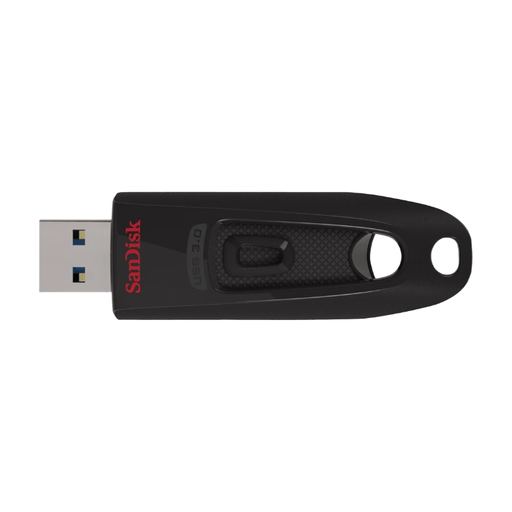
SanDisk Ultra 64 GB USB 3.0
Could be suitable for recipe versions you file manually if 64 GB is enough and USB-A is compatible with your devices.
64 GB; up to 100 MB/s read speed and up to 27 MB/s write speed, according to the product description.
These are maximum figures; check that your computer supports the connector and that the write speed suits your file transfers.
View at Joybuy
Frequently asked questions
Does a USB flash drive automatically create earlier versions of my recipes?
No, a USB flash drive doesn’t create a version history automatically. Name and keep versions yourself, or set up a suitable backup feature. Microsoft explains that Windows File History can save and restore earlier versions on an external drive; check which folders are actually being backed up.
Can I edit files on the same drive using both Mac and Windows?
This also depends on the file system. Apple lists exFAT as a Windows-compatible format and explains that a Mac can read NTFS without an additional solution, but can’t edit files on it. Back up your files before reformatting a drive, and test write access on both devices.
How can I check that my backup works?
Try opening an older version directly from the backup drive, and keep important files in a separate location as well. The BSI points out that the lifespan of storage media can’t be predicted precisely and that it must also be possible to restore data.
If a USB flash drive breaks, what’s the difference between a guarantee and your statutory rights?
A voluntary guarantee isn’t the same as your statutory rights against the seller. The consumer advice centre explains that, if a product is faulty, repair or replacement may be available in the first instance. Neither a guarantee nor your statutory rights can replace a backup of lost files.
How should I dispose of an old USB flash drive in Germany?
Don’t put it in your household waste. Instead, take it to a recycling centre or an appropriate take-back point, for example. The German Environment Agency gives this advice for electrical equipment; the BSI recommends deleting personal data from storage media before passing it on or disposing of it.


