What should you look for when buying?
The BSI stresses that the lifespan of storage media cannot be predicted precisely. So, as well as capacity and connectors, consider how you’ll keep a second copy and check that you can access your files later.
| Priority |
What to check when buying |
Who is this particularly important for? |
| Recoverable archive |
Check how much storage you need, including planned growth; arrange a separate local storage location and plan a read test. |
If I need to be able to recover my notes later, I’ll plan for another local copy and test important files. Around 36% of consumers put recoverability first. |
| Confidential notes |
Check the unlocking process and password recovery; understand the difference between software and hardware encryption. |
If my notes contain confidential or personal information, protecting them in case they’re lost matters to me. Around 29% of consumers prioritise protecting confidential data. |
| Access across multiple devices |
Check that the USB ports, operating systems and file system are compatible; back up files before formatting. |
If I switch between devices with different ports or operating systems, the drive needs to be readable on all the devices I plan to use. Around 21% of consumers put device compatibility first. |
| Frequent transfers of large files |
Check the write speed of the specific model and your computer’s port; read speed alone isn’t enough. |
If I regularly back up large folders, write time matters more to me than a high peak read speed. Around 14% of consumers prioritise frequent transfers of large files. |
USB flash drives for storing notes locally
This selection includes USB flash drives for local file storage, including models with USB-A and USB-C as well as standard USB-A options.
 No image available
Kexin 2-in-1 USB flash drive, 32 GB, USB-A and USB-C, 2-pack
For storing files locally on devices with USB-A and USB-C ports.
32 GB per stated model; USB 2.0; USB-A and USB-C; 2-pack.
View at Joybuy
 No image available
SanDisk CZ50 Cruzer Blade USB flash drive, 64 GB
For local storage when the devices you plan to use have a compatible USB-A port.
64 GB; USB 2.0. SecureAccess is described as offering password protection and 128-bit AES encryption.
View at Joybuy
 No image available
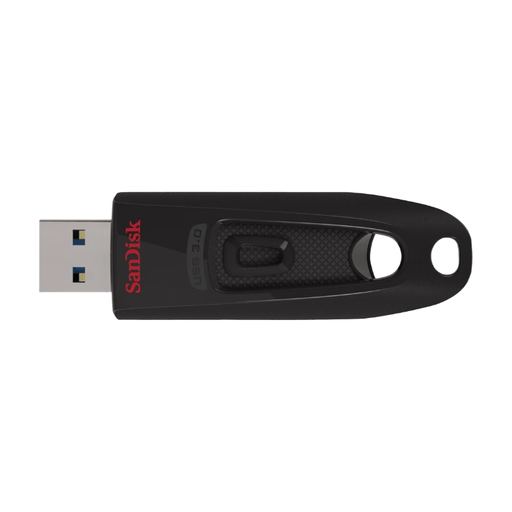
SanDisk Ultra USB flash drive, 64 GB, USB 3.0
For storing documents locally on devices that support the specified USB connection.
64 GB; read speeds of up to 100 MB/s. SecureAccess is described as offering password-protected access.
View at Joybuy
 No image available
SanDisk Ultra Flair USB flash drive, 128 GB, USB 3.0
For storing files locally; if you regularly transfer large files, take the quoted write speed into account.
128 GB; read speeds of up to 150 MB/s; write speed of 4 MB/s. A software feature with password protection is described for personal files.
View at Joybuy
 No image available
MOVESPEED YSUSP05-128GSR USB flash drive, 128 GB, USB-A and USB-C
For transferring files locally between devices with USB-A and USB-C ports.
128 GB; USB 3.2 Gen 1; product specifications quote speeds of up to 570 MB/s read and 520 MB/s write.
View at Joybuy
Frequently asked questions
Is one USB flash drive enough as the only archive for my research notes?
No, not if you need your notes to remain available after a drive fails. The German Federal Office for Information Security (BSI) points out that the lifespan of storage media cannot be predicted precisely, and that backed-up data must be readable again. Plan for another local copy and a read test; you don’t need the cloud for this.
How do I prepare a drive for Mac and Windows?
First check the ports and existing file system. Apple recommends exFAT when formatting a storage device larger than 32 GB for use with Mac and Windows, and warns that formatting deletes any files already on it. Make sure you back up your data first.
What should I check for maintenance and recovery?
Test a copy on a device you plan to use, and check access again if your devices or file formats change. The BSI points out that stored data must be readable again later.
What ongoing costs or support services should I expect?
A local archiving plan may require another storage device for a separate copy. Kingston lists a five-year limited warranty and technical support for both the DataTraveler Duo and DataTraveler Max; these details apply to the respective product ranges and are no substitute for backing up your data.
Does a USB flash drive containing research notes have to be hardware-encrypted in Germany?
This does not imply a general requirement to use hardware encryption on every USB flash drive. According to the BfDI, where personal data is processed, controllers and processors must take appropriate technical and organisational measures in line with the risks; encryption may be one such measure. What is appropriate for a particular research project depends, among other things, on the data and who is responsible for it.


