What should you look for when buying?
First, check that you can open your files on every device you plan to use. Then consider how much space you need for different versions and, if you often copy large files, check the write performance.
| Buying consideration |
What to look for |
Who is it most important to? |
| Restoring earlier versions |
Keep your original and backup separate; try opening a file again from the backup. |
If I want to find older versions of my work, I need a separate, readable copy. This matters to around 33% of consumers who prioritise being able to restore their files. |
| Opening files on several devices |
Check the ports on both devices; open a copied file on the receiving device. |
When switching between devices with USB-A and USB-C, I want to be able to transfer and open my files directly. Around 27% of consumers pay particular attention to device compatibility. |
| Space for more project versions |
Allow for the size of your existing folders and any extra versions you plan to add. |
As my sewing pattern archive grows, I want space for new versions as well as my existing files. Capacity is the main consideration for around 20% of consumers. |
| Copying time |
Check the write speeds for the exact model and capacity, not just the read speeds. |
When I regularly copy large project folders, I want to avoid unnecessary waiting. Write speed is the top priority for around 13% of consumers. |
| Confidential files |
Consider a built-in access lock only if you genuinely need one; check that you can unlock it on your devices. |
If my project files are confidential, extra access protection matters to me. Around 7% of consumers pay particular attention to this. |
USB flash drives for sewing patterns and project files
The product options below are suitable for storing and transferring sewing pattern files. They include models with USB-A and USB-C connectors.
 No image available
Kingston DataTraveler Exodia M, 128 GB (Black + Red)
For project files and different versions of your work, provided 128 GB is enough for your file archive.
USB 3.2 Gen 1; the product description mentions a sliding connector cover and a loop for attaching it.
Joybuy
 No image available
SanDisk Ultra Flair USB 3.0, 128 GB
An option if you want to keep project files on a USB flash drive and transfer them between compatible devices.
The product name quotes a read speed of 150 MB/s. This refers to reading, not writing.
Joybuy
 No image available
MOVESPEED YSUSP05-128GSR, 128 GB, USB 3.2 Gen 1
For switching between devices when you need both USB-A and Type-C.
Both connector types and 128 GB are listed. The product name quotes a read speed of 570 MB/s, not a write speed.
Joybuy
 No image available
Lexar D40E, 128 GB, Dual USB 3.2 Gen 1
A dual-connector option for copying sewing patterns between USB-A and USB-C devices.
USB-A, USB-C and 128 GB are listed; the casing is described as metal.
Joybuy
 No image available
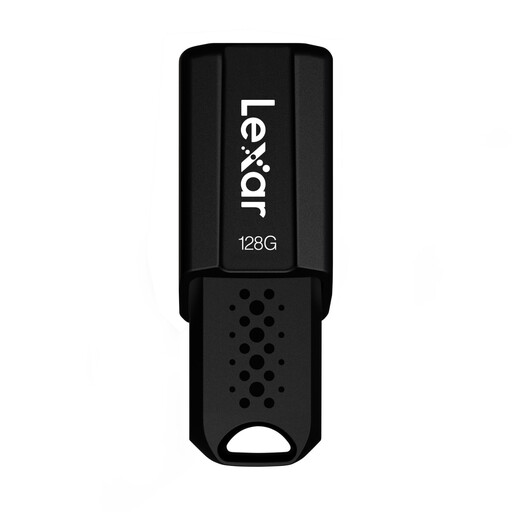
Lexar JumpDrive S80 USB 3.1 Gen 1, 128 GB
For storing and transferring project files, if 128 GB suits the size of your folders.
The product description lists backward compatibility with USB 3.0 and USB 2.0. The quoted read speed of up to 150 MB/s isn’t a write speed.
Joybuy
Frequently asked questions
Is a USB flash drive enough as my only sewing pattern backup?
No, not if you want to be able to recover your files if the drive is lost or damaged. Keep another copy separately and check from time to time that you can open the backed-up files. The German Federal Office for Information Security recommends backing up your data regularly.
Do I need to format the flash drive differently for particularly large files?
It depends on the file size and the devices you use. Microsoft gives FAT32 a limit of 4 GiB per individual file. Before changing the file system, check which format all your devices can read, and make another copy of any existing files before formatting.
What’s the difference between a warranty and a backup?
A manufacturer’s warranty doesn’t promise to recover lost project files. Kingston lists a five-year warranty for the documented DataTraveler Duo; check the terms for the exact version you buy. You’ll still need an independent backup for your files.
Can I copy or share sewing patterns I’ve bought digitally on a flash drive?
Under the conditions set out in § 53 para. 1 UrhG, individuals may make individual copies for private use, but not for direct or indirect commercial purposes or from an obviously unlawful source. This does not give you general permission to share them: § 53 para. 6 rules out distributing such copies. If you’re using a pattern commercially or it has specific usage rights, you’ll need to check the relevant permissions separately.
Where should I take an unwanted USB flash drive in Germany?
Don’t put an unwanted USB flash drive in your household rubbish. The German Environment Agency lists recycling centres and suitable retailer take-back points among the options for disposing of electrical waste. Delete any personal files before handing it in.


