Organisers using different computers
If you copy handouts between workshop computers with different ports, the connectors need to match the devices you’ll actually be using. Verbatim and Transcend describe models with USB-A and USB-C.


First, choose a flash drive with connectors that match the devices you want to copy your handouts between. Models with USB-A and USB-C are worth considering if you switch between both types of port. Also check that the destination devices can read the file system, that there’s enough storage space, and whether confidential content needs extra access protection. A stated read speed alone doesn’t tell you how quickly files can be written to the drive.
If you copy handouts between workshop computers with different ports, the connectors need to match the devices you’ll actually be using. Verbatim and Transcend describe models with USB-A and USB-C.
If you’re carrying participant details or other confidential files, consider not only how to copy them but also who might be able to access them if the drive is lost. Germany’s Federal Office for Information Security explains how encryption can protect portable storage devices.
For lots of files or large files, storage capacity and write speed matter. Transcend gives maximum read and write speeds for the JetFlash 930C; actual transfer times also depend on the devices and ports you use.
Your priorities will depend on which devices need to open the handouts, how large the files are and whether they contain confidential information.
| What matters | What to check before buying | Who needs this? |
|---|---|---|
| Compatible connectors | USB-A or USB-C on every device you’ll use; for mobile devices, check that they support external storage too. | If I switch between computers with different ports, I want to be able to plug the drive straight in. Around 33% of consumers say compatible connectors are their main concern. |
| Opening and saving files locally | A file system supported by the destination device; enough capacity for the entire handout folder. | If I’m working without the cloud, the handouts need to be readable on the intended devices and fit on the drive. Around 27% of consumers say local file access and sufficient storage are their main concerns. |
| Protecting confidential documents | Check whether encryption is needed and whether authorised recipients will be able to unlock the drive. | If my documents contain confidential or personal information, I want to make unauthorised access harder if the drive is lost, while still allowing authorised recipients to access the files. Around 20% of consumers say protecting confidential files is their main concern. |
| Copying large files quickly | Check the write speed, not just the read speed, and make sure the computer supports the USB interface. | If I’m transferring large collections of materials before a workshop, how quickly files are written to the drive matters to me. Around 20% of consumers say copy time is their main concern. |
Reading and writing are different processes. Read speed alone doesn’t tell you how quickly handouts will be copied to the drive. Kingston also states that the DataTraveler Max needs a USB 3.2 Gen 2 host interface for optimum performance.
Compare the write speed of the exact model and check which USB interface your computer supports.
Slower-than-expected transfers can eat into your preparation time before the workshop.
Having both USB-A and USB-C doesn’t automatically guarantee support for the storage device or its file system. Apple specifies particular connector and format requirements for external storage on iPhone; Transcend says the JetFlash 930C requires USB-OTG support for mobile use.
Connect the drive to the devices you’ll actually use before the workshop and open a test file. Back up any existing files before formatting a storage device.
Encryption can make it harder for others to access your files, but it won’t restore files that have been lost or deleted. Kingston states that the IronKey Locker+ 50 G2 may erase data after ten consecutive incorrect admin password entries.
Keep an additional copy of important documents separately on a local device, and store the required login details somewhere safe and accessible.
A relevant option when you want to transfer files directly between devices with compatible USB-A and USB-C ports.
The DataTraveler Exodia range includes USB-A drives for documents; IronKey Locker+ 50 G2 is a separate range with hardware encryption.
The Ultra Dual Drive Go is worth considering if you switch between devices with USB-C and USB-A ports.
The JetFlash 930C has both USB-A and USB-C and may be worth considering for large collections of materials.
The Classic 00181053 with 64 GB is a USB-A option for computers with a compatible port.
This selection includes USB flash drives for switching between devices with different ports, as well as options with different capacities and features.
 No image available
Suitable for transferring handouts between devices with USB-A and USB-C ports.
32 GB; USB 2.0; pack of 2; 360° swivel design.
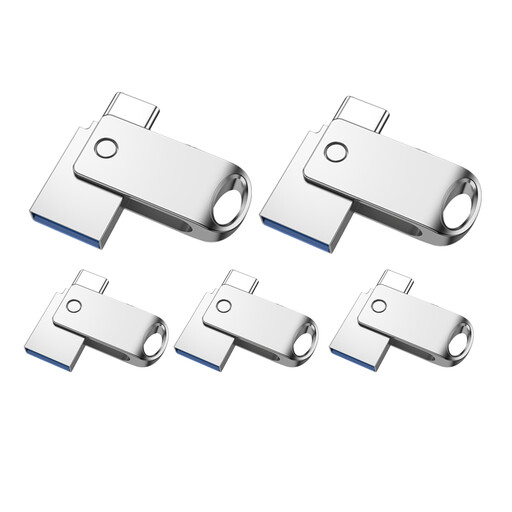 No image available
Suitable if you need several drives to transfer files between devices with USB-A and USB-C ports.
32 GB; USB 2.0; pack of 5; 360° swivel design.
 No image available
A possible choice if you’re looking for a 128 GB option for a larger collection of handouts.
128 GB; dual interface USB 3.2 Gen 1 and Type-C; stated read speed: 570 MB/s. Read speed doesn’t indicate write speed.
 No image available
This option may suit confidential handouts if its access protection is compatible with the devices and recipients who need to use it.
256 GB; USB 3.2 Gen 1 and Type-C; stated read speed of 550 MB/s and write speed of 500 MB/s; Fingerprint Encryption. According to the product description, data in the secure partition can’t be recovered if both the password and fingerprint access are unavailable.
 No image available
A dual-USB option for transferring files locally; check that its connectors match the devices you plan to use at the workshop.
128 GB; USB 3.2 Gen 1; Type-C; swivel casing.
No, as long as the devices involved support the drive directly. Verbatim describes the Dual USB Drive as storing and transferring files over USB without Wi-Fi; still, check that the connector and file system are compatible with the devices you’re using.
Apple specifies that external storage used with an iPhone needs a compatible connector, a data partition and a supported file system, such as APFS, exFAT (FAT64) or FAT. Connect the drive in advance and check whether the specific handout file opens in a supported app.
The general guidance from Germany’s Federal Office for Information Security and the Federal Commissioner for Data Protection and Freedom of Information says that protective measures should reflect the risks involved in processing data; it doesn’t mean every workshop flash drive must be encrypted. Also check whether any organisational requirements apply to your workshop.
You should keep a separate local copy of important documents too. Germany’s Federal Office for Information Security describes backups as protection against data loss; a guarantee isn’t a substitute for a backup. If you use a protected drive, you’ll also need to keep the required login details accessible.