What should you look for when buying?
First work out how much storage you need, then compare write speed and connections with your computers. Finally, check how you’ll back up complete project versions and open them again.
| What matters |
What to check before buying |
Who should pay particular attention? |
| Space for versions |
Add up the size of all project folders, including external source files, and compare the total with the usable capacity. |
If I want to keep several complete versions with their media, I need enough usable storage. Around 29% of consumers put space for versions first. |
| Copying time |
Check the write speed of the exact model separately from the USB standard supported by your computer and, where applicable, your hub. |
If I regularly transfer large project folders, the write speed on the connection I actually use matters. Around 23% of consumers prioritise repeated copying. |
| Recoverability |
Copy the complete project folder, test opening important versions and keep an independent backup. |
If I need to carry on working after a failure, I want a complete copy that I can check. Around 18% of consumers prioritise recoverability. |
| Switching between computers |
Check the available USB-A and USB-C ports, as well as the file system and access, on the computers you plan to use. |
If I open my projects on different computers, compatible connections and a readable file system are essential. Around 18% of consumers prioritise being able to switch devices. |
| Confidential files |
Check the type of protection, how it’s unlocked, how recovery works and whether you have an additional copy. |
If I carry confidential drafts or personal data, I want to restrict access if the drive is lost. Around 12% of consumers put privacy on the move first. |
The Blender Foundation points out that some external files, including videos, can’t be stored in a .blend file. Make sure you include them when calculating how much storage you need. For files over 4 GiB, it’s also worth noting that Microsoft lists 4 GiB as the maximum file size for FAT32.
Joybuy products
The Joybuy models featured here include USB flash drives with 128 or 256 GB, options with USB-A and USB-C, and models with specified security features. Compare the capacity with your project collection and check the connections and write speed your computers need.
 No image available
MOVESPEED USB Flash Drive YSUSP05-128GSR, 128 GB
The dual interface is useful if you switch between computers with USB-A and USB-C connections; the stated read speed alone tells you nothing about write speed.
The product name lists USB 3.2 Gen 1, Type-C and read speeds of up to 570 MB/s.
Joybuy
 No image available
MOVESPEED USB Flash Drive YSUYC-256GSN, 256 GB
Fingerprint access may be useful for confidential files, provided you also consider how the drive is unlocked and keep an additional backup.
The product name lists USB 3.2 Gen 1 and Type-C, read speeds of up to 550 MB/s and write speeds of up to 500 MB/s. According to the product description, encrypted data may be unrecoverable if both the password and fingerprint recognition fail.
Joybuy
 No image available
Lexar D40E LJDD40E128G-BNSNG, 128 GB
If you want to use the drive with computers that have USB-A and USB-C ports, this model offers both connections.
The product name lists 128 GB, USB 3.2 Gen 1 and Type-C. The stated transfer speed isn’t a separate write-speed figure.
Lexar describes this model as having AES-256 security software.
Joybuy
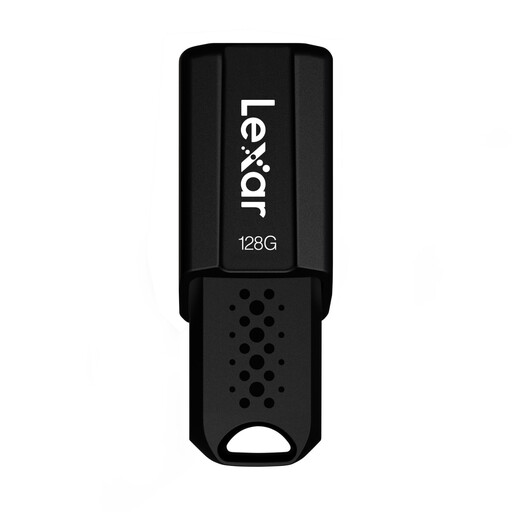 No image available
Lexar JumpDrive S80, 128 GB
If you want to add extra access protection for certain files, Lexar describes security software for this model; keep your password somewhere safe.
The product name lists USB 3.1 and read speeds of up to 150 MB/s. The product description specifies security software with 256-bit AES encryption.
Joybuy
 No image available
SanDisk Ultra Flair USB 3.0, 128 GB
If you’re considering this drive for larger project copies, check the listed write speed and compare it with what you need.
The product name lists read speeds of up to 150 MB/s and password protection. The product description lists a write speed of 4 MB/s, which may slow down repeated large copying jobs.
Joybuy
Frequently asked questions
How much storage do I need for several animation versions?
Add up the project files for all the versions you want to keep, along with any external files needed to open them again. The Blender Foundation points out that older .blend versions may be in the same folder, and that videos or movie clips aren’t always stored in the .blend file. Compare the total with the usable capacity of the specific flash drive model.
Which file system should I use with both Mac and Windows?
Apple describes exFAT as a format for storage devices over 32 GB that are used with both Mac and Windows. Microsoft lists 4 GiB as the maximum individual file size for FAT32, which matters if your project files are larger. Back up any existing files before formatting, as they’ll be deleted.
Is a USB flash drive enough as my only backup?
No, not if you want to protect yourself against data loss. The Federal Office for Information Security points out that the lifespan of storage media is difficult to predict. Keep an independent copy and check that you can read the files from it again.
What are my rights if a flash drive bought privately in Germany is faulty?
If you buy from a business seller, the rules explained by the European Union provide a legal guarantee of at least two years from the date you receive the goods. This is separate from any additional manufacturer’s guarantee; the EU page specifically excludes purchases from private individuals.
Do I need a specific encrypted flash drive model for client projects containing personal data?
The requirements described here don’t establish a general obligation to use a particular USB flash drive model. The European Data Protection Board explains that organisations processing personal data must take technical and organisational measures that are appropriate to the risks. The safeguards needed for a specific project depend on its processing context and risks; the Federal Commissioner for Data Protection and Freedom of Information describes encryption of portable storage devices as an important measure.


