What to consider when buying
First, work out how you’ll restore an older version and which devices need to access the archive. Then you can choose the right capacity, write performance and access protection for your studio.
| Buying consideration |
What to check before buying |
Who it matters most to |
| Restorable archive copies |
Allow enough space for the design versions you’ve selected and another copy stored separately; test that you can restore files. |
If I want to open an older version after something goes wrong, I need a separate copy that I can check. Around 26% of consumers put recovery first. |
| Protecting confidential designs |
Check the encryption, unlocking method and what happens if you forget the code; decide who in the team will manage access. |
If designs must not be readable by unauthorised people if the drive is lost, authorised team members still need to be able to access them. Around 21% of consumers prioritise confidentiality. |
| Space for projects and versions |
Compare your storage needs with the usable capacity and check the size of your largest individual file. Microsoft Learn states that FAT32 has a maximum file size of 4 GiB. |
If I want to keep several project folders and older design versions, the space actually available matters. Around 21% of consumers prioritise storage capacity. |
| Write speed |
Compare write speeds for the specific model and capacity variant, and check the USB port on your studio computer. Manufacturers’ maximum speeds are not the same as measured file transfer times. |
If I regularly back up large design files, I want to assess write speed, not just read speed. Around 16% of consumers focus on transfer times. |
| Use across multiple studio devices |
Check which USB-A and USB-C ports and operating systems you use; test whether the chosen file system can be read on the devices you’ll use. |
If I need to transfer designs between the studio devices I actually use, I need compatible connectors and readable files. Around 16% of consumers prioritise device compatibility. |
Joybuy products for studio use
The Joybuy products below are mainly for studios transferring designs between USB-A and USB-C devices; some models offer different capacities or access protection.
 No image available
Kexin 2-in-1 USB 2.0, 32GB, twin pack
For transferring files between devices with USB-A and USB-C ports; supplied as a twin pack.
USB 2.0; USB-A and USB-C.
View at Joybuy
 No image available
Kexin 2-in-1 USB flash drive, 32GB, 5-pack
For teams transferring designs between USB-A and USB-C devices and looking to organise several drives separately.
USB-A and USB-C; retractable design; OTG function.
View at Joybuy
 No image available
MOVESPEED USB flash drive 128GB, USB 3.2 Gen 1 and Type-C
For designs that need to be transferred between USB-A and USB-C devices, if 128 GB is enough for your archive.
128GB; USB 3.2 Gen 1 and Type-C; up to 570MB/s read speed according to the product name.
View at Joybuy
 No image available
MOVESPEED USB flash drive 256GB, fingerprint encryption, USB 3.2 Gen 1 + Type-C
For confidential designs, if fingerprint access fits into your team’s workflow.
256GB; USB 3.2 Gen 1 and Type-C. According to the product warning, data in the secure partition cannot be recovered if both the administrator password and fingerprint recognition fail.
View at Joybuy
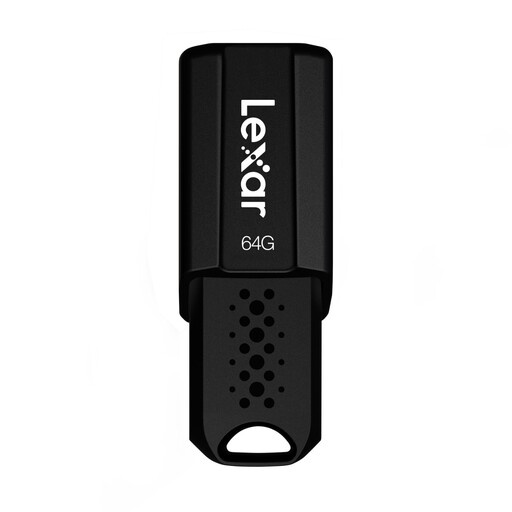 No image available
Lexar JumpDrive S80 USB 3.1, 64GB
For an archive where 64 GB is enough for the design versions you plan to keep.
USB 3.1; 64GB; up to 150MB/s read speed according to the product name.
View at Joybuy
Frequently asked questions
Can the USB flash drive be the only archive for our designs?
To make sure you can restore design versions, keep another copy separately and regularly check that you can restore files. Germany’s Federal Office for Information Security sets out separate storage and recovery testing in its data backup guidance.
What should I consider before formatting a drive for Mac and Windows?
First, back up any files you need: Apple Support warns that formatting deletes all files on the affected volume. Then check that the file system can be read on the studio devices you actually use.
Is the USB version number enough to estimate transfer times?
No. Compare write performance for the specific model and capacity variant, and check the host port. Kingston explicitly states that the host port is required for the best performance from DataTraveler Max.
What should a team organise when using an encrypted drive?
Decide who can unlock the drive and how unlocking information will be kept securely available. According to the manufacturer, the Verbatim Keypad Secure USB-A 128 GB must be reformatted after 20 incorrect code entries, so make sure you also keep a separate, restorable archive copy.
Is encryption always required for design work in Germany?
Whether encryption is required depends, among other things, on whether personal data is being processed and what risks are involved. Those responsible must consider appropriate technical and organisational measures; Germany’s Federal Commissioner for Data Protection and Freedom of Information generally recommends encrypted storage on USB flash drives.


