Choose a drive based on the size of your image folders and the connections on the devices you want to use to copy and open your files. If you update files frequently, the write speed of the specific model matters more than its read speed. Germany’s Federal Office for Information Security recommends checking that backups can be restored, too. So keep another copy separately and test that you can open the images on the target device.
Who should consider their options?
Anyone backing up a portfolio
If you want to keep a selection of images as a separate copy without using the cloud, storage space isn’t the only thing to consider. Check that you’ll be able to open the files later on the device you plan to use. Germany’s Federal Office for Information Security recommends checking that backups can be restored.
Anyone who copies images frequently
If you regularly update large portfolio folders, check the write speed of the specific capacity model. The F.A.Z. Buying Guide points out that read and write speeds can vary even between models in the same product range.
Anyone switching between devices
If you want to copy or show images on devices with different USB connections, check the connector type and whether the target device can read the drive. Transcend says that mobile devices need to support USB OTG to use the JetFlash 930C. Apple also points out that formatting a drive deletes any files already stored on it.
What should you look for when buying?
| What matters when buying |
What to check |
Who it matters most to |
| Space and a restorable copy |
Compare folder sizes and the versions you need to keep with the capacity of the specific model; open copied images on the target device. |
If I want to keep my selection of images without using the cloud and open them again later, I’ll plan the storage I need and test the copy. Around 33% of consumers put having a restorable offline copy first. |
| Copying large folders |
Compare the write speeds of the exact capacity model; read speed alone won’t tell you how long writing will take. |
If I regularly update large image folders, I want to know how long I’ll have to wait while files are being written. Around 27% of consumers are most concerned with keeping copy times short. |
| Connections and readability |
Check the connections on both devices, support for external USB storage and the file system; open a test file on the target device. |
If I move my portfolio between devices with different connections, I need to be able to open the images on the device I’m presenting from, too. Device compatibility is the main concern for around 27% of consumers. |
| Confidential images |
Check the encryption and unlocking method on your target devices; keep a separate copy. |
If I carry confidential images with me, I want to make it harder for anyone else to access them if the drive is lost, without overlooking how I’ll restore them. Protecting images they carry is the top priority for around 13% of consumers. |
Which mistakes should you avoid?
-
Comparing only the advertised read speed
Writing speed matters when you’re filling up a drive. The F.A.Z. Buying Guide also highlights differences between capacity models in the same product range.
Compare the write speeds and, where available, independent tests of the exact model you’re considering. Don’t assume copy times based on read speed or the USB specification.
If you update files frequently, longer write times can add up.
-
Using the drive you carry around as your only copy of your images
If it’s lost or damaged, you could lose the only copy of your portfolio. Germany’s Federal Office for Information Security recommends considering backups and checking that they can be restored.
Keep another copy separately and check that you can open files from it.
A lost or damaged copy could mean losing access to your images and the portfolio work stored on it.
-
Not planning how to unlock an encrypted drive
Verbatim says that the Keypad Secure #49429 needs to be reformatted after 20 incorrect code entries.
Keep your code somewhere safe, test unlocking the drive on the target device and keep a separate copy.
If you can’t unlock the drive, you could lose access to the copy you’re carrying.
-
Assuming similarly named models are identical
A test result for the Transcend JetFlash 890 doesn’t tell you how the JetFlash 930C performs. They’re different models; the manufacturer says the 930C has USB-A and USB-C connectors.
Check the full model name, capacity and connections against the relevant test results and manufacturer’s information.
Which brands are worth considering?
SanDisk
The 128 GB Extreme Pro USB 3.1 Gen1 is a USB-A option to consider if you copy files frequently. Newer models with similar names aren’t necessarily identical.
- COMPUTER BILD gave the tested 128 GB model a positive rating for read and write speeds.
- The review noted its large size as a drawback; this assessment applies to the model tested.
Kingston
According to Kingston, the DataTraveler Max is available in separate USB-A and USB-C versions, from 256 GB. They’re not two connectors on one drive.
- Kingston quotes speeds of up to 1,000 MB/s read and 900 MB/s write for the range.
- These are maximum manufacturer speeds and, according to Kingston, depend on the host hardware, software and usage. Usable capacity is lower than the stated capacity.
Transcend
According to the manufacturer, the JetFlash 930C has USB-A and USB-C connectors on the same drive, which could be useful if you switch between these connection types.
- Transcend quotes speeds of up to 420 MB/s read and 400 MB/s write for the range.
- You can’t use both connectors at the same time, and mobile devices need to support USB OTG. These are manufacturer figures, not a measure of how quickly your own workflow will run.
Verbatim
The 128 GB Keypad Secure #49429 is a USB-A option if you want to enter a PIN on the drive itself when carrying confidential images.
- Verbatim lists AES-256 hardware encryption and write speeds of up to 150 MB/s.
- The manufacturer says the drive needs to be reformatted after 20 incorrect codes. Verbatim also recommends a security update on the product page.
Intenso
According to the manufacturer, the High Speed Line includes USB-A models with 64, 128 and 256 GB. It’s worth comparing if you don’t need USB-C.
- Intenso quotes write speeds of up to 100 MB/s for the 128 and 256 GB models.
- For the 64 GB model, Intenso quotes up to 50 MB/s. COMPUTER BILD rated the write speed of the tested 128 GB version as slow; the figures can’t be applied to the whole range.
USB flash drives at Joybuy
This selection includes USB flash drives for offline copies of portfolio images, including USB-A and USB-C models, as well as options with stated access protection features.
 No image available
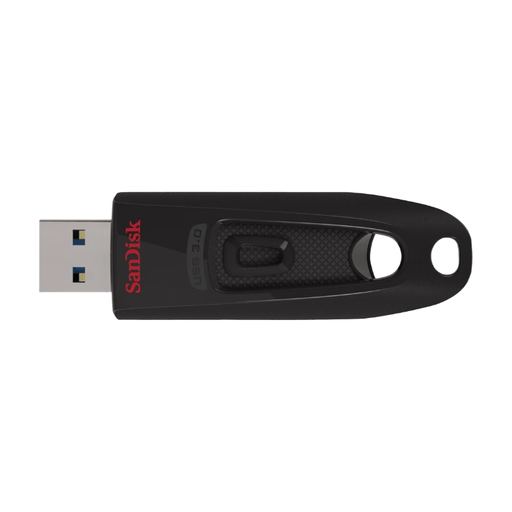
SanDisk Ultra 64 GB USB 3.0
A 64 GB model for an offline copy, if the stated capacity is enough for the folders you need to store.
View at Joybuy
 No image available
MOVESPEED YSUSP05-128GSR, 128 GB
A 128 GB model with USB-A and USB-C for switching between devices with these connections.
The product name specifies USB 3.2 Gen 1 and read speeds of up to 570 MB/s; this isn’t a measure of how quickly your own workflow will run.
View at Joybuy
 No image available
MOVESPEED YSUYC-256GSN, 256 GB
A 256 GB model with USB-A and USB-C, plus stated fingerprint access and AES-256 encryption.
The product name specifies read speeds of up to 550 MB/s and write speeds of up to 500 MB/s. If you use encrypted storage, remember to consider how you’ll unlock it and access a separate copy.
View at Joybuy
 No image available
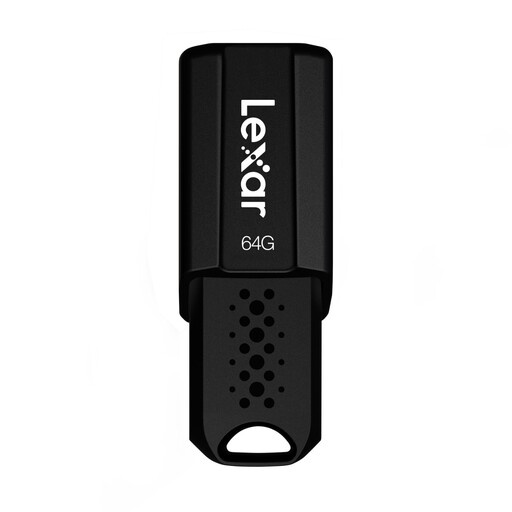
Lexar JumpDrive S80, 64 GB
A 64 GB model for photos and videos, if this capacity is enough for the offline copy you need.
The product name specifies USB 3.1 and read speeds of up to 150 MB/s.
View at Joybuy
 No image available
Lexar D40E Dual USB 3.2 Gen 1, 128 GB
A 128 GB model for switching between devices with USB-A and USB-C.
The product name specifies USB 3.2 Gen 1 and a USB-C design.
View at Joybuy
Frequently asked questions
Can I use the same USB flash drive with a Mac and a Windows PC?
Yes, as long as both devices support the connection and file system. Apple lists exFAT as a formatting option for drives over 32 GB; formatting deletes any files already stored on the drive. So, before a presentation, open a test file on the target device.
What should I do after copying the images?
Open a few of the copied images to check them, and keep another copy separately. Microsoft recommends safely removing USB storage in Windows before unplugging it to avoid data loss.
Do portfolio images in Germany have to be stored on an encrypted USB flash drive?
The official information cited here doesn’t establish a general requirement for every portfolio or a particular USB flash drive model. If images can identify people and are processed for purposes beyond purely personal use, you’ll need to assess the data protection obligations and suitable safeguards for your specific situation. Encryption can be one safeguard; whether it’s required depends on the circumstances.


