Start by working out how much storage your receipts and project folders need, including the versions you want to keep. Then choose the capacity and connector that suit you. If you regularly copy large folders, compare the write speed of the specific model; for confidential receipts, you should also consider whether encryption works with your devices and keep a separate backup. Don’t store important files on just one USB flash drive. If your business records must be retained, you’ll also need to check that your overall archiving process meets the requirements.
Who this guide is for
People with large project folders
If you want to carry scanned receipts, large project folders and earlier versions together, storage capacity and write speed matter. Germany’s Federal Office for Information Security recommends backing up your data regularly.
People keeping confidential receipts
If you don’t want anyone to be able to read your files if you lose the drive, you’ll need an encryption method that works with your devices and the way you manage access details. Germany’s Federal Commissioner for Data Protection and Freedom of Information generally recommends encrypting data stored on USB media.
People using multiple devices
If you switch between devices with different USB ports, or between Mac and Windows, check that the connector and file system work with every device you plan to use. For mobile devices, Transcend specifies USB OTG support as a requirement for the JetFlash 930C.
What to look for when buying
Decide whether storage space, privacy, write time or access across multiple devices matters most for your needs.
| What matters |
What to check |
Who it matters to |
| Space for folders and versions |
Total file size and how many older versions you want to keep; the actual available capacity of the model. |
If you want to store scans, project folders and older versions together, available space is key. Around 33% of consumers put sufficient capacity first. |
| Privacy and recovery |
Whether encryption works with your devices; where you’ll keep a separate additional copy. |
If you don’t want receipts to be accessible if the drive is lost, and need to be able to recover your files, you’ll need both access protection and another copy. Around 25% of consumers prioritise protecting confidential receipts. |
| Write time for large folders |
Write speeds and independent test results for the exact capacity you want; the port on your computer and, if applicable, your hub. |
If you regularly copy entire large project folders, write speed matters more than a high read speed on its own. Around 25% of consumers prioritise shorter copy times. |
| Access across multiple devices |
Suitable USB ports, support for external storage and a compatible file system. |
If you want to use the same drive with devices that have different ports, or with Mac and Windows, the connector and file system need to be compatible. Around 17% of consumers prioritise switching between devices. |
Common buying mistakes
-
Confusing read speed with write speed
A high read speed doesn’t tell you how quickly a drive saves large folders. F.A.Z. Kaufkompass also notes that different capacities within the same product range can perform differently.
Compare write-speed test results for the model you want and check that it’s compatible with your computer’s port.
If you regularly copy everything over, longer write times can slow down your workflow.
-
Keeping important files only on the drive
If the drive is lost or damaged, you could lose access to your only copy. Germany’s Federal Office for Information Security recommends regular backups; the lifespan of an individual storage device can’t be predicted precisely.
Keep another copy separately and occasionally check that you can still open the files.
-
Treating encryption as a backup
Encryption limits access to confidential files, but it won’t protect you if you lose your only copy.
For sensitive receipts, plan for both suitable access protection and a separate backup.
-
Assuming a USB flash drive is a complete archiving solution
If your business records must be retained, choosing a USB flash drive alone won’t tell you whether your overall process is suitable. Germany’s Federal Ministry of Finance clarifies that the rules it describes for mandatory e-invoicing between businesses do not apply to private consumers.
If your records are subject to business retention requirements, check the rules for capturing and retaining them separately from your choice of storage device.
Brands worth considering
Kingston
The DataTraveler Max range is worth considering if you regularly copy large folders. Other Kingston ranges may be better suited to different storage or security needs.
- Kingston says the DataTraveler Max needs a USB 3.2 Gen 2 host for optimum performance.
- This doesn’t guarantee a particular copy time for every folder, or mean that all Kingston drives are encrypted.
Transcend
The JetFlash 930C has both USB-A and USB-C connectors and is available in 128 GB, 256 GB and 512 GB capacities.
- Transcend quotes read speeds of up to 420 MB/s and write speeds of up to 400 MB/s for this range.
- These maximum speeds don’t guarantee the same sustained performance when copying your folder. Transcend requires USB OTG support for use with mobile devices.
Samsung
The 256 GB BAR Plus is a USB-A model for devices with this type of port.
- Samsung quotes sequential read speeds of up to 400 MB/s for this model.
- That read speed doesn’t show that it can write just as quickly when backing up lots of scans.
SanDisk
The 256 GB Ultra Dual Drive Go is an option if you switch between USB-A and USB-C devices.
- SanDisk lists both connector types for this specific model.
- If you often write large folders, compare the write speed of the model you choose separately.
Verbatim
The Keypad Secure USB-C 128GB is designed for people considering a hardware-encrypted drive with a keypad code.
- Verbatim lists AES-256 hardware encryption and USB-C for this model.
- Verbatim says a security update is required. After 20 unsuccessful code attempts, you’ll need to reformat the drive before using it again.
Joybuy products for this purpose
This selection includes USB flash drives for scanned receipts and project folders, including models for confidential files, large copy jobs and switching between devices.
 No image available
SanDisk Ultra 256 GB, USB 3.0
For USB-A devices and confidential files, if you want to use the password-protected private area mentioned in the product description.
256 GB; USB 3.0. The product description mentions SecureAccess software with AES file encryption.
Joybuy
 No image available
MOVESPEED YSUSP05-128GSR, 128 GB, USB-A and USB-C
For switching between USB-A and USB-C devices; check the write speeds of the specific model if you’re copying large folders.
128 GB. The product name quotes read speeds of up to 570 MB/s; this doesn’t indicate a similar write speed.
Joybuy
 No image available
MOVESPEED YSUYC-256GSN, 256 GB, Silver
For switching between devices and protecting access to files, if fingerprint access suits the way you work.
256 GB; USB-A and USB-C. The product details list AES-256 encryption, write speeds of up to 500 MB/s and read speeds of up to 550 MB/s. According to the product information, encrypted data can’t be recovered if both the administrator password and fingerprint identification fail.
Joybuy
 No image available
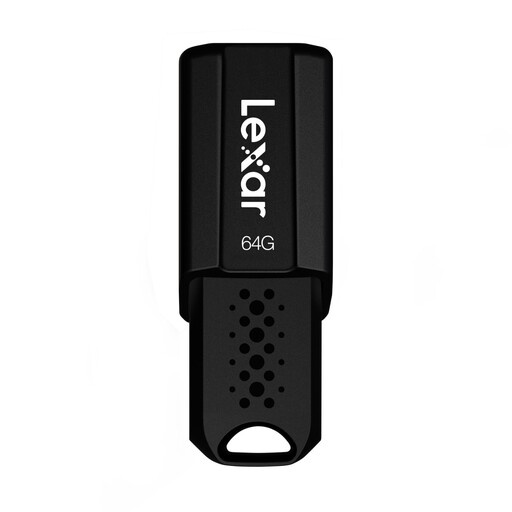
Lexar JumpDrive S80, 64 GB, USB 3.1
Described as an additional copy for computers; compare the capacity with the total size of your scans and project folders.
64 GB; read speeds of up to 150 MB/s according to the product name. The product details also list AES-256 software encryption.
Joybuy
 No image available
Lexar D40E, 128 GB, USB 3.2 Gen 1 Type-C
For switching between USB-A and USB-C devices, if you’d also like to use software encryption.
128 GB. The product details list both connector types and AES-256 software encryption.
Joybuy
Frequently asked questions
How can I back up scanned receipts without relying on the flash drive alone?
Keep another copy separately and check that you can still open the files. Germany’s Federal Office for Information Security recommends regular data backups and notes that the lifespan of a storage device can’t be predicted precisely.
What should I check if I want to use the drive with Mac and Windows?
First, check that both devices support the connector and file system. Apple Support describes exFAT as a formatting option for shared external drives larger than 32 GB; formatting will delete any files already on the drive.
Will a USB-C flash drive work with every smartphone?
No. Transcend requires USB OTG support for using the JetFlash 930C with mobile devices. You should also check whether your specific device supports external storage.
Do private buyers need to follow business e-invoicing rules for scanned receipts?
The rules described by Germany’s Federal Ministry of Finance for mandatory e-invoicing between domestic businesses don’t apply to private consumers. If your records are subject to business retention requirements, check the rules for capturing and retaining them separately from your choice of flash drive.
What should I check before buying an encrypted flash drive?
Check that the connector and access-code method work with your devices and workflow, and find out whether the manufacturer provides updates. Verbatim says a security update should be installed for the Keypad Secure USB-C.


