Teams with large project folders
You want to copy complete video projects to a portable storage device. What matters is whether the whole folder, including its associated files, will fit and whether you can read the copy back.


First, choose a drive that can hold your entire project folder, including its largest individual file. Then check the write speed, connections and file system against the devices you’ll use. A drive with enough capacity and a good speed can be useful as an extra or portable copy, but it shouldn’t be the only place you keep irreplaceable projects. The Federal Office for Information Security (BSI) points out that the lifespan of storage media cannot be predicted precisely and that data must be recoverable. Manufacturers’ speed claims are not measured copy times for your specific project folder.
You want to copy complete video projects to a portable storage device. What matters is whether the whole folder, including its associated files, will fit and whether you can read the copy back.
If you copy projects often and switch between computers with USB-A and USB-C ports, write speed and the right connections are important factors in your choice.
For confidential or personal project files, you’ll need a recoverable copy, as well as access protection that matches the risks and secure login details.
| What matters | What to check before buying | Who will find this most important? |
|---|---|---|
| Enough capacity | Compare the size of the entire folder, any files you may add in future and the storage actually available. | If you want to store the whole project on a portable drive, everything needs to fit; around 25% of consumers put capacity first. |
| Recoverability | Read files back and open them after copying; plan to keep another copy in a separate location. | If you want to keep important projects available for the long term, you’ll want to be able to restore a readable copy; around 25% of consumers prioritise recoverability. |
| Copy speed | Check the write speed of the specific model and your computer’s port. Don’t assume “up to” figures reflect sustained speeds. | Write speed matters most if you regularly copy large folders; around 20% of consumers put copy speed first. |
| File and device compatibility | Check the ports on all your devices, the size of your largest individual file and support for your chosen file system. Back up your data before formatting. | If you want to use your projects on several devices, the connection and file system need to work with them all; around 20% of consumers prioritise this compatibility. |
| Confidentiality | Assess the contents and your own level of risk; if necessary, use encryption and plan a way to recover your login details. | For confidential project files, you’ll want to make unauthorised access more difficult while still being able to access your data; around 10% of consumers put confidentiality first. |
The BSI points out that the lifespan of storage media cannot be predicted precisely and that data must be restorable.
Use the drive as part of a backup strategy, and check that you can read back and open your project copy.
Keeping another copy in a separate location and carrying out occasional restore tests require extra storage and time.
Write speed matters when copying files to the drive. Your computer’s port can also limit the performance you’re able to achieve.
Compare the write speed listed for the specific model with your computer’s port; “up to” figures don’t guarantee sustained speeds.
If you regularly copy large projects to the drive, transferring them can take extra time.
FAT32 does not support individual files larger than 4 GiB, even if there’s still space available on the drive overall.
Check the size of your largest individual file and whether all the devices involved support the file system you plan to use. Back up any existing files before reformatting a drive.
The Extreme PRO models mentioned here differ in their connections and capacities. The Extreme PRO Dual Drive has both USB-A and USB-C, while the Extreme PRO USB 3.2 is a USB-A model.
According to Kingston, the DataTraveler Max range includes USB-A and USB-C versions. The IronKey lines are designed for encrypted storage.
The 1 TB Dual QuickStick combines USB-A and USB-C, making it easy to switch between devices with different ports.
The Supersonic Rage Prime is a USB-A model, also listed under part number PEF1TBRPMW32U with a 1 TB capacity.
This selection includes USB flash drives for portable project copies. Make sure there’s enough capacity for your entire folder, and that the connections and, where relevant, access protection suit your workflow.
 No image available
A portable project copy could work if your entire folder fits within the stated capacity of 64 GB.
USB 2.0; password protection with 128-bit AES encryption, according to the product description.
 No image available
If you regularly write large files and your entire project folder fits within 128 GB, the stated write speed could help you choose.
USB-A and Type-C; USB 3.2 Gen 1; write speeds of up to 520 MB/s and read speeds of up to 570 MB/s, according to the product specifications.
 No image available
If your project folder fits within 256 GB and you’re considering access protection, the product description lists fingerprint access and encryption.
USB-A and Type-C; USB 3.2 Gen 1; AES-256 encryption and write speeds of up to 500 MB/s, according to the product specifications. If you can’t use either the administrator password or fingerprint access, encrypted data cannot be recovered, according to the product information.
 No image available
If you switch between devices with USB-A and Type-C ports and your folder fits within 128 GB, this model offers both connections, according to the product specifications.
USB 3.2 Gen 1; AES-256 encryption; transfer speeds of up to 100 MB/s, according to the product description.
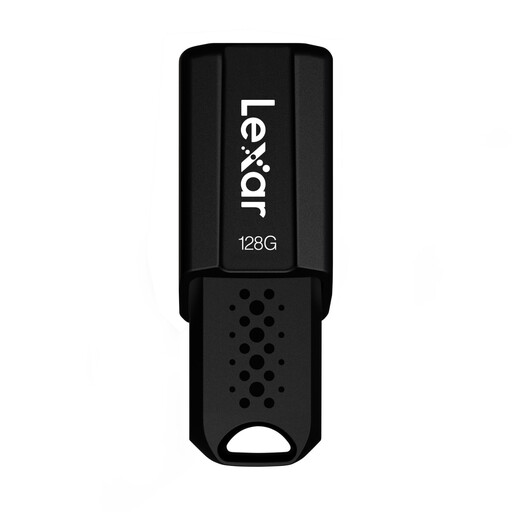 No image available
This model could work for a portable project copy if your entire folder fits within the stated 128 GB capacity.
USB 3.1 Gen 1; read speeds of up to 150 MB/s, according to the product name; AES-256 encryption via security software, according to the product description.
FAT32 supports individual files up to 4 GiB; exFAT supports larger files. Apple describes exFAT as a format option for drives over 32 GB if you want to use the USB drive with both Mac and Windows. Also check the devices involved and back up any existing data before formatting, as this will delete files.
Read files back after copying and check that the project opens with all the components you need. The BSI emphasises that data must not only be backed up, but also be restorable.
Don’t rely on a product warranty as a data backup. Check the terms for the specific model and keep other recoverable copies separately. Verbatim offers a two-year limited warranty for the Dual QuickStick.
This doesn’t mean that there’s a general requirement to use a particular USB drive model. If you process personal data as a data controller or processor, suitable technical and organisational measures that match the risks are required, according to the Federal Commissioner for Data Protection and Freedom of Information. Encryption may be one of them. The BSI also recommends it to protect portable storage media from unauthorised access.