What should you look for when choosing one?
Start by checking the headphone connection and controls, then consider the connections you need at your workstation and the extra space and power the device will require.
For comparing live concert recordings, the European Broadcasting Union recommends controlled listening conditions. Try to keep the volume and sound processing consistent throughout your comparison.
| What you need |
What to check before buying |
Who will find this most important? |
| Consistent playback |
An easy-to-reach volume control, gain selection and consistent sound processing. |
If I want to listen to recordings under comparable conditions, I need to be able to set the volume and sound modes deliberately. Around 31% of consumers put playback comparison first. |
| A compatible headphone connection |
Compare the plug and output specifications with the headphones you actually use; check power ratings for the relevant output and load. |
If you want to keep using your existing wired headphones, you’ll need a compatible socket and suitable output specifications. Around 31% of consumers prioritise compatibility with their headphones. |
| Connections for your workstation |
Check for the line outputs you need, output switching and, if required, a clearly specified microphone input. |
If I want to switch between headphones and active speakers or connect an analogue headset, I need the connections designed for those uses. Around 23% of consumers prioritise workstation connections. |
| Space and extra setup |
Check the space required, power supply and the specific model’s features that you’ll actually use. |
On a small desk, I want to avoid unused features and taking up extra space. Around 15% of consumers prioritise keeping additional setup to a minimum. |
Related products at Joybuy
This selection includes compact USB DACs and adapters for wired headphones used with a computer. Before buying, check the connections on your computer and headphones, as well as the features you need.
 No image available
Nobsound Q4 USB Audio Gaming DAC
The description lists a PC USB input and a headphone amplifier, making this model an option for using wired headphones with a computer.
The product name also mentions an optical input and 24-bit/192 kHz. For listening comparisons, keep the treble and bass controls at the same settings.
Shop at Joybuy
 No image available
HOCO UPA32D Clever Audio Converter USB to 3.5
This adapter is described as suitable for a computer with a USB-A port and wired headphones with a 3.5mm plug.
Check that your computer has a compatible USB-A port and your headphones have the required 3.5mm connection.
Shop at Joybuy
 No image available
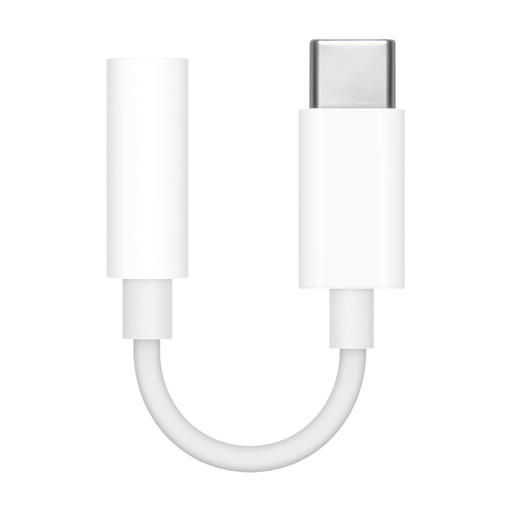
Apple Official USB-C to 3.5mm Headphone Jack Adapter
This adapter connects USB-C to a 3.5mm headphone socket and may suit compatible devices with USB-C audio.
Before buying, check whether your specific USB-C device supports audio output through this connection.
Shop at Joybuy
 No image available
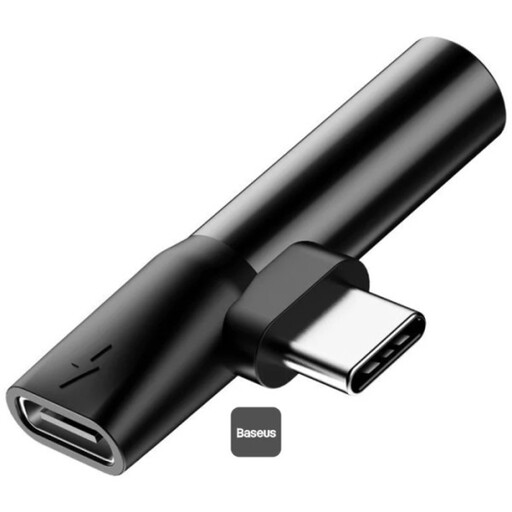
Baseus L41 Audio Converter 3.5mm Jack Adapter (Charge + Music)
This USB-C adapter is described as supporting music playback through a 3.5mm headphone output while charging your device at the same time.
The stated compatibility excludes Sony, HTC, Google and Samsung devices. Check compatibility with your specific device before buying.
Shop at Joybuy
Frequently asked questions
Do I need a particularly high DAC sample rate for downloaded concert files?
No, not simply because they’re described as ‘concert recordings’. Compare your file format with the specifications of the device in question, and check the connections and controls first. A maximum sample rate on its own doesn’t prove that your files will sound better.
How do I connect a desktop DAC and listen safely?
Connect the designated USB audio input to your computer, power the device according to its instructions and select it as your playback device. Start with the volume turned down, especially before changing the gain. The World Health Organization notes that sound levels, listening duration and how often you listen all affect the risk to your hearing.
What are my rights when buying online in Germany, including returns and faulty goods?
For a typical online purchase by a consumer, you generally have a 14-day right to cancel from the date of delivery, subject to statutory exceptions. If goods are faulty, you have statutory rights against the seller; these are separate from any voluntary manufacturer’s guarantee. Before buying, check the information on return postage costs and the terms of sale.
Can I listen to concert recordings privately or record a concert myself?
It depends on where the specific file came from and the usage rights that apply; a DAC doesn’t make a download lawful. Under § 53 UrhG, private copies are permitted only under the conditions set out there; copies made unlawfully or made available to the public unlawfully are excluded. Recording a public performance generally requires the rights holder’s permission.


