What should you look for when buying?
Before choosing a device, decide whether online attendees need to hear only you as the host or also other people at the table. For each of the four needs below, the table highlights the most important thing to consider when choosing a device for your book club.
| What you need |
What to check before buying |
Who is this most important for? |
| Picking up voices around the table |
For a room speakerphone, compare the seating distances and room dimensions with the manufacturer’s specific figures. Jabra states that the Speak2 55 has a microphone range of up to 2.3 m and is suitable for rooms up to 4.5 m × 4.5 m. Test it on a call with several people speaking. |
If several people need to join in without their own headsets, it’s crucial that the device picks up voices from their seats; around 36% of consumers prioritise capturing conversation around the table. |
| Picking up your voice as host |
Check the microphone boom and mute controls on the specific model. Logitech lists both for the H390; EPOS specifies a unidirectional microphone for the IMPACT-100 series. |
If you’ll be doing most of the talking, microphone position and quick muting are key; around 29% of consumers prioritise picking up their own contributions as host. |
| Wearing it for longer conversations |
Choose mono or stereo depending on whether you want to hear voices in the room. EPOS lists the IMPACT-100 series as weighing 51 g for mono and 76 g for stereo. These are manufacturer figures, not the result of a wear test. |
If your session is going to last a while, comfort and your listening needs are what matter most; around 21% of consumers first consider whether they can wear the headset for longer and follow the conversation. |
| Connectivity and controls |
Check whether you need USB-A or USB-C, the full model variant and, where necessary, an adapter. If you use Teams, Microsoft Support explains how to select a microphone and speakers before or during a meeting. |
If you need to set up the device on your existing computer, connectivity and call controls are essential; around 14% of consumers put these first. |
USB headsets at Joybuy
The models below are USB headsets for a host who will be speaking themselves. They aren’t a replacement for a room speakerphone if other people at the table need to be heard online without wearing their own headsets.
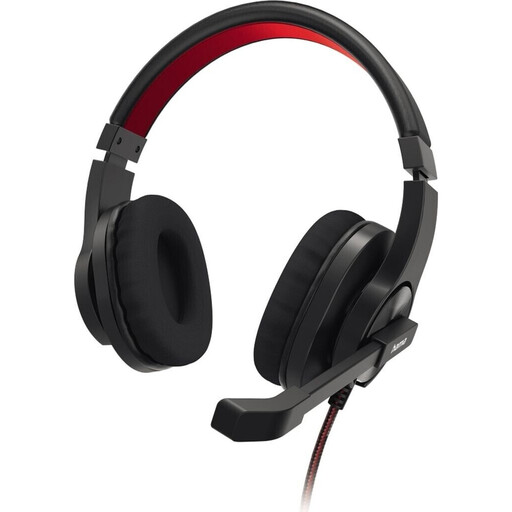 No image available
HS-USB400 V2 stereo headset, black
For hosting when you’ll be speaking yourself; the product name identifies it as a PC office headset.
Version listed in the product name: stereo, black.
View at Joybuy
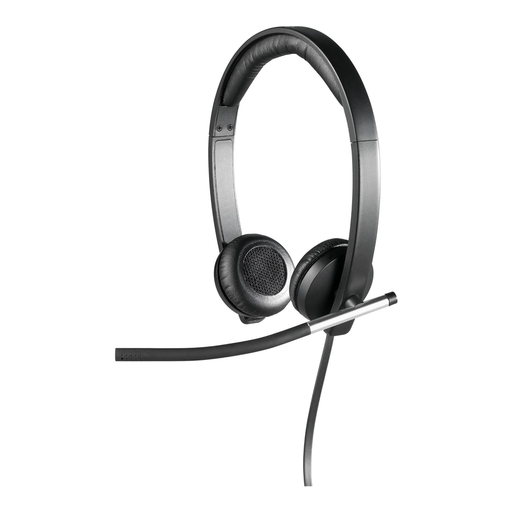 No image available
Logitech H650e stereo USB headset, over-ear, black
For hosting when you’ll be speaking yourself; the product name describes it as a USB headset for online meetings.
Version listed in the product name: stereo, over-ear, black.
View at Joybuy
 No image available
Logitech 960 stereo headset, USB, 2.4 m cable
For hosting when you’ll be speaking yourself; this model is described as a wired USB stereo headset.
Version listed in the product name: stereo, USB, 2.4 m cable.
View at Joybuy
 No image available
Jabra Evolve 20 SE mono headset, USB-C/A, black
For hosting when you’ll be speaking yourself; the product name describes it as a headset for VoIP and softphones.
Version listed in the product name: mono, USB-C/A, black.
View at Joybuy
 No image available
Jabra Evolve2 30 SE, 23189-999-779
For hosting when you’ll be speaking yourself; the product name describes it as a Jabra headset for communication.
The product name provided lists the model number 23189-999-779.
View at Joybuy
Frequently asked questions
Can one person wearing a USB headset pick up everyone’s contributions around the table?
You shouldn’t rely on that without testing it on a call. Jabra recommends positioning the Evolve2 40 SE microphone close to the wearer’s mouth. If you need to pick up voices from several seats, look for a room solution designed for that purpose and check its room size and microphone range.
What should I set up before the book club?
Connect the USB version that’s right for your device, then select the microphone and speakers in your conferencing app. Microsoft Support explains how to do this in Teams before and during a meeting. Also test the mute control and the seats where people will be speaking.
How should I position the headset microphone?
For the Evolve2 40 SE, Jabra recommends positioning the microphone close to your mouth. This is the manufacturer’s advice for this model, not a general measurement standard for every headset.
What are my rights if my headset is faulty?
According to consumer information from the European Union, if you buy as a consumer in the EU, you have a statutory guarantee of at least two years from receiving the goods, which you can claim from the seller. This is separate from any additional manufacturer’s warranty; check its specific terms separately.
Can I simply record the book discussion being held online?
No. Buying a headset doesn’t give you permission to record. When personal data is processed, you need an appropriate legal basis; the German Federal Commissioner for Data Protection and Freedom of Information lists consent as one possible legal basis. The guidance issued by Germany’s data protection supervisory authorities on 23 October 2020 covers video conferences organised by organisations. It shouldn’t be treated as a blanket rule for every private book club without first considering the specific circumstances.


