What to look for when buying
For a project update in a flatshare, assess voice transmission, what you can hear yourself and connectivity separately. Logitech Germany, Jabra and HP describe different microphone, earcup and USB configurations.
Stereo USB headset for occasional updates
A good fit if: you’re presenting on a computer with a compatible USB connection and an adjustable microphone boom and mute control are your main priorities.
Consider: In an independent test of the Logitech H390, SoundGuys criticised the isolation and long-term comfort of the sample tested. This can’t be assumed to apply to every version.
Stereo with passive ear isolation
A good fit if: you’d prefer to hear as little as possible of conversations in your flatshare while taking questions. Jabra describes the Evolve2-40-SE range as having isolating ear cushions.
Consider: Passive ear isolation affects what you hear; it doesn’t guarantee any particular microphone performance in your flatshare.
Mono USB headset
A good fit if: you want to keep one ear free to hear people in the room. HP describes mono and stereo wearing styles for the Poly Blackwire 3300 series.
Consider: With one ear uncovered, you’ll be more aware of sounds in the room.
| What you need |
What to check when buying |
Who should pay particular attention |
| Make your voice easy to understand |
Check for an adjustable microphone boom, a mute control and a test recording made with typical background noise. |
If I’ll be speaking for most of the update, I want my voice to remain clear despite conversations in the room; around 33% of consumers put speech clarity first. |
| Hear questions clearly |
Weigh up stereo with passive isolation against mono with one ear uncovered. |
If I want to hear questions clearly during the meeting, I’ll compare the level of isolation with how much I need to hear what’s happening in the room; around 27% of consumers prioritise listening. |
| Connect to your computer |
Check whether the specific version uses USB-A or USB-C, and only plan on using an adapter if one is included. |
If I use the headset with different computers, I want to check the connector in advance; around 20% of consumers put connectivity first. |
| Controls and fit |
Consider the position of the mute control, how the ear cushions fit and how long you plan to wear the headset. |
If I’ll be switching frequently between speaking and listening during the update, an easy-to-reach mute control and a comfortable fit matter to me; around 20% of consumers prioritise controls and comfort. |
Joybuy product overview
The wired USB headsets below include stereo and mono versions for project updates and online calls. The right style for you depends on whether listening with greater isolation or keeping one ear free to hear what’s happening around you matters more.
 No image available
Logitech H540 Stereo USB Headset
Described as a stereo USB headset with a microphone for PC, Mac and laptop, it’s an option for giving a spoken update on a compatible computer.
The description lists an adjustable, noise-reducing microphone boom, plus volume and mute controls on the earcup.
View at Joybuy
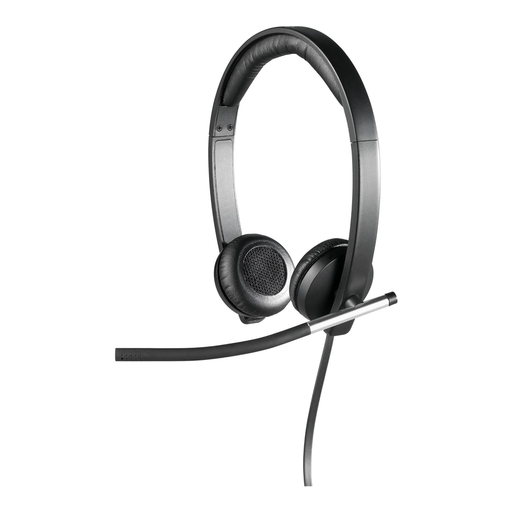 No image available
Logitech H650e Stereo USB Over-Ear Headset
Described for online meetings, the stereo version is an option if you prefer to hear through both ears.
The product description lists an adjustable, rotating microphone boom and an in-line control.
View at Joybuy
 No image available
Logitech 960 Stereo USB Headset
This wired stereo headset is described as suitable for conference calls and webinars.
Features listed include a 2.4 m cable, an adjustable, noise-reducing microphone boom, and volume and mute controls on the cable.
View at Joybuy
 No image available
Logitech H570e Mono USB-A Headset
The mono version is worth considering for an update if you want to keep one ear free to hear conversations in the room.
The description lists USB-A, a microphone boom, and in-line mute with an LED indicator and volume control.
View at Joybuy
 No image available
Jabra Evolve 20 SE Mono Headset, USB-C/A
This wired mono headset is described as suitable for VoIP and softphone use, and leaves one ear free.
The description lists USB-C and USB-A, as well as controls for answering, muting and ending calls.
View at Joybuy
Frequently asked questions
Will a noise-reducing microphone stop me hearing conversations in my flatshare?
No. The microphone specification relates to how your voice is picked up. To reduce what you hear yourself, consider the headset style and, where relevant, passive ear isolation separately. Jabra describes the isolation provided by the Evolve2-40-SE ear cushions as passive.
What should I set up just before my project update?
Connect the USB version that’s compatible with your computer, then select the headset’s microphone and speakers in your conferencing app. Test your voice, audio playback and mute control with the usual background noise. This is a sensible precaution, not a guarantee that flatshare noise will be reduced.
Who should I contact if the headset is faulty: the manufacturer or the retailer?
For a consumer purchase in Germany, statutory rights relating to faulty goods are generally against the retailer. A manufacturer’s guarantee is separate and subject to its own terms and conditions; the Verbraucherzentrale lists repair or replacement as forms of remedy.
Can I return a headset bought online if it doesn’t fit?
Many online consumer contracts generally come with a 14-day right to cancel from the day you receive the goods; you must tell the retailer that you wish to cancel. Check the terms of your specific purchase, and remember that the right to cancel is separate from a voluntary manufacturer’s guarantee.


