If you’re hosting the quiz while other people in your shared house are talking, look for a microphone with an easy-to-reach mute control, and check whether its noise reduction suits your needs. If you mainly struggle to hear short answers, the fit and sound isolation of the ear cups matter. Playback ANC is an additional feature that varies by model, and it doesn’t replace a suitable microphone. Also check the connection, how easy it is to use at your quiz station and how comfortable it feels to wear.
Which headset is right for you?
Hosting a quiz in a lively shared house
If you’re asking questions while other people are talking in the room, an easy-to-reach mute control and noise filtering specifically designed for the microphone are important things to check. Microsoft Support notes that background noise can distract other people when your microphone is on; Logitech describes the Zone Wired as having dual-microphone technology.
Hosting a quiz with a focus on listening
If you want to hear short answers despite the noise in your shared house, consider the sound isolation around your ears separately from the microphone technology. Logitech lists playback ANC for the Zone Wired 2 for Business; Jabra describes a two-microphone system for the Evolve2 30 SE.
Hosting a quiz with different devices
If you’d also like to connect the headset to another device, check that the connections on the exact version you’re considering match your devices. EPOS lists USB-C and an included USB-A adapter for the IMPACT 100 MS Stereo; HP Poly lists an additional 3.5 mm connection for the Blackwire 3325 USB-C.
What should you look for when buying?
First, decide whether your main priority is speaking clearly or hearing short answers better. Then check the controls and connection at your quiz station, as well as how the headset feels during a quiz of your planned duration.
| Priority |
What to look for |
Who is this important to? |
| Making sure your voice comes through clearly |
Check for a microphone boom, a mute control and noise reduction specifically described as being for the microphone; test it in typical room conditions. |
When I’m hosting, I want people to understand my questions despite conversations in the room. Around 31% of consumers put clear microphone audio first. |
| Hearing short answers |
Check the fit of the ear cushions and the stereo design; only consider ANC if it’s specifically listed as a playback feature. |
If you don’t want to miss brief answers over room noise, sound isolation while listening is particularly important. Around 25% of consumers prioritise this. |
| Using the controls during the quiz |
Check where the mute and volume controls are; try both features in the app you’ll be using. |
When speakers change frequently, I want to be able to mute and adjust the volume without having to hunt for the controls. Around 19% of consumers put ease of use first. |
| Finding the right connection for your device |
Check that the connection on your computer matches the exact headset version and what’s included in the box. |
If I want to connect my quiz headset to a compatible second device too, the combination of connections is key. Around 13% of consumers prioritise device connectivity. |
| A comfortable fit |
Check the headband, ear cushions and cable routing; if possible, try the headset on before a longer session. |
For a longer quiz, I want a headset that fits my head comfortably. Around 12% of consumers focus mainly on comfort. |
Avoiding common misconceptions
-
Confusing microphone noise reduction with ANC
Noise reduction on the microphone affects how your voice is transmitted. ANC in the headphones affects what you hear; one feature doesn’t automatically mean the other is included.
First decide whether other people are struggling to understand you or you’re having trouble hearing answers. Then check that the relevant feature is included on the exact model version you’re considering.
-
Assuming the connection from the model name alone
USB-A, USB-C and additional audio connections vary between models and versions. An adapter is only useful if it’s included with the version you’re buying and works with your device.
Compare the port on your quiz computer with the connection on the exact version and the listed contents of the box.
-
Treating manufacturer claims as a real-world test for your shared house
Details about microphone technology or noise reduction describe the features, but they don’t tell you how voices and room noise will sound in your own room.
Before the quiz, test recording, playback and mute in conditions that are as close as possible to the usual noise in your room.
Key brands to consider
Logitech
Logitech offers wired headsets with a range of connection and microphone features. The Zone Wired 2 for Business lists playback ANC and microphone noise reduction separately.
- For the H390, Logitech lists built-in volume and mute controls.
- Check the exact USB version of the H390; details for the Zone Wired 2 don’t automatically apply to the original Zone Wired.
HP Poly
According to HP Poly, the Blackwire 3325 USB-C is a wired stereo option with USB-C, an included USB-A adapter and an additional 3.5 mm connection.
- For this model, HP Poly lists a microphone boom, mute control and noise-cancelling microphone.
- The manufacturer’s information doesn’t show how clearly conversations will come through in a particular shared house.
EPOS
According to EPOS, the IMPACT 100 MS Stereo USB-C+A combines USB-C with an included USB-A adapter and inline controls.
- EPOS lists a weight of 76 g and a noise-cancelling microphone for this stereo version.
- The weight and manufacturer’s description are no substitute for trying the fit or testing a recording with the noise of a shared house in the background.
Jabra
The wired Evolve2 30 SE is an option for voice calls. Jabra describes this model as having a two-microphone system and memory foam ear cushions.
- Jabra describes noise reduction as a feature of its own microphone system.
- Check the exact USB, stereo and UC or Teams version; the features aren’t necessarily the same across every version.
Joybuy product options
The following wired headsets may suit you if you’re hosting a quiz or listening at a computer. Check that each version’s connection and controls match your quiz setup and priorities.
 No image available
Logitech H540 Stereo Headset
When hosting a quiz at your computer, the controls on the headset are an important factor to consider.
USB connection; adjustable noise-cancelling microphone; volume and mute controls on the ear cup; listed as compatible with PC, Mac and laptops.
Joybuy
 No image available
Logitech 960 Stereo Headset
If you’re looking for a wired headset for your quiz computer, check that the listed connection and device compatibility match your setup.
USB; 2.4 m cable; noise-cancelling microphone; listed as compatible with PC, Mac and laptops.
Joybuy
 No image available
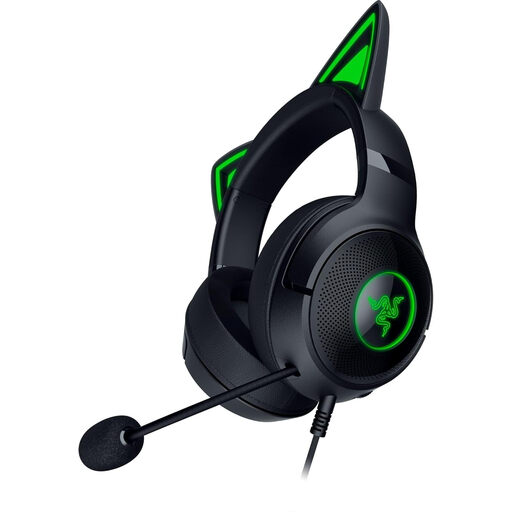
Razer Kraken Kitty V2 Wired RGB
If you want to mute quickly while hosting, check before buying that the controls described in the listing will be easy to reach at your setup.
Wired RGB headset in black with cat ears.
Joybuy
 No image available
Logitech G PRO X Gaming Headset, Black, USB
To transmit your voice and mute quickly, check that the microphone controls you need suit your quiz setup.
Wired USB gaming headset with detachable microphone. According to the product details, a USB sound card and Logitech G HUB are required for advanced Blue VO!CE and surround features.
Joybuy
 No image available
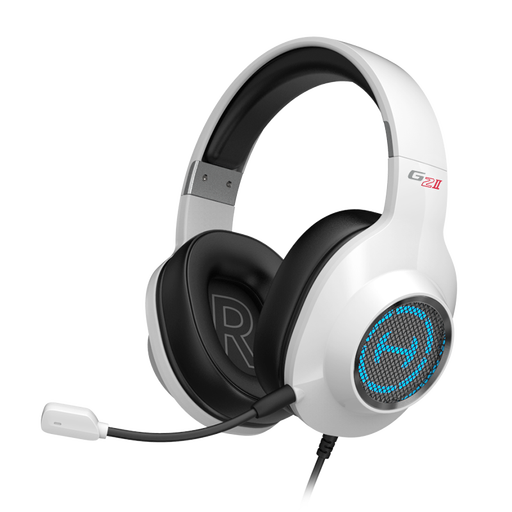
EDIFIER G2II USB Gaming Headset for PC, White
If other people in your shared house are talking, check how clearly the noise-cancelling microphone picks up your voice in typical room conditions.
Wired USB headset for PC; the product name also mentions 7.1 surround sound and 50 mm drivers.
Joybuy
Frequently asked questions
Can I check which microphone the app is using before the quiz?
Yes. In Microsoft Teams, you can select the microphone in the device settings and make a test call. Check the device selection in the app you’ll actually be using for the quiz too.
Does noise reduction in a meeting app make a headset microphone unnecessary?
No. The app setting is an extra option, not a guarantee that your speech will be clear. Microsoft Teams offers adjustable noise reduction, and Zoom also describes adjustable suppression for microphone audio. Test the combination with the usual background noise in your shared house.
What should I set up before a longer quiz?
Select the headset specifically as the input and output device in the app, then check the volume and mute controls in a test call. Route the cable so it won’t get in the way while you’re hosting. Follow the instructions for the model you’ve bought when cleaning it or replacing parts.
What are your rights when buying a headset online in Germany?
For a distance purchase from a trader in the EU, you generally have a 14-day right to cancel from the date of delivery; exceptions and rules on return costs apply. If the product is faulty, you generally have a legal guarantee from the seller for at least two years from receipt. This is separate from any additional manufacturer’s warranty.


