Hosting while reading aloud
If you’ll be reading aloud yourself, an adjustable microphone and a trial run with quiet passages and typical shared-flat noise are important things to consider.


If you’ll mainly be reading and hosting from your computer, look for an adjustable microphone, an easy-to-reach mute button and the right USB connection. Test both quiet and loud passages using the app you plan to use, with the usual background noise in your shared flat. Mono lets you hear people in the room more directly; stereo can help bring remote contributions to the fore, but may make it harder to hear what’s happening around you.
If you’ll be reading aloud yourself, an adjustable microphone and a trial run with quiet passages and typical shared-flat noise are important things to consider.
If you want to hear people reading aloud or pick up on cues from the room as well as remote guests, weigh up the open ear you get with mono against the greater isolation of stereo.
For longer readings followed by questions, a comfortable fit, the ear cushions and easy-to-reach controls all matter.
First decide whether your main priority is transmitting your own voice or whether you also need to hear people in the room. Then check the fit, connection and controls with your specific setup.
A good fit if: You’ll mainly be reading aloud yourself and want to hear remote contributions despite the noise in your shared flat.
Consider: Ear cushions can make it harder to hear what’s happening in the room. Manufacturers’ claims about noise reduction don’t show how clearly quiet verses will come through in your home.
A good fit if: You need to hear people reading aloud or pick up on cues from others in the same room while hosting.
Consider: The open ear lets in more room noise. Check that the connection and specific mono model work with your computer and app.
A good fit if: Several people in the room will be reading aloud, so you need to transmit more than just your own voice.
Consider: You’ll need an additional recording setup that suits the way your session runs. Test which microphone the conferencing app actually uses.
| Priority | What to check before buying | Who is this particularly important to? |
|---|---|---|
| Clear voice transmission | Check the microphone boom and any stated microphone noise reduction. Test quiet and loud passages using the app you plan to use, with your usual background noise. | If I’m reading aloud myself, I want quiet verses to remain clear despite typical shared-flat noise. Around 33% of consumers put transmitting their own voice first. |
| Hearing people in the room and online | Choose mono or stereo carefully and check the exact version listed in the product details. | If I need to hear people in the room as well as remote contributions, I want to take both situations into account when choosing. Around 27% of consumers prioritise being able to hear what’s happening around them. |
| Comfort during longer use | Check the adjustability and ear cushions, and assess how well the fit suits you personally. | If I’m wearing the headset during a longer reading and the questions afterwards, a comfortable fit matters to me. Around 20% of consumers put comfort first. |
| Connection and mute function | Check that the USB connection is compatible with your computer. Test the controls and microphone in the app you plan to use. | I want to manage pauses while hosting reliably and know in advance which microphone is active. Around 20% of consumers prioritise connection and controls. |
Ear cushions initially affect what you hear yourself. They don’t show how clearly quiet poetry passages will come through the microphone to your online guests. The app’s audio filters can also affect nuanced passages.
Assess the microphone and listening isolation separately, and test a quiet passage in the app you’ll actually be using.
The microphone on a headset is positioned for the person wearing it. It isn’t a proven way to record several readers sitting in different parts of the room.
Decide in advance who will be reading aloud, then test with everyone who’ll be taking part to see which microphone the app uses.
USB-A, USB-C and combination versions can differ. An adapter listed for a specific HP shop version doesn’t tell you what’s included with every model.
Check the full version name and the contents listed for the specific product against the ports on your computer.
The H390 is a wired stereo headset for one person. The German product page lists USB-A and USB-C as selectable versions.
The Blackwire 3320 USB-C is a stereo model for hosting and online communication; the Blackwire range includes other versions.
The Evolve2 40 SE range includes documented mono and stereo models, as well as different USB versions.
The UH34 and UH34 Lite are wired USB headsets, each documented in mono and dual versions.
The Joybuy products below offer wired options for voice communication on a computer. Before the reading, test the microphone, connection and controls in the app you plan to use.
 No image available
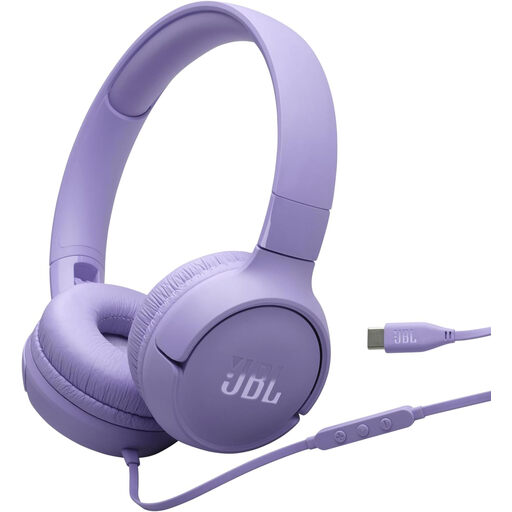
For wired voice communication via USB-C; the product name lists a built-in microphone and a one-button remote control.
On-ear design. Check the connection works with your computer and test voice transmission in your app.
 No image available
A wired stereo option for voice communication on a computer; the product name lists an adjustable microphone.
A USB connection and on-ear volume and mute controls are listed. Check it works with your computer and test the microphone beforehand.
 No image available
For one person hosting who wants to use a headset with a microphone boom. Test how it picks up quiet passages in your app.
The product name lists a 2.4 m cable, USB and an adjustable microphone boom. Volume and mute controls are also listed.
 No image available
The mono version is an option if you want to hear people in the room while hosting. Check that the connection listed is compatible with your computer.
Wired mono headset with a built-in microphone; the product name lists USB-C/A.
 No image available
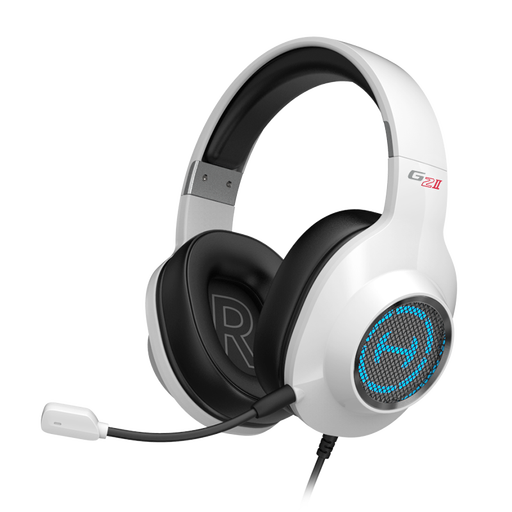
A USB option with a microphone for voice communication on a computer. Before the reading, test how the app you’re using transmits your voice.
The product name lists 7.1 Virtual Surround Sound and 50 mm drivers. These features are no substitute for testing the microphone with quiet poetry passages.
Not without testing it first: the microphone on a headset is positioned for the person wearing it. Plan separately for recording other voices, and during a trial run check which microphone the app you’re using actually picks up.
In the app you’re using, select your preferred microphone and headphones, then test the recording with a quiet passage. Zoom describes a microphone test that records and plays back audio; these menu steps won’t necessarily apply to other apps. If needed, also check the background noise reduction setting.
You shouldn’t assume that recording is automatically permitted. Under § 201 StGB, as published by the Federal Ministry of Justice and the Federal Office of Justice, the law covers, among other things, the unauthorised recording of another person’s private spoken words and the unauthorised sharing of such a recording. For your specific event, establish whether the contributions are private and whether you have permission to record them; a live broadcast is not the same as an audio recording.