Joybuy product selection for personal calls on a computer
This selection covers personal wired USB-A or USB-C audio devices with a microphone for calls on a computer. It does not replace a separate check for a solution that can transmit the voices of several people at the table.
 No image available
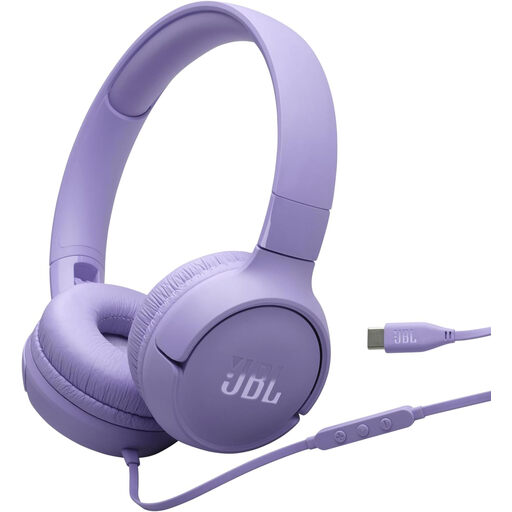
JBL Tune520C USB-C on-ear headphones with microphone
A personal option for calls on a computer if USB-C and an on-ear design suit the way you’ll use them.
Wired; USB-C; built-in microphone; one-button remote; colour: purple.
View at Joybuy
 No image available
Logitech H540 stereo USB headset
For personal calls when you want to hear through both ears and control the volume and mute settings on the headset.
USB-A; stereo; microphone; volume and mute controls with mute indicator.
The product description lists a padded headband and ear cups. Check the fit for yourself before wearing it for longer sessions.
View at Joybuy
 No image available
Logitech 960 stereo USB headset
A personal stereo headset for wired calls on a computer. Check the connection and version before choosing.
USB; 2.4 m cable; adjustable microphone boom; volume and mute controls.
Details about wireless connectivity, ANC and the battery conflict with the description of the wired version. Check these points against the manufacturer’s documentation before buying.
View at Joybuy
 No image available
Logitech H570e mono USB headset
A mono headset for calls when you want to keep one ear free to hear what is happening in the room.
USB-A; mono; microphone; mute control with LED indicator and in-line volume control.
The product description mentions an adjustable headband and lightweight design. Check the fit for yourself.
View at Joybuy
 No image available
Jabra Evolve 20 SE mono headset
A personal mono option if you want to keep one ear free to hear contributions in the room while speaking.
Wired; USB-C/A; built-in microphone; external call controls with mute.
The product description mentions an adjustable headband and soft ear cushion. Check the fit for the length of time you usually wear a headset.
View at Joybuy
Frequently asked questions
Is a headset enough if learners at the table need to speak to remote participants?
The headset description alone is not enough to tell. Work out whose voices need to be transmitted. For a shared room device, Teams lets you select the audio source. Jabra lists the Speak 410 as having an omnidirectional microphone and being suitable for up to four people in the room.
How do I set up a headset for a Teams lesson?
Select the audio source you want before joining, then check the microphone and speakers in your device settings. Microsoft Support explains how to choose an audio source before joining. If you’re using a room device, select the room audio option you intend to use.
What should I consider when looking after a headset and wearing it for longer?
Adjust the headband and microphone position, then check the fit during a typical lesson. Replacement cushions are available for some models but not necessarily all; EPOS lists replacement cushions for the IMPACT 100.
Are a warranty and statutory rights the same thing?
No. The Verbraucherzentrale distinguishes between statutory rights and a voluntary warranty, which is subject to its own terms and conditions. If an organisation or business is making the purchase, check the specific contract terms.


