If you speak up often in your shared flat
If you often explain tasks or join in discussions, a microphone you can position easily and a mute control within quick reach are especially important.


If you speak often during study group sessions, look for a boom microphone and an easy-to-reach mute control. If conversations in the room are your main distraction, also check how the ear cushions fit and how well they block out sound: microphone noise reduction won’t automatically make the flatmates’ noise quieter for you. Also check that the USB connection, device compatibility and comfort suit the way you’ll use the headset.
If you often explain tasks or join in discussions, a microphone you can position easily and a mute control within quick reach are especially important.
If you can hear lengthy study group conversations, check the fit and ear cushions as well as the microphone features. The sound isolation around your ears affects what you hear.
For longer sessions, the right USB connection and a comfortable fit are key. Check the exact connection and model variant before buying.
First decide what matters most: making yourself easy to understand, hearing others clearly despite room noise, finding the right connection or staying comfortable during longer sessions. Then compare the features that match your priorities.
| Priority | What to check | Who is it most important for? |
|---|---|---|
| Making your voice easy to understand | Microphone position and an easy-to-reach mute control; check how clearly your voice comes across in a test call with the kinds of noise you typically hear in your shared flat. | If I often explain something, I want my voice to come across clearly despite conversations in the room. Around 33% of consumers put voice transmission first. |
| Hearing the study group despite room noise | Mono or stereo, how the ear cushions fit, and how clearly you can hear the group at typical shared-flat noise levels. | If other people are talking in the room, I want to understand the group without background noise drowning everything out. Around 27% of consumers prioritise uninterrupted listening. |
| Choosing the right connection and software | Whether your device has USB-A or USB-C, and which microphone and speaker are selected in your calling software. | I want to be sure the connection and audio settings will work with my device before I buy. Device compatibility is the top priority for around 20% of consumers. |
| Comfort during longer sessions | Adjustment range and pressure from the ear cushions; check whether the headset feels comfortable during your sessions. | If I spend a long time in study group sessions, a fit that feels comfortable to me matters more than a general comfort claim. Around 20% of consumers prioritise wearing comfort. |
Noise reduction on the microphone affects how your voice sounds to other people. It doesn’t tell you how clearly you’ll hear conversations in the room.
Compare the microphone and ear cushions separately, and test both with the kinds of noise you typically hear in your shared flat.
Models within the same product range can differ in USB connection, UC or Teams version, and mono or stereo design. If the plug doesn’t fit, you may need a different version or a connection that has been specifically checked for compatibility.
Check your device’s connection against the full model name. In Microsoft Teams, you can also choose your preferred audio input and output device before or during a meeting.
A Logitech 960 listing may include features such as Wi-Fi and battery life alongside details of a USB-A headset. Logitech describes this model as having USB-A and inline controls, so don’t rely on conflicting extra details when making your decision.
Check the full model identifier and make sure any additional features listed apply to that exact variant.
The H390 and 960 are wired USB options for calls on your computer.
The Evolve2 30 SE may be worth considering if you’re choosing based on microphone and ear cushion features.
The PC 8 USB and IMPACT 100 cover different wired USB configurations.
According to HP, the Blackwire 3300 series offers mono and stereo wearing styles.
This selection includes wired USB headsets and headphones with microphones for speaking up and joining a study group. Check that each model’s USB-A or USB-C connection is compatible with your device.
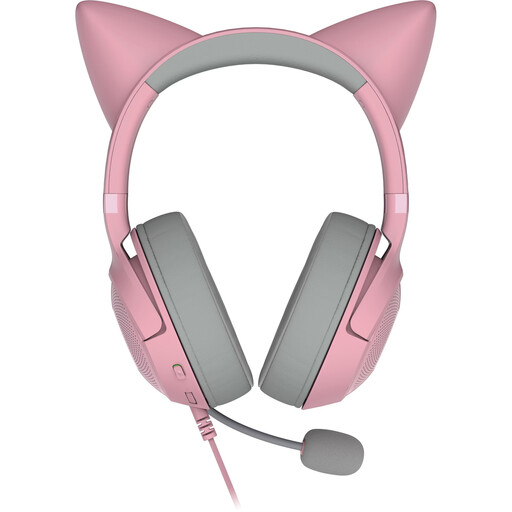 No image available
The product description lists a microphone and an in-line mute control for speaking up.
USB-A connection; over-ear design; detachable microphone.
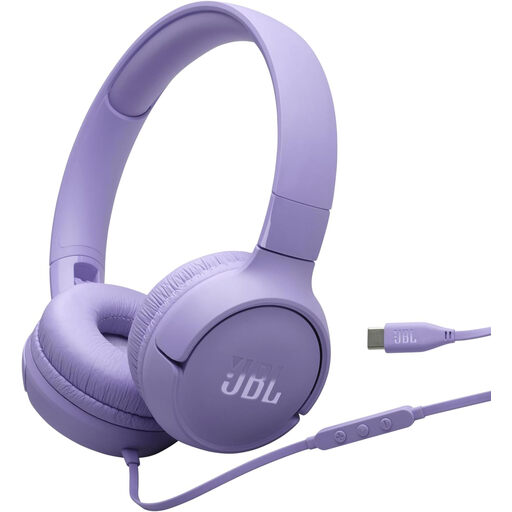 No image available
For wired use with a computer, the product description lists USB-C and a built-in microphone.
On-ear design; one-button remote with microphone.
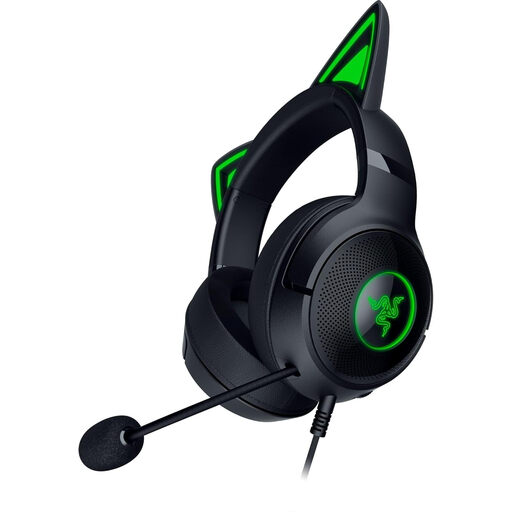 No image available
For switching between speaking and listening, the product description lists a flexible microphone and an in-line mute control.
Wired; over-ear cushions.
 No image available
For speaking on a PC, the product description lists a detachable microphone and a USB sound card.
In-line volume control and mute; memory foam cushions.
 No image available
For speaking up with quick access to mute, the product description lists a boom microphone and an in-line mute control with LED indicator.
Mono design leaves one ear uncovered; adjustable headband and replaceable ear cushions.
Not necessarily. Check whether the feature refers to the microphone or to what you hear through the ear cups. Logitech describes the H390 as having noise reduction on the microphone; Jabra also describes the Evolve2 30 SE as having sound-isolating ear cushions. Test how well it works during a call with the kinds of noise you typically hear in your shared flat.
First check whether mute is switched on at the headset. If you’re using Microsoft Teams, select the microphone and speaker you want in the audio settings. Microsoft explains how to do this before and during a meeting.
No. The German Environment Agency warns that exposure to high noise levels can damage your hearing, depending on the volume and duration. Keep the volume moderate and first check the fit and your surroundings. Workplace noise limits are not a universal threshold for a private study group.
Consumers generally have a right to cancel a distance contract. The standard cancellation period is 14 days, although statutory exceptions and rules on when the period begins apply. This is separate from your statutory rights against the seller if the product is faulty. A voluntary manufacturer’s guarantee does not replace these rights.
Check that the markings and product and manufacturer details match the specific variant. The German Federal Network Agency lists such information as part of market surveillance within its remit. CE marking is not an independent quality mark for microphone performance; the applicable requirements depend on the relevant product regulations.