What should you look for when buying?
First, think about what matters most to you: making sure your voice comes through, understanding others despite noise from your shared flat, wearing the headset comfortably for longer, or simply being able to connect and use it easily.
| What matters to you |
What to check when buying |
Who will value this? |
| Making sure your voice comes through |
Microphone position, clearly specified microphone noise cancellation and an easy-to-reach mute control |
If I’m reading longer passages during the workshop, I want to position the microphone properly and mute myself quickly during breaks. Around 33% of consumers prioritise voice transmission. |
| Following contributions despite noise from my shared flat |
Mono or stereo, how the ear cushions fit, and any explicitly stated noise isolation for the ears |
If I want to follow feedback carefully without too much distraction from noise in my shared flat, I’ll pay attention to fit and isolation. Around 27% of consumers prioritise listening without distractions. |
| Comfort during long sessions |
Adjustability, padding and how much pressure you feel with the style you prefer |
If I’m wearing the headset for longer workshop sessions, it should fit my head and feel comfortable. Around 20% of consumers prioritise comfort. |
| Connection and controls |
Whether the specific version has USB-A or USB-C, any adapter included, and the device settings in the app |
If I want to get set up as easily as possible before the workshop, I’ll check the connection and select the headset’s microphone and speakers on my computer. Around 20% of consumers prioritise connection and controls. |
USB headsets at Joybuy
This selection includes stereo USB headsets for taking part in workshops, as well as a mono option if you want to keep one ear free for noise from your shared flat.
 No image available
Logitech H540 stereo headset
For you if you prefer a stereo USB headset with on-ear controls when reading aloud.
Listed in the product name: USB connection, adjustable noise-cancelling microphone and on-ear controls. Check that the connection is right for your computer.
View at Joybuy
 No image available
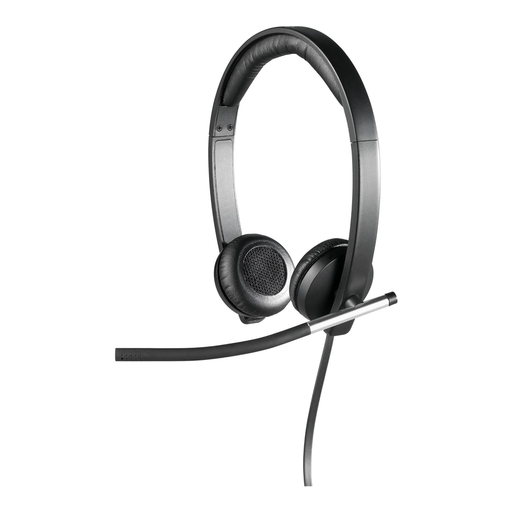
Logitech H650e stereo USB headset, over-ear
For you if you want an over-ear design that covers both ears while you listen.
Described as a stereo USB headset in an over-ear design. Check the connection before the workshop, and make sure the fit and isolation work for you.
View at Joybuy
 No image available
Logitech 960 stereo headset
For you if you’re looking for a wired stereo headset for workshop calls.
Listed in the product name: USB connection, 2.4 m cable and noise-cancelling microphone. This doesn’t tell you how well you’ll hear other noise from your shared flat.
View at Joybuy
 No image available
Jabra Evolve 20 SE mono headset, USB-C/A
For you if you want to keep one ear free for noise from your shared flat during the workshop.
Described as a mono headset with USB-C/A. The uncovered ear isn’t isolated, so check which connection your computer has.
View at Joybuy
 No image available
Jabra Evolve2 30 SE (23189-999-779)
For you if you want to speak during the workshop and listen to contributions in stereo.
Jabra describes the Evolve2 30 SE as having two microphones and memory foam ear cushions. Check the connection type and make sure the fit and cushions suit you.
View at Joybuy
Frequently asked questions
How do I check the headset before my first workshop session?
Connect the right USB version, select the headset’s microphone and speakers in the app you’re using, then test the audio and mute control. Microsoft explains these device settings and how to make a test call in Teams; for other apps, use their own settings.
Will a noise-cancelling microphone make my shared flat quieter for me?
Not necessarily: the microphone feature affects how your voice is transmitted, not automatically what you hear yourself. Jabra describes passive isolation from ear cushions; HP lists separate ANC for the ears on the Blackwire 8225. Check the fit of the specific model and whether its isolation is enough for your surroundings.
What should I bear in mind during longer sessions?
Try the headband and cushions for long enough to get a useful sense of how they feel, and pay attention to pressure and volume. The German Environment Agency recommends listening to music on headphones at a moderate volume. Follow the instructions for your specific model when cleaning it or replacing the cushions.
What are my rights when buying online in Germany if the headset doesn’t fit or is faulty?
For a distance-selling contract with a retailer, you generally have a 14-day right to cancel; check the terms and any exceptions that apply to your purchase. Separately, under EU consumer rules, faulty goods are covered by a legal guarantee of at least two years from the seller. This is different from a voluntary manufacturer’s warranty.
What should I know about CE marking and disposing of the headset later?
According to Your Europe, CE marking is required only for products covered by relevant harmonised EU rules; it isn’t an independent performance test. The German Environment Agency says that old electrical appliances must not go in household waste in Germany, but should be taken to a designated collection point or returned through an appropriate scheme.


