People who read aloud often
If you read your own passages aloud or give detailed feedback, look for a microphone you can position and a mute control that’s quick to reach. Logitech and HP list these features for certain headset versions.


If you often read aloud during your writing workshop, look for a microphone you can position easily and a mute control within easy reach. If you mainly want to follow contributions from other participants, weigh up stereo sound through both ears against mono, which leaves one ear free to hear what’s happening in the room. A headset won’t prevent every echo: Zoom lists multiple computers with active audio in the same meeting room as a potential source.
If you read your own passages aloud or give detailed feedback, look for a microphone you can position and a mute control that’s quick to reach. Logitech and HP list these features for certain headset versions.
If you want to follow contributions from people joining remotely, consider whether you’d prefer to use both ears for audio or leave one ear free for conversations in the room. Jabra and HP document stereo versions for certain models.
If you’ll be wearing your headset for extended workshop sessions, check the fit, padding and connection on your own computer. Logitech discusses wearing comfort in a headset study, while Jabra describes memory foam ear cushions for a particular product range.
| What matters | What to check before buying | Who it matters most to |
|---|---|---|
| Clear contributions | Microphone position and documented microphone features; try the mute control beforehand. | If I read aloud often, I want to be able to position the microphone properly and mute it quickly. Around 33 % of consumers prioritise speaking. |
| Hearing contributions from others | Check whether the specific model is mono or stereo, as well as its fit and padding. | If I want to follow feedback from the online group clearly, I’ll decide whether to use both ears or leave one free for the room. Around 27 % of consumers prioritise listening. |
| Comfort during longer sessions | Check adjustability, padding and how much pressure the headset puts on your head. | If the workshop lasts a while, I want to know whether the headband and padding feel comfortable. Around 20 % of consumers put wearing comfort first. |
| Connection and audio | Check the USB connector and whether you need an adapter; select the microphone and audio output in the app. | If several people are taking part in the same room, I want the right connection and an audio setup I can control. Around 20 % of consumers prioritise connection and audio controls. |
A microphone feature specification doesn’t automatically tell you how much you’ll hear conversations in the room while listening.
Check the microphone position for speaking, and assess the design, padding and fit separately for listening.
Zoom lists multiple computers with active audio in the same meeting room as a potential source of echo.
Coordinate the group’s audio connections. If echo occurs, disconnect any unnecessary audio connections completely rather than simply muting the microphones.
The Logitech H390 comes in different USB versions, while the Jabra Evolve2 30 has separate UC and Teams variants.
Check the full model name, connection and software features you need. Also make sure any adapter you need is included.
Logitech describes the H390 as a wired USB headset for computer video calls, with USB-A and USB-C versions available to choose from.
Jabra describes the Evolve2-30-SE range as a wired solution for collaboration; make sure you distinguish between UC and Teams versions.
The Blackwire 3320 USB-C is a documented wired stereo headset for computer meetings.
Trust describes the HS-260 as an on-ear USB headset for PC calls.
EPOS offers the IMPACT-100 series as a headset range for professional calls; the version and connection vary by model.
This selection includes USB headsets for workshop audio, mostly stereo, with one mono model. Check the connection and features of the specific version before buying.
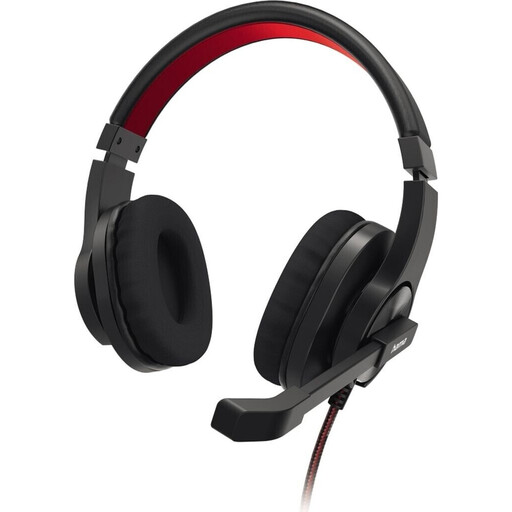 No product image available
Could be a good fit if you’re looking for a stereo PC headset for speaking and listening during workshops.
The listing specifies USB-A; check that your computer has this connection.
 No product image available
Worth considering if you want to speak during workshop discussions and listen to contributions from others in stereo.
The listing specifies USB-A; check that the connector is compatible with your computer.
 No product image available
Could suit you if you’re looking for a USB stereo headset for speaking and listening.
The product name specifies a 2.4 m cable. Check that it’s long enough for your seating position.
 No product image available
A mono headset could work well if you want to leave one ear free to hear people in the room during an online workshop; you’ll also still hear sounds around you.
The listing specifies USB-A. Check that the connector matches your computer.
 No product image available
Could be worth considering if you’re looking for a stereo headset for workshop audio.
The product name specifies wireless connectivity, as well as USB-A and USB-C. Check that the connections suit the way you want to connect.
Select your headset as both the microphone and audio output in the app you’re using, record a short voice test and check the mute control. If several devices in the room are connected to the same online meeting and echo occurs, Zoom advises that simply muting the microphone isn’t enough; disconnect any unnecessary audio connection.
A USB-A plug won’t fit directly into a USB-C port. Check the connector and, if you’re planning to use an adapter, make sure it’s suitable and included with the specific listing.
If possible, try the headband and ear cushions on your own head. According to the Verbraucherzentrale, consumers buying online generally have a 14-day right to cancel. Check the terms of your particular purchase, and don’t confuse this right with a voluntary manufacturer’s warranty.
If a headset falls under harmonised EU rules requiring CE marking, the mark must be applied correctly. The crossed-out wheeled bin symbol indicates that electrical and electronic equipment must be collected separately rather than disposed of with unsorted waste. The European Union explains both markings; neither says anything about microphone or sound quality.