What should you look for when buying?
First decide whether your priority is making your own voice heard, listening with concentration or staying aware of what’s happening in the flatshare. Then compare the connection, controls and fit of the specific model.
| Priority |
What to check before buying |
Who is this important to? |
| Making your voice heard over flatshare noise |
Check the microphone boom, mute button and voice transmission on a test call. |
When I’m explaining changes, I want the others to understand me despite people talking in the room. This is the main priority for around 29 % of consumers. |
| Listening carefully to feedback |
Compare mono and stereo, as well as the fit and noise blocking of the earcups. |
When I need to focus on wording and follow-up questions during text feedback, what I can hear from the flatshare matters to me. This is the main priority for around 23 % of consumers. |
| Comfort during longer conversations |
If possible, try the headband and ear cushions for the usual length of a meeting. |
If I’m taking part in a longer conversation, the headset should feel comfortable and the microphone boom should stay in place. Around 18 % of consumers put comfort first. |
| Connection and controls |
Check whether it’s USB-A or USB-C, whether an adapter is included, the cable length and where the mute button is positioned. |
If I want to connect the headset to my computer and operate it quickly during a call, the exact model matters. This is the main priority for around 18 % of consumers. |
| Keeping one ear free to hear the flatshare |
Look specifically for a mono model and check that the microphone is positioned to suit you. |
If I want to stay available to my flatmates during a call, keeping one ear free matters more than blocking out more noise while listening. Around 12 % of consumers put this first. |
USB headsets at Joybuy
This selection includes wired USB headsets with a microphone. For each model, check that the connection, cable length and controls suit your computer and meeting space.
 No image available
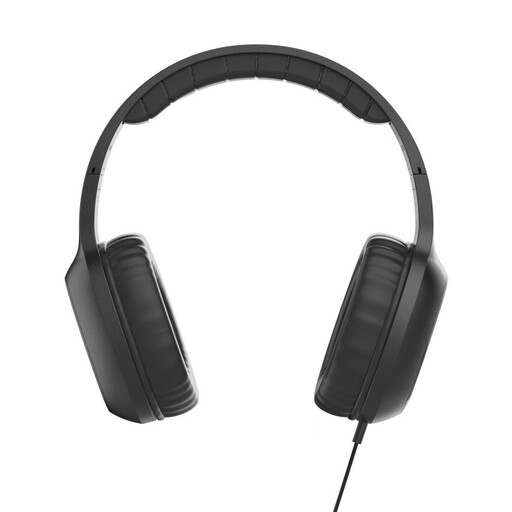
Fun C on-ear headphones with microphone, USB-C, black
An integrated microphone is listed for calls on a computer.
Wired with a USB-C connection; 1.2-m cable and single-sided cable entry.
The in-line remote can answer and end calls.
View at Joybuy
 No image available
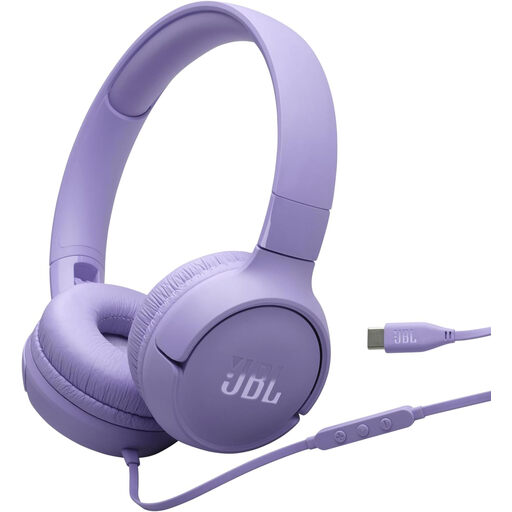
JBL Tune 520C USB-C on-ear headphones, purple
The integrated microphone and remote are listed for making calls.
Wired with a USB-C connection; 3-button remote and 32-mm drivers.
The model is described as foldable.
View at Joybuy
 No image available
Logitech H540 stereo USB headset
An adjustable microphone and microphone mute are listed for calls.
USB-A connection and 1.8-m cable.
Volume and mute controls are on the earcup.
View at Joybuy
 No image available
Logitech 960 stereo headset, USB, black
An adjustable microphone boom and microphone mute are listed for speaking on calls.
USB connection with a 2.4-m cable.
Volume and mute controls are built in.
View at Joybuy
 No image available
Logitech G PRO X gaming headset, black, USB
A detachable microphone and a mute button are listed for calls.
USB sound card and 2-m PC cable.
Memory foam ear cushions are listed.
View at Joybuy
Frequently asked questions about USB headsets for flatshares
Is ‘noise cancelling’ enough to help me and the other people on the call hear less flatshare noise?
No. The microphone and earcups affect different sides of the conversation. The microphone affects how your voice sounds to the other people on the call; the ear cushions and how they fit affect how much of your surroundings you can hear. Jabra describes the Evolve2 40 SE as having passive noise reduction in the earcups. Test voice transmission in your own room.
How do I set up a USB headset before discussing text?
Connect the USB version that suits your computer, select the headset for input and output in your computer and meeting software, then make a test call. The Logitech H390 instructions recommend adjusting the headband and positioning the microphone boom at mouth level. Then check the mute function.
What should I look out for when maintaining a headset and using it for long periods?
Regularly check the fit and condition of the ear cushions and cable, and try the headset for the usual length of a meeting. EPOS lists replacement ear cushions for the IMPACT 100 product line. Check the item number to make sure they fit your specific model.
Who should I contact if my headset develops a fault after purchase in Germany?
For a consumer purchase, the seller is generally your point of contact for your statutory rights. The European Commission explains that sellers are liable for goods that are not in conformity with the contract when delivered and that become apparent within two years. Any additional manufacturer’s guarantee is separate.
Does a CE mark prove that a headset effectively blocks flatshare noise?
No. The German Federal Network Agency describes the CE marking, for products covered by relevant EU harmonisation rules, as the manufacturer’s declaration that the product complies with those requirements. It doesn’t constitute a comparative test of speech clarity or noise reduction.


