What should you look for when buying?
First, check that the connection is compatible with your computer. Then assess separately whether you can hear clearly and whether your voice remains clear amid the kind of background noise you’d typically hear in a shared flat.
Brands such as Logitech, Jabra, HP Poly, Trust and EPOS describe microphone features on selected models. These descriptions don’t tell you how clearly you’ll be heard in your own room in a shared flat.
| What matters |
What to check before buying |
Who will find this particularly important? |
| Your voice amid background noise in a shared flat |
Adjust the microphone position and make a test call with the usual room noise in the background; listen to the recording. |
If I want to speak clearly despite conversations in the background, I’ll test the microphone in my usual surroundings. Around 33% of consumers would prioritise how their own voice sounds. |
| Hearing questions despite room noise |
Compare the on-ear and over-ear fit; assess listening comfort separately from the microphone features. |
If I need to hear the interview questions clearly despite noise in the room, I’ll pay particular attention to the fit and earcups. Around 27% of consumers would put undisturbed listening first. |
| Connection and getting started |
Check the USB port, exact model version and included adapter; test the microphone, speakers and mute function. |
If I use different computers, I want to make sure the plug fits and the controls work before the interview. Around 20% of consumers would have this as their main concern. |
| Comfort and cost |
Consider the fit and how long you’re likely to wear it; check the terms of the specific offer. |
If a comfortable fit for the duration of the interview matters to me, I’ll choose based on fit rather than a feature label alone. Around 20% of consumers would prioritise comfort and cost. |
USB headsets for your interview setup in a shared flat
This selection includes wired USB headsets for calls on a computer, including over-ear models and options with call controls on the headset or cable.
 No image available
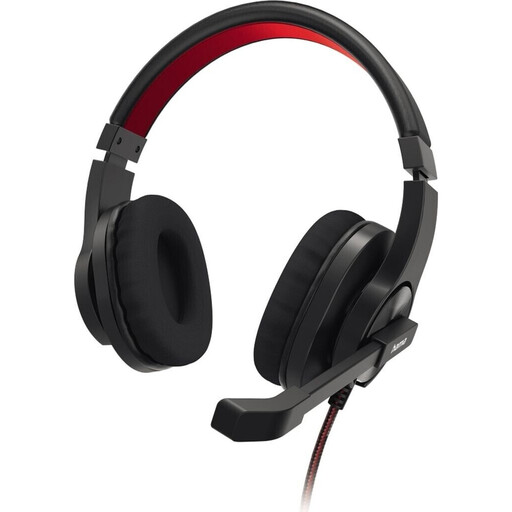
HS-USB400 V2 PC office headset, stereo
For a dedicated computer setup with USB-A and an easy-to-reach mute control.
USB-A; stereo; flexible microphone boom and mute function, according to the product description.
View on Joybuy
 No image available
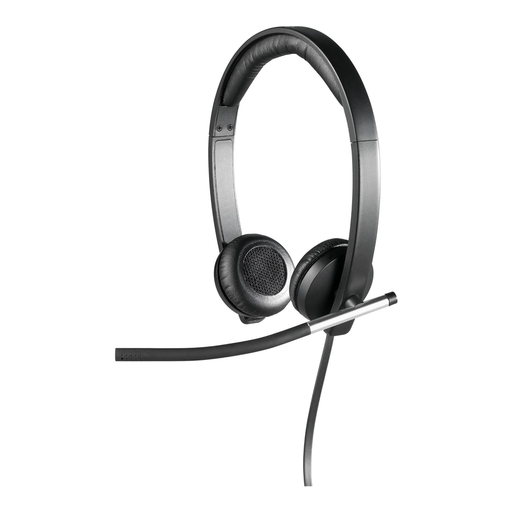
Logitech H650e stereo USB headset, over-ear
For work calls if you’re considering an over-ear stereo headset with a microphone boom.
USB; stereo; over-ear. The product description lists a noise-cancelling microphone boom and in-line controls.
View on Joybuy
 No image available
Logitech 960 stereo headset, USB
For a dedicated USB computer setup when the cable needs to reach your seating position.
Stereo; USB; 2.4 m cable. The product description lists an adjustable microphone boom and volume and mute controls.
View on Joybuy
 No image available
Logitech G PRO X gaming headset, USB
For a wired call setup on a computer with a USB sound card.
USB; the product description lists a detachable microphone and voice filters.
View on Joybuy
 No image available
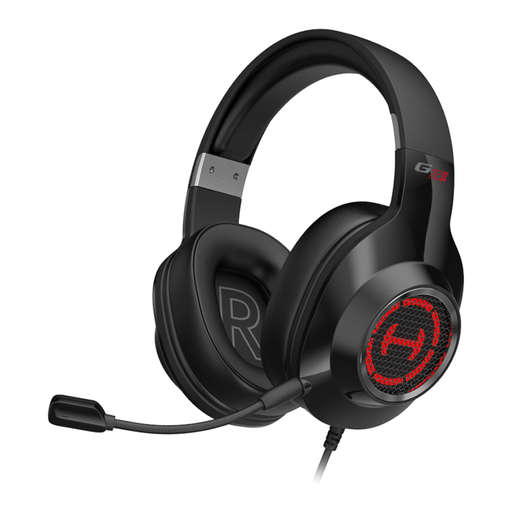
EDIFIER G2II gaming headset, USB, 7.1 surround sound
For a wired USB setup on a computer if the audio and design features listed in the product name are relevant to you.
USB; wired; 7.1 surround sound; RGB lighting; 50mm drivers, according to the product name.
View on Joybuy
Frequently asked questions
How do I test the headset before my job interview?
In the video calling service you’re using, select the headset specifically as your microphone and speaker, then test both. Zoom describes an audio test you can run before or when joining a call. Also listen to a microphone test recording and check the mute function, ideally with the kind of background noise you’d typically hear in a shared flat.
Do I need a Microsoft Teams-certified headset for the interview?
Microsoft’s guidance doesn’t suggest that applicants are generally required to use a certified headset. If built-in Teams call controls matter to you, check the certification for the exact model version rather than relying on the product range name alone.
Does ‘noise cancelling’ also block noises I can hear?
Not necessarily. For the models described, Logitech, HP Poly, Trust and EPOS refer to the microphone in their specifications. You can’t tell from this how effectively the earcups block out your flatmates’ noise.
What are my rights if I return an online purchase or it develops a fault in Germany?
Online purchases in Germany generally come with a 14-day right to cancel, which must be explained to you, according to the Verbraucherzentrale. If an item is faulty, statutory rights against the seller are separate from a voluntary guarantee. Check the terms of the specific offer.
Can I record the job interview to check the sound?
Don’t record the interview without permission. Section 201 of the German Criminal Code (StGB) covers the unauthorised recording of another person’s non-public speech. This is different from making a microphone test recording of your own voice.


