What should you look for when buying?
First, check that the microphone picks up your voice clearly in your specific shared-flat setup. Then consider how much noise isolation you want while listening, and whether the connection, controls and fit suit your workspace.
| What matters |
What to check before buying |
Who should pay particular attention? |
| Clear contributions |
Microphone position, mute control and a test recording made with the kinds of noise you typically hear in your room. |
If you’re chairing the meeting on your own, remote participants need to understand what you’re saying despite the noise in your shared flat. Around 33% of consumers put speech clarity first. |
| Hearing remote participants |
Stereo or mono design and the fit of the ear cushions; check whether any stated ANC feature is included on the specific model. |
If you want to hear questions and comments during the meeting despite noise in the room, your listening environment matters particularly. Around 27% of consumers prioritise listening. |
| Connection and controls |
USB port, full model variant, cable length and selecting the headset as the input and output device in your meeting app. |
If you change computers or move to a different seat, the connector and controls should work for you without a lot of searching. Around 20% of consumers prioritise connection and controls. |
| Comfort during longer meetings |
Adjustability, padding and your preferred mono or stereo design. |
If you’re chairing a longer meeting, the headset should feel comfortable while also suiting how much you want to hear of what’s going on around you. Around 20% of consumers prioritise comfort. |
USB headsets at Joybuy
The following Joybuy products are USB headsets for computers. The selection includes stereo and mono models.
 No image available
Logitech H540 stereo headset
An option to consider if you’re looking for a stereo headset with on-ear controls for computer meetings.
The product title lists a noise-cancelling microphone, an integrated equaliser, a mute indicator and a USB connection. Compatible devices include PC, Mac and laptop.
View at Joybuy
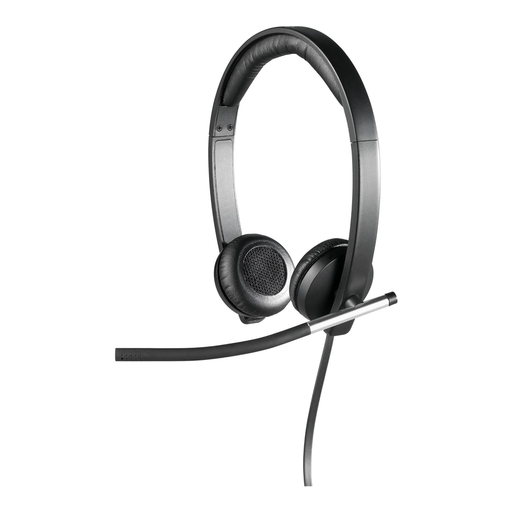 No image available
Logitech H650e stereo USB headset, over-ear
This stereo model may suit you if you want to cover both ears; check whether you also need to hear people in the room during meetings.
The product title lists stereo, USB, over-ear and black.
View at Joybuy
 No image available
Logitech 960 stereo headset
This model may suit you if you’re looking for a USB stereo headset for computer calls and the stated cable length works for your setup.
The product title lists a noise-cancelling microphone, USB and a 2.4 m cable. Compatible devices include PC, Mac and laptop.
View at Joybuy
 No image available
Logitech G PRO X gaming headset
If you’re considering a gaming headset for computer meetings, check beforehand that the specific USB connection works with your setup.
The product title lists a black USB headset.
View at Joybuy
 No image available
Logitech H570e mono headset
A mono model may suit you if you want to stay aware of what’s happening around you during meetings; check that it fits comfortably.
The product title lists a microphone, a USB connection, volume control and a mute function with an LED indicator on the cable. Compatible devices include PC, Mac and laptop.
View at Joybuy
Frequently asked questions
Is a personal USB headset enough if several club members are speaking together in a shared flat?
Not necessarily: a personal headset is designed for the person wearing it. If several people are speaking in the room, plan a suitable way to capture the room audio and avoid having several audio connections active at the same time. Zoom identifies these as a possible source of echo and recommends disconnecting the other audio connections.
How can I check the headset before the meeting starts?
Select the headset as the speaker and microphone in your meeting app, play a test tone and listen to a microphone test recording. If possible, repeat the voice test with the kinds of noise you expect during the meeting, and check that the mute control works too.
Is microphone noise reduction the same as ANC while listening?
No. The first refers to how your voice is transmitted; the earcups’ noise isolation or ANC mainly affects what you hear. Check which features the specific model actually offers.
What should I know about returns and faulty products when buying online in Germany?
According to the Verbraucherzentrale, online purchases generally come with a 14-day right to cancel, which you need to notify the retailer about. For faulty products, your statutory consumer rights are against the seller and are separate from any voluntary manufacturer’s or retailer’s warranty. Check the terms of the specific offer.
What labelling should I check on an electrical headset sold in Germany?
Within its remit, the Bundesnetzagentur checks, among other things, whether any required CE marking is correct. The European Union explains that CE marking is only mandatory for products covered by the relevant harmonised rules. A CE mark is not an independent microphone performance test and, on its own, does not confirm that a specific offer complies with the rules.


