What should you look for when buying?
For invoice backups on a shared computer, assess access protection, restoration, PC compatibility and storage capacity separately.
A flash drive with a PIN keypad
A good fit if: You can’t or aren’t allowed to install unlocking software on the shared computer, and entering a PIN on the device works for your workflow.
Consider: The connection and PIN management need to suit your setup. For this model, Verbatim says that 20 incorrect attempts will lock the Keypad Secure and require it to be reformatted.
An encrypted drive with unlocking software
A good fit if: You’re allowed to run the chosen unlocking method on every computer used for backing up and restoring files.
Consider: Check the operating system and IT approval in advance. A feature offered on one model isn’t necessarily available on other products from the same brand.
Software encryption on a USB flash drive
A good fit if: Your IT team approves the encryption software and the restoration process.
Consider: The unlocking method must work on the computers you plan to use. A high quoted read speed doesn’t tell you how quickly files will be written during a backup.
| Consideration |
What to check before buying |
Especially relevant for |
| Confidentiality |
Who can open the backup and whether unlocking software is allowed. |
If I save invoices on a shared PC, I want to decide who can open the copy. That’s why around 36% of consumers put access protection first. |
| Restoration |
Test the files and unlocking method on a computer used for restoration; disconnect the drive after each backup. |
It’s important to me that a backup is readable if something goes wrong, and that another copy is stored separately. That’s why around 29% of consumers prioritise the ability to restore files. |
| Connection and unlocking |
Check USB-A or USB-C, as well as the operating system, user permissions and IT approval on both computers. |
If IT restricts installations, the drive must work on both the backup and restoration PCs. Around 21% of consumers prioritise suitable connections and an approved unlocking method. |
| Capacity and copying time |
Factor in your files and the number of backup versions you plan to keep; check write speeds, not just read speeds. |
I want to know whether there’s enough space for invoices and backup versions, and how long copying will take. Around 14% of consumers focus on capacity and copying time. |
Joybuy products for invoice backups
The Joybuy options below include a drive with PIN entry, storage options with USB-A and USB-C, and a drive that uses separately installed password software. For each model, check the connection, IT approval and capacity you need.
 No image available
Kingston IronKey Keypad 200, 32 GB
Entering a PIN on the drive’s keypad could be a good option if you’re not allowed to install unlocking software on the shared computer.
32 GB; USB 3.2 Gen 1; alphanumeric keypad; XTS-AES-256 hardware encryption.
Joybuy
 No image available
Kexin USB-A/USB-C, pack of 2, 32 GB each, USB 2.0
This twin pack could suit you if you’re planning to use two separate storage drives with the connections you need.
USB 2.0; USB-A and USB-C; two drives, each with 32 GB.
Joybuy
 No image available
Kexin USB-A/USB-C, pack of 5, 32 GB each, USB 2.0
This set is worth considering if you need several storage drives for separate processes.
USB 2.0; USB-A and USB-C; five drives, each with 32 GB.
Joybuy
 No image available
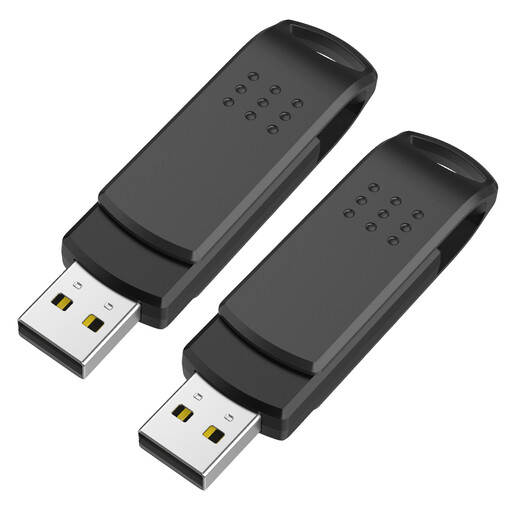
Kexin USB 3.0, pack of 2, 128 GB each
This twin pack could suit you if you need two drives with the stated capacity and plan to store them separately.
Two drives, each with 128 GB; up to 80 MB/s read and up to 40 MB/s write, according to the product details.
Joybuy
 No image available
SanDisk Cruzer Blade, 32 GB, USB 2.0
The password software described could be a good fit if you’re allowed to use it on the computers intended for backing up and restoring files.
32 GB; USB-A; SanDisk SecureAccess for password-protected files, according to the product description. The software must be suitable for the unlocking method you plan to use.
Joybuy
Frequently asked questions
How do I set up invoice backups on a shared PC?
Decide which files to back up and who should be able to access them. Agree the access protection with your IT team, disconnect the drive after each backup and test whether you can open a restored invoice.
Do I need administrator rights to use an encrypted drive?
That depends on the model and the computer’s settings. Verbatim says the Secure Pro #98666 doesn’t require administrator rights on the host computer. However, IT approval and a test on the specific PC are still advisable. iStorage describes PIN unlocking on the datAshur PRO² without host software.
What do I need to do after buying?
Regular backups, restoration tests and keeping another copy separately remain part of the process. Whether you need additional software, support or a second storage drive depends on the equipment you already have.
Does an encrypted USB flash drive automatically meet data protection requirements for invoices?
No. An encrypted drive alone doesn’t prove that all requirements for the specific data processing have been met. The German Federal Commissioner for Data Protection and Freedom of Information recommends appropriate technical and organisational measures. You should also check access permissions and how the shared computer is used.
Can I keep business e-invoices on the drive only as PDF copies?
There’s no blanket answer. The German Federal Ministry of Finance sets out the rules for e-invoices in transactions between domestic businesses, as well as transitional arrangements. Check which electronic original and storage process are required for the specific invoice. A USB backup doesn’t replace that assessment.


