People with important local invoice archives
If you want to restore invoices after a fault or accidental deletion, back them up regularly and check that you can restore the files. The BSI recommends ensuring that data can be recovered.


For invoice backups without the cloud, your USB stick should match your devices’ ports and offer enough storage. It’s also essential to check that you can actually restore your invoices from it. Germany’s Federal Office for Information Security (BSI) includes both backing up and restoring data as part of data protection. Encryption is worth considering for confidential invoices, while write speed may also matter if you regularly make large backups. A single USB stick does not guarantee lasting availability or compliance with business record-keeping requirements.
If you want to restore invoices after a fault or accidental deletion, back them up regularly and check that you can restore the files. The BSI recommends ensuring that data can be recovered.
If a USB stick could be carried around or lost, protection against unauthorised access is an important factor when choosing one. The BSI notes that encryption can protect data on lost or stolen USB storage devices from being accessed.
If you want to back up or open invoices on devices with USB-A and USB-C ports, check that the exact version of the stick matches the ports on the devices involved. Kingston lists compatibility with both port types for certain DataTraveler models.
First, check that you can restore the backup on your devices. For confidential files, you’ll also need access protection and an independent way to recover them.
The table groups these considerations by what may matter most to consumers making local invoice backups without the cloud.
| Consideration | What to look for | Who it matters most to |
|---|---|---|
| Restorable backup | Allow enough storage for your archive and test restoring it on the device you intend to use. | If I need to restore invoices after a device failure, I check the storage capacity and recovery process. Around 36% of consumers put restorable backups first. |
| Protecting confidential invoices | Check the encryption and unlocking method of the specific version; keep a separate copy of the decryption method. | If invoices are stored on a USB stick that I carry around, I want to protect them from unauthorised access if it’s lost. Around 29% of consumers put this protection first. |
| Ports and switching between devices | Check USB-A and USB-C compatibility with the devices you use and any possible replacement devices; confirm the exact model variant. | If I back up or open invoices on devices with different ports, the stick needs to work with both. Around 21% of consumers consider port compatibility their main concern. |
| Archive size and write speed | Consider how much storage your archive needs; for frequent, large backups, compare write-speed specifications for the exact model and independent tests. | If my archive is large or I regularly make bigger backups, I look at capacity and write speed. Around 14% of consumers prioritise these requirements. |
According to the BSI, the lifespan of a storage device cannot be predicted accurately. A backup is only useful if you can restore the data from it.
Keep another copy separately and regularly check that you can open the invoices.
An additional copy may require another storage device and time for recovery tests.
Without encryption set up, other people may be able to view invoice data on a lost portable storage device.
Set up suitable encryption on a standard stick, or choose a version specifically designed for this purpose. Check that you can recover the decryption method without the stick.
USB-A and USB-C versions, and the Intenso Speed Line and High Speed Line, are not the same model. Ports and features may differ.
Before buying, check the full model name, connector type and ports on your devices.
An unsuitable connector may mean you need a compatible adapter or a different USB stick.
Reading and writing are different operations. Test results also apply only to the specific models and capacities tested.
If you regularly back up large archives, compare the write-speed specifications for the exact version and consult relevant independent tests.
Keypad Secure is an option for encrypted invoice backups. Choose the USB-A or USB-C version to match your devices.
DataTraveler includes different port options, while IronKey offers ranges of encrypted USB sticks.
Speed Line may suit straightforward local USB-A backups. If write speed is a higher priority, check the specific High Speed Line version.
Extreme Pro and Ultra Dual Drive Luxe are different product ranges. The latter focuses on USB-A and USB-C connectors.
JetFlash models may be worth considering if you’re looking for a compact USB stick. Check the ports and performance of the specific model.
This selection includes USB sticks for local invoice archives, with USB-A and USB-C options as well as models that use a password or fingerprint for access. Match the ports and recovery method to your devices and requirements.
 No image available
For invoices on devices with USB-A and USB-C; the title lists two drives, each with 32 GB of storage.
USB 2.0; the description lists use with Android devices and Windows and Mac systems.
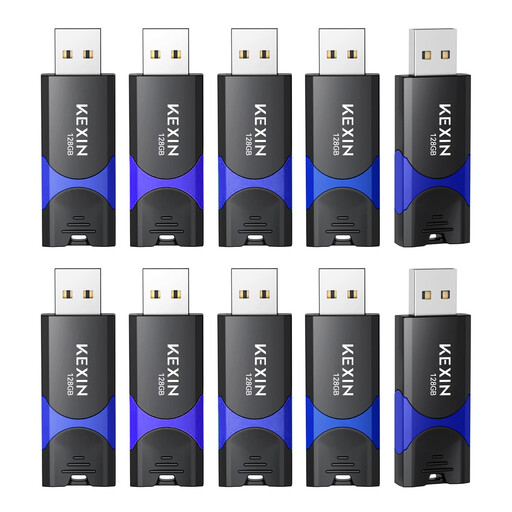 No image available
For consumers who need several storage devices for local file backups; the description lists ten drives, each with 128 GB of storage.
USB 2.0; the description lists use with PCs and laptops.
 No image available
For a local archive with password protection using the Secure Access software mentioned in the description; check in advance that the unlocking method works on the devices you plan to use.
128 GB; the product details list read speeds of up to 150 MB/s. A read speed does not indicate write speed.
 No image available
For invoices you want to back up or open on devices with USB-A and USB-C; the description lists both connectors.
128 GB; the description lists write speeds of up to 520 MB/s. Check the actual performance with your devices and files.
 No image available
For confidential invoices on devices with USB-A or USB-C; product details list AES-256 encryption and fingerprint access.
The description lists support for up to ten fingerprint IDs. It warns that the encrypted partition cannot be recovered if both the administrator password and fingerprint recognition fail. Make sure you have a separate, restorable copy.
Back up the files you need locally on a regular basis, then test that you can restore them using the device you plan to use. Disconnect the storage device from your computer when you’re not backing up, and keep another copy separately. The BSI explicitly includes the ability to back up and restore data as part of data protection.
Not necessarily: Verbatim says that the Nero Backup software listed for the Keypad Secure versions mentioned here is compatible with Windows only. The manufacturer’s separate statement that the stick is compatible with PC and Mac does not mean that the software will run on both systems.
If necessary, allow for a second storage device to keep a separate copy, and test your recovery process regularly. If you use a Verbatim Keypad Secure, also take note of the manufacturer’s advice about a security update for the relevant version.
Not simply by buying one. If you are a business owner covered by § 14b UStG, the invoices specified there must generally be kept for eight years; the period starts at the end of the year in which they were issued. For digital records that must be retained under § 147 AO, availability, legibility and machine readability are relevant, subject to the conditions set out there. Following the GoBD amendment of 14.07.2025, the structured part of an electronic invoice may be sufficient if the relevant requirements are met; where there is additional information relevant for tax purposes, a human-readable part may also be required. These business obligations do not automatically apply to personal invoice folders.