What should you look for when buying?
To replace Wi-Fi, the first thing to consider is whether you can run a cable from your laptop to a free router or switch port. Then check that the connection, drivers and any extra features suit your device and workspace.
| What you need |
What to look for |
Who should pay particular attention? |
| Replace Wi-Fi with a cable |
Check the cable route and make sure there’s a free RJ45 port on your router or switch. |
If I want to avoid Wi-Fi dropouts at my usual workspace, having a wired connection within reach matters most. Around 36% of consumers are likely to prioritise the cable route. |
| Connection and drivers |
Check for a free USB-A or USB-C port, and make sure your operating system and, where applicable, hardware version are compatible. |
If I want to use the adapter with my particular laptop without any extra steps, the connection and software need to be compatible. Around 29% of consumers prioritise this compatibility. |
| Extra ports or charging |
Check for additional data ports and explicit Power Delivery pass-through separately. |
If my laptop is short on ports or I want to use the same USB-C port for charging, the exact features matter. Around 21% of consumers prioritise extra ports or charging. |
| Speed for local file transfers |
Compare the link speed of the adapter, laptop port and router or switch. |
If I transfer large files across my home network, the other end of the connection needs to support the higher link speed too. Around 14% of consumers are likely to make fast local transfers their top priority. |
USB LAN adapters at Joybuy
This selection includes USB Ethernet adapters for a wired laptop connection, including Gigabit models and one option with speeds of up to 100 Mbps.
 No image available
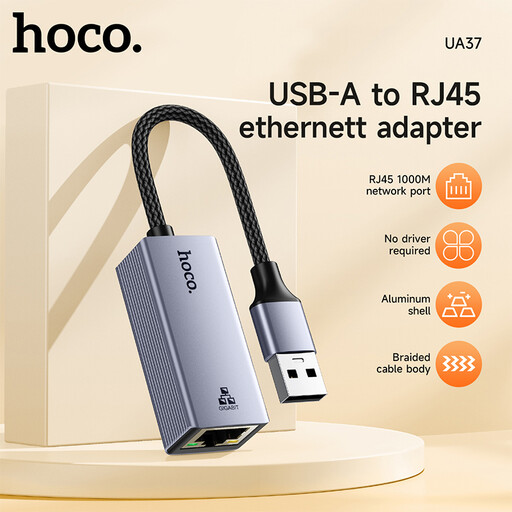
HOCO UA37 USB Gigabit Ethernet adapter
For a laptop with a compatible USB port, if you want to use a wired Gigabit connection.
The product information lists Ethernet link speeds of 10/100/1000 Mbps and compatibility with Windows 98/ME/2000/XP/Vista/Win7/8/9/10, Linux and Mac OS.
View at Joybuy
 No image available
HOCO UA37 Type-C Ethernet adapter (1000 Mbps)
For a laptop with a free USB-C port, if you want to replace Wi-Fi with a wired connection.
The product description lists Ethernet link speeds of 10/100/1000 Mbps and plug-and-play compatibility with most operating systems.
View at Joybuy
 No image available
D-Link DUB-E130 USB-C Gigabit Ethernet adapter
For a laptop with a free USB-C port that needs a wired Ethernet connection.
The product information lists USB 3.0, Ethernet link speeds of 10/100/1000 Mbps, and support for Windows and macOS.
View at Joybuy
 No image available
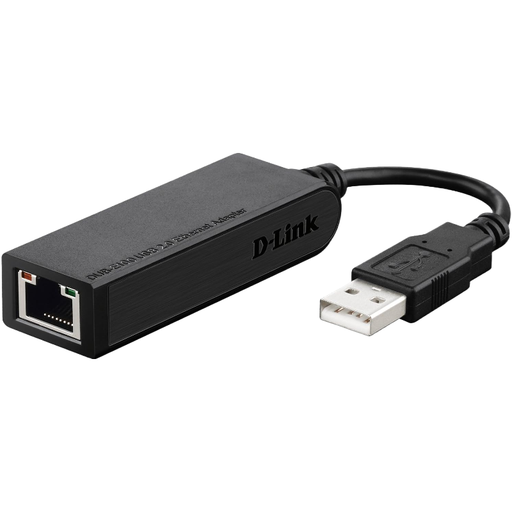
D-Link DUB-E100 Ethernet adapter with 100 Mbps
For a wired laptop connection if a link speed of up to 100 Mbps meets your needs.
The listed Ethernet data rate is 100 Mbps, which is below Gigabit speed.
View at Joybuy
Frequently asked questions
Will a USB LAN adapter help if the internet connection itself goes down?
No. It only replaces the connection between your laptop and your local network. If you have problems, compare Wi-Fi with a wired connection. AVM notes that speed test results also depend on the device you use and its connection to the FRITZ!Box.
What should I check if the adapter won’t connect?
Connect the adapter to the right USB port, then use an Ethernet cable to connect it to a router or switch. Check the network link and, if necessary, the drivers for your operating system, along with the exact model and hardware version. TP-Link lists UE306 downloads separately by hardware version.
Can any hub with a USB-C power port charge my laptop at the same time?
No. According to the manufacturer, the USB-C power port on the UGREEN 60554 isn’t for charging a laptop. You’ll need a model that explicitly supports Power Delivery pass-through, as well as compatible charging equipment and a compatible laptop.
When is a 2.5 Gbit/s adapter worth it?
A higher link speed is most useful for fast local file transfers, provided your laptop port and router or switch support it too. If you simply want to switch from Wi-Fi to Ethernet, you don’t necessarily need the higher rated speed.
What does CE marking on an adapter mean?
According to the European Union, CE marking is only required for products covered by EU rules that require it. This general information doesn’t confirm that any specific adapter for sale complies with those rules.


