Mini PC without a spare LAN port
If you want to add a wired network connection, first check whether your mini PC has a spare USB-A or USB-C port that’s suitable. TP-Link Deutschland offers Gigabit adapters for both connection types.


First, choose an adapter with a USB connector and operating system support that match your mini PC. Gigabit Ethernet is enough if your network connection doesn’t need to be faster. 2.5 Gigabit is mainly worth considering for large local file transfers, provided your USB port, cable and the rest of your network can support it. In a shared studio, you’ll also need to check which network the mini PC is allowed to connect to: a USB LAN adapter doesn’t separate user groups.
If you want to add a wired network connection, first check whether your mini PC has a spare USB-A or USB-C port that’s suitable. TP-Link Deutschland offers Gigabit adapters for both connection types.
If you often transfer large files to a NAS or server, check whether the entire network connection supports 2.5 Gigabit. TP-Link Deutschland and Club 3D list suitable adapters with 2.5 Gigabit Ethernet.
If different people and devices in the studio need to communicate separately, that has to be managed by the network architecture. The German Federal Office for Information Security describes network separation and controlled communication as network-planning tasks, not something an Ethernet adapter can provide.
First compare the available USB port and operating system, then the network speed you need. In a shared studio, also plan which network socket to use and what access permissions are required.
| Criteria | What to check before buying | Who it matters most to |
|---|---|---|
| Suitable USB connection | Check whether a USB-A or data-capable USB-C port is available, and bear in mind its data rate and the space around it. | If there’s no spare LAN port on my mini PC, I first need to know which USB connector will fit. Around 31% of consumers put a suitable connection first for this reason. |
| LAN throughput | Make sure the speeds of the USB port, switch, connected device and cable are compatible. | If I often transfer large files across my local network, the speed of the entire connection matters. Around 25% of consumers put the required throughput first. |
| Operating system and drivers | Check your exact operating system version against the model information; plug-and-play claims may not apply to every version. | For a mini PC that’s permanently set up, I want to check in advance that it supports my specific operating system. Around 19% of consumers prioritise system compatibility. |
| Network assignment | Check which network socket is intended for the mini PC and which shared devices it’s allowed to access. | If several people use the same studio, I need to know which network the computer belongs on. Around 13% of consumers put the right network assignment first. |
| Space at your workstation | Check the clearance around the USB port and whether the connector and network cable will obstruct nearby ports or affect your setup. | With a mini PC that has lots of connections, I want to make sure the adapter and cable will fit at my workstation. Around 12% of consumers prioritise a suitable fit. |
The adapter’s stated speed alone doesn’t tell you how fast your studio connection will be. The USB connection, cable, switch and connected device all need to be suitable too.
Check every component in the network connection before choosing a higher-speed Ethernet port.
TP-Link says the UE300C requires a driver with certain older operating system versions.
Check the information for the exact model against your installed operating system and its version.
Adding an Ethernet connection doesn’t determine whether user groups in the studio are separated from each other. That depends on the network architecture and access rules.
Before connecting the mini PC, check which network socket and access permissions are intended for it.
The documented UE300 and UE300C models connect USB-A and USB-C respectively to Gigabit Ethernet. The UE302C adds USB-C with 2.5 Gigabit Ethernet.
According to the manufacturer, the CAC-1420 is a USB-A adapter with a 5-Gbit/s host connection and 2.5 Gigabit Ethernet.
The US2GA30 is described as a USB-A to 2.5 Gigabit Ethernet adapter. StarTech.com lists features including Wake-on-LAN and VLAN for this model.
According to the compatibility list, the USB-C adapter with 2.5-Gbit/s Ethernet is primarily intended for the listed Dell system families.
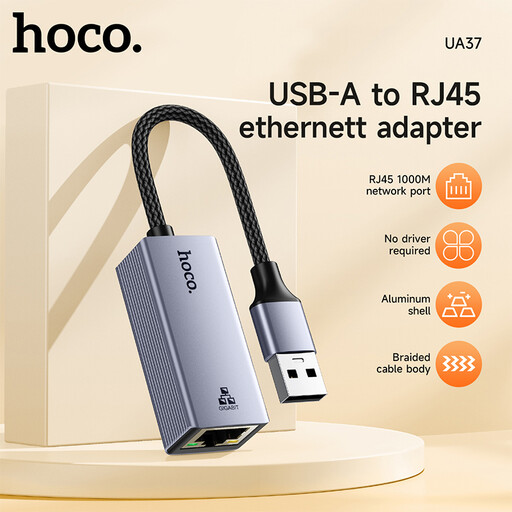
This selection includes USB Ethernet adapters for wired Gigabit access via USB-A or USB-C.
 No product image available
An option if you want to add wired Gigabit network access and the adapter is compatible with your spare USB port.
The description lists Ethernet at 10/100/1000 Mbit/s, but doesn’t specify the USB connector type. According to the description, a driver may be required for very old systems such as Windows 98 or XP.
 No product image available
An option if your mini PC has a spare USB-C port that’s suitable and Gigabit Ethernet is fast enough for your network connection.
USB-C and an Ethernet speed of 1000 Mbit/s are listed in the product title; this port speed isn’t designed for a 2.5 Gigabit connection end to end.
 No product image available
An option if you have a spare USB-C port and want to add a Gigabit RJ45 connection.
The product title lists USB Type-C, USB 3.0 and Ethernet at 10/100/1000 Mbit/s. This stated Ethernet port speed isn’t sufficient for a 2.5 Gigabit connection.
Connect the adapter to a suitable USB port, then plug the RJ45 cable into the designated network socket or switch. Next, check whether your operating system recognises the adapter. TP-Link says the UE300C needs a separate driver with certain older versions.
Not automatically. 2.5 Gbit/s is the Ethernet port’s stated capability. Club 3D points out that the rest of the network connection must also support it, while TP-Link specifies at least a Cat5e cable for the UE302C to reach its maximum performance.
First check which network socket and network assignment are intended for your mini PC. The German Federal Office for Information Security describes separating user and device groups, and controlling how they communicate, as part of the network architecture; a USB LAN adapter doesn’t do this.